New developer toolkit for CRM 2011/2013/2015/2016/D365

Hi All,

Do you remember, way back in 2013 we had a developer tool kit included in the SDK itself, which was later removed.

We had a good news, the developer toolkit had been made available Jason Lattimer in earlier versions.

With the advent of Dynamics 365, whole world of Microsoft Dynamics Changed and came with  new face which is none other than Power Platform.

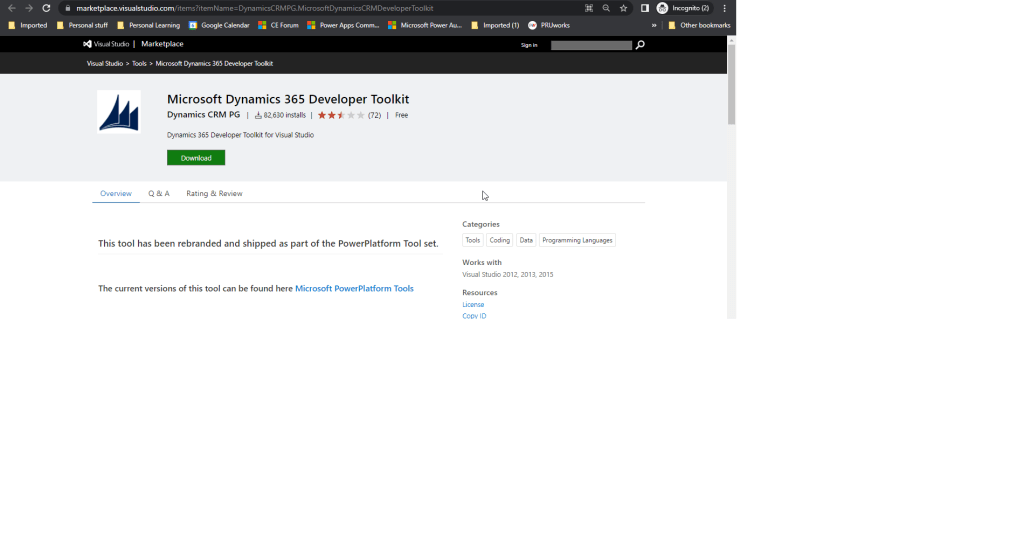
You can install the latest Dynamics 365 Developer Toolkit here

Cheers,

PMDY

Things to note when registering a Plugin/custom workflows in Sandbox mode

Sandbox mode can also be referred isolation environment. Lets us see some Pros and Cons when registering the plugins/custom workflow activities in Sandbox mode.

Advantages:

  • Can make use of the full power of the Microsoft Dynamics CRM SDK
  • Have access to external endpoints like Azure Cloud Services.
  • CRM collects run-time statistics and monitors plug-ins and custom workflow activities that execute in the sandbox.
  • If code exceeds CPU Memory or is otherwise unresponsive, it would be killed by the platform
  • More secure, collects run time statistics and reporting
  • Platform collects runtime statistics and were populated after 30 mins to 1 hr
  • Can access the network through HTTP, HTTPS protocols
  • Anonymous authenication is allowed for plugins

Disadvantages:

  • Access to localhost (loopback) is not permitted.
  • IP addresses cannot be used, web address requires DNS name resolution

Service Provider in Plugins explained

When a particular event occurs in Microsoft Dynamics CRM, such as “create of a contact” or “update of an account”, the Execute method is invoked for any plugins registered on the event. This method includes a single serviceProvider parameter which provides useful service information about the execution of the plugin. In this post, we will take a look at the information that is made available by the serviceProvider parameter.

The types of service objects available include the following:

• IPluginExecutionContext
• IOrganizationServiceFactory
• ITracingService

The IPluginExecutionContext service object is the most useful of the three and provides contextual information to the plugin at run-time. It includes details about the user who triggered the plugin event as well as transactional information handled at the platform layer. The following code can be used to obtain the execution context from the service provider:

IPluginExecutionContext context = (IPluginExecutionContext)serviceProvider.GetService(typeof(IPluginExecutionContext));

The IOrganizationServiceFactory service object allows us to create an instance of the organization service which can be used to define and execute various platform requests. The following code can be used to achieve this:

IOrganizationServiceFactory factory = (IOrganizationServiceFactory)serviceProvider.GetService(typeof(IOrganizationServiceFactory));
IOrganizationService sdk = factory.CreateOrganizationService(context.UserId);

In the example above, we pass in the GUID of the user who triggered the plugin event, which is obtained from the IPluginExecutionContext. Alternatively, we can pass in the GUID of another CRM user, or pass in a null value to execute the plugin logic under the system context.

Lastly, the ITracingService allows us to trace the plugin execution flow and any variables for debugging purposes.

There you have it, an introduction to the various service objects that we will be working with in our journey to create plugins for Microsoft Dynamics CRM. In my next post, we will take a closer look at the IPluginExecutionContext.

Cheers,

PMDY

Two major functionalities going to be deprecated from future releases of Dynamics CRM..

As a part of important changes coming in the future releases of Dynamics CRM, two major existing functionalities which had been in place from CRM 2015 version would be deprecated and find their details as below.

  1. Removal of legacy form rendering option
     With Microsoft Dynamics CRM Online 2015 Update 1, introduced a new form rendering engine (sometimes called “turbo forms” ) that provides improved performance. This new rendering engine became available for customers with on-premises deployments with Microsoft Dynamics CRM 2016.

Because such a change can introduce different behaviors in form scripts, CRM 2016  currently provide a Use legacy form rendering option in System Settings so that an organization can opt out if they detect problems. This is intended to be a temporary solution. We hope these kind of issues would be addressed soon.

The Use legacy form rendering option will be removed in the next major release. Legacy form rendering (sometimes called “refresh forms”) is deprecated and will no longer be available. Only the rendering option will be removed; the form definition is still supported. Organizations who have not yet resolved issues with their customizations by using the new form rendering engine should take action immediately so that they will be able to upgrade to the next major version.

If you have turned on legacy form rendering, please turn it off and test your scripts. During testing, if you see breaking changes in forms that use:

  • The supported client API objects and methods documented in MSDN: Client-side programming reference, report this to CRM technical support.
  • Unsupported form objects or methods, remove these customizations or find a different way to achieve the results you want.

So Organizations be aware of this..

2.Microsoft Dynamics Email Router is deprecated

 The Microsoft Dynamics CRM Email Router will become deprecated in the next major release of Microsoft Dynamics CRM. To prepare for this change, we strongly recommend that you migrate all email routing functionality to use the server-side synchronization feature. More information: Migrate settings from the Email Router to server-side synchronization
Cheers,
PMDY

About XMLHTTPRequest

We all know with CRM 2016 we should use Web API instead of oData in JavaScript. So before actually implementing that let us understand XMLHTTPRequest which would be a major part of this code.

Lets take a code example and then analyze each and every component

The following script demonstrates how to create and use the XMLHttpRequest object. For best client-side performance, the XMLHTTP request is asynchronous and uses an onreadystatechange event handler to process the data returned by the call. The script uses the getXMLHttpRequest()function defined above to create the request object.

 X : Integer denoting readystate changes

The full list of readyState values is:

State  Description
0      The request is not initialized
1      The request has been set up
2      The request has been sent
3      The request is in process
4      The request is complete
function handler()
{
    if (oReq.readyState == X /* complete */) {
        if (oReq.status == 200) {/*Click here to check all statuses possible*/
            console.log(oReq.responseText);/*Responsetext property*/
        }
    }
}
var oReq = getXMLHttpRequest();
if (oReq != null) {
    oReq.open("GET", "http://localhost/test.xml", true);
    oReq.onreadystatechange = handler;
    oReq.send();
}
else {
    window.console.log("AJAX (XMLHTTP) not supported.");
}

Sample Workout


Further process to be followed in my next post..


Cheers,

PMDY

Calling Workflows and Dialogs from Javascript

Today we would see calling workflows and dialogs from javascript

Call Workflow

Runs the specified workflow for a particular record asynchronously. Optionally, you can add callback functions which will fire when the workflow has been executed successfully or if it fails.

Parameters: Workflow ID/Guid, Record ID/Guid, Success Callback (function), Error Callback (function), CRM Base URL (not required on forms/views)

Usage:

Process.callWorkflow("4AB26754-3F2F-4B1D-9EC7-F8932331567A", 
    Xrm.Page.data.entity.getId(),
    function () {
        alert("Workflow executed successfully");
    },
    function () {
        alert("Error executing workflow");
    });


Call Dialog

Note: This function has been deprecated. It will remain in the solution, however no future enhancements or fixes will be done. Please check out Alert.js for a better way of showing dialogs.

Opens the specified dialog for a particular record in a CRM light-box, or Modal Dialog if run from Outlook. Once the dialog is closed, a custom callback function can be executed, e.g. to refresh the form with new data set by the dialog.

Parameters: Dialog ID/Guid, Entity Name, Record ID/Guid, Callback function, CRM Base URL (not required on forms/views)

Usage:

Process.callDialog("C50B3473-F346-429F-8AC7-17CCB1CA45BC", "contact", 
    Xrm.Page.data.entity.getId(),         
    function () { 
        Xrm.Page.data.refresh(); 
    });

Cheers,
PMDY

Building SQL Query using Query Expression programmatically

Today we will see how to query the data in ms crm similar to a SQL Query using Query Expression.

// Build the following SQL query using QueryExpression:
// SQL Query:
//		SELECT contact.fullname, contact.address1_telephone1
//		FROM contact
//			LEFT OUTER JOIN account
//				ON contact.parentcustomerid = account.accountid
//				AND
//				account.name = 'Litware, Inc.'
//		WHERE (contact.address1_stateorprovince = 'WA'
//		AND
//			contact.address1_city in ('Redmond', 'Bellevue', 'Kirkland', 'Seattle')
//		AND 
//			contact.address1_telephone1 like '(206)%'
//			OR
//			contact.address1_telephone1 like '(425)%'
//		AND
//			DATEDIFF(DAY, contact.createdon, GETDATE()) > 0
//		AND
//			DATEDIFF(DAY, contact.createdon, GETDATE()) < 30
//		AND
//			contact.emailaddress1 Not NULL
//			   )


Similar Query using QueryExpression:
QueryExpression query = new QueryExpression()
{
    Distinct = false,
    EntityName = Contact.EntityLogicalName,
    ColumnSet = new ColumnSet("fullname", "address1_telephone1"),
    LinkEntities = 
    {
        new LinkEntity 
        {
            JoinOperator = JoinOperator.LeftOuter,
            LinkFromAttributeName = "parentcustomerid",
            LinkFromEntityName = Contact.EntityLogicalName,
            LinkToAttributeName = "accountid",
            LinkToEntityName = Account.EntityLogicalName,
            LinkCriteria = 
            {
                Conditions = 
                {
                    new ConditionExpression("name", ConditionOperator.Equal, "Litware, Inc.")
                }
            }
        }
    },
    Criteria =
    {
        Filters = 
        {
            new FilterExpression
            {
                FilterOperator = LogicalOperator.And,
                Conditions = 
                {
                    new ConditionExpression("address1_stateorprovince", ConditionOperator.Equal, "WA"),
                    new ConditionExpression("address1_city", ConditionOperator.In, new String[] {"Redmond", "Bellevue" , "Kirkland", "Seattle"}),
                    new ConditionExpression("createdon", ConditionOperator.LastXDays, 30),
                    new ConditionExpression("emailaddress1", ConditionOperator.NotNull)
                },
            },
            new FilterExpression
            {
                FilterOperator = LogicalOperator.Or,
                Conditions =
                {
                    new ConditionExpression("address1_telephone1", ConditionOperator.Like, "(206)%"),
                    new ConditionExpression("address1_telephone1", ConditionOperator.Like, "(425)%")
                }
            }
        }
    }
};

DataCollection<Entity> entityCollection = _service.RetrieveMultiple(query).Entities;

// Display the results.
Console.WriteLine("List all contacts matching specified parameters");
Console.WriteLine("===============================================");
foreach (Contact contact in entityCollection)
{
    Console.WriteLine("Contact ID: {0}", contact.Id);
    Console.WriteLine("Contact Name: {0}", contact.FullName);
    Console.WriteLine("Contact Phone: {0}", contact.Address1_Telephone1);
}
Console.WriteLine("<End of Listing>");
Console.WriteLine();
Cheers,
PMDY

Using Pre & Post Entity images in MS CRM

Options we have to access fields that are not included in the context.

  1. Obtain a reference to Organisation Service within your plugin, and then use a Retrieve request to return the fields you need from the plugin. As the context will always contain the GUID for the record that has changed, this is generally the most common way you will see this done.
  2. Utilise either a Pre or Post Entity Image of the record, which contains the attributes that you need to access.

Previously we would be using the First option for any kind of operations.Recently though, I have been evaluating Entity Images more and more, and have begun to actively use them as part of my plugins. Entity Images are, essentially, snapshots of the CRM record that are stored on the platform either before the database operation has completed or straight after – you can decide which one you want to use, depending on what your plugin is doing. They are configured as part of deploying your plugin to your target CRM instance, and the steps involved are actually quite simple – I think it’s generally the case that they are not well-understood or utilised by developers who are learning about CRM for the first time.

So why should you go to the extra effort to use them within your plugins?

As alluded to above, using Pre Entity Images means you can get a snapshot of your CRM data before the data was changed. This may prove to be particularly invaluable in cases where you need to perform a before/after comparison on a particular field, and then execute a specific action either way. The only non-entity image way of doing this within CRM would be via hidden field that stores the current value of your field in question, which is referenced and updated once your business logic has completed. A slightly inelegant solution, and one that is questionable, given that we can utilise Entity Images instead. Having ready access to the attributes which may not necessarily be exposed to the plugin when it is executed is particularly invaluable, given that this avoids a scenario where you would have to go down option 1). Disadvantages of this approach is the potential for unnecessary delays in your plugin completing and problems with your CRM instance as a whole, if your CRM’s web services are already accessed to breaking point.

In these cases, we go with plugin images. That’s all for today.. would be sharing code related stuff about using plugin images in my next blog post..

Cheers,

PMDY