
Hi Folks,
Some day or the other you might encounter this problem…
I faced it again today, so just want to keep this post as quick reference…
When you open Advanced Find in any Model Driven App especially in old UI, suddenly this screen keeps popping up which is due to caching issues in your browser.
Screen will look weird as below….

Fix:
- Hit F12 in your Browser and find the Console tab in the window.
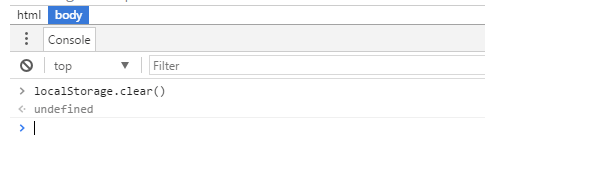
- In the console window screen where the screen blinks…key in the below command and then press enter.
- localStorage.clear()
- Screen looks like as below…and good to proceed. 
- Go ahead and refresh your browser page by pressing F5….there you go!!!
Cheers,
PMDY
Discover more from ECELLORS CRM Blog
Subscribe to get the latest posts sent to your email.

 ECELLORS CRM Blog