
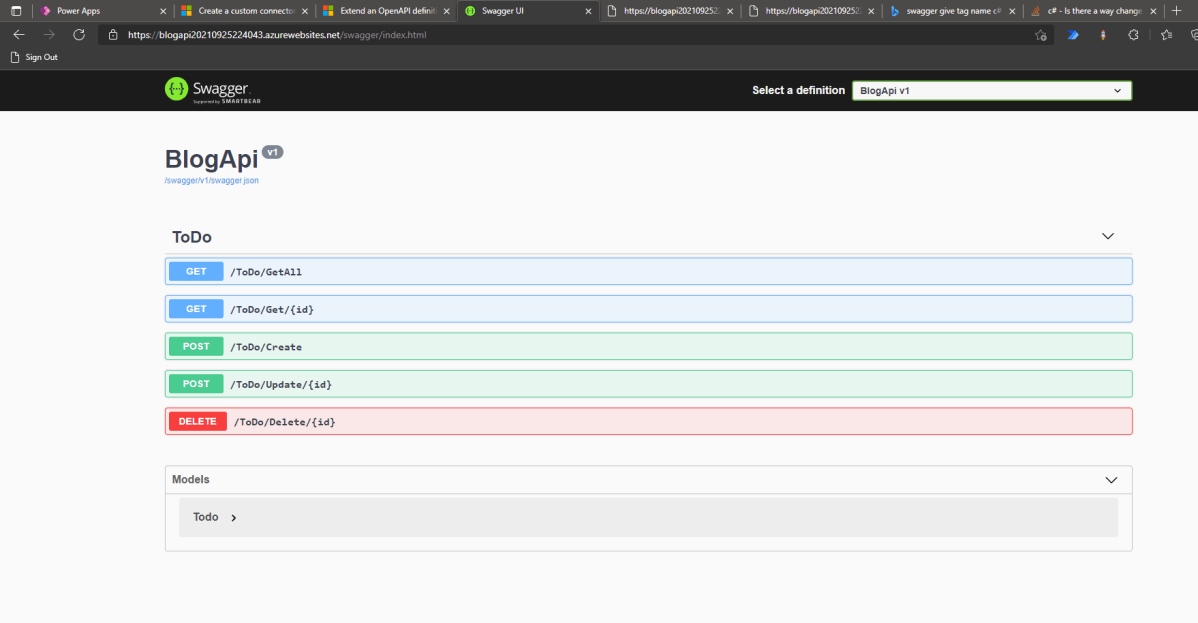

Today we will learn how to create Swagger API > deploy it to Azure (App Service) > make custom connector > use it in Canvas Apps. Without further ado, let’s make it!
Create API
First, we need to open your CMD line, then set the CMD (using CD command) to the directory where you want to create the folder. Once you are already in the folder that you want it, run the below command (you need to have dotnet installed):
dotnet new webapi -o BlogApiBy default, the CLI will help you to generate WeatherController. I will remove all the things that are related to the WeatherController and make the below Controller:
using Microsoft.AspNetCore.Mvc; namespace BlogApi.Controllers; public class Todo { public Guid Id { get; init; } = Guid.NewGuid(); public string? Name { get; set; } public string? Description { get; set; } public bool IsCompleted { get…
View original post 839 more words
Discover more from ECELLORS CRM Blog
Subscribe to get the latest posts sent to your email.

 ECELLORS CRM Blog