Recently I was trying to move the Plugins within a solution to another environment where I started to face the above mentioned error.
After checking found that the user who is deploying solution didnt have deployment administrator role. For this we need to provide Deployment administrator to the user who was actually deploying the solution, you will find deployment manager for your Dynamics Onpremise instance.
Once deployment administrator role is added, you should be able to move the solution.
Now-a-days Power Platform pages/portals are being adopted by the clients using Dynamics. But there could be clients who still have their ASP.net MVC Portals running on Azure and just that they don’t want to move because of budget constraints. There will be times when you need to update the SSL certifcate to make the websites more secure out in the internet.
So here in this case, we’ll walk through the steps for updating your portal certificate. Please note that you need to create certificate request and request for the certificate from a certificate authority.
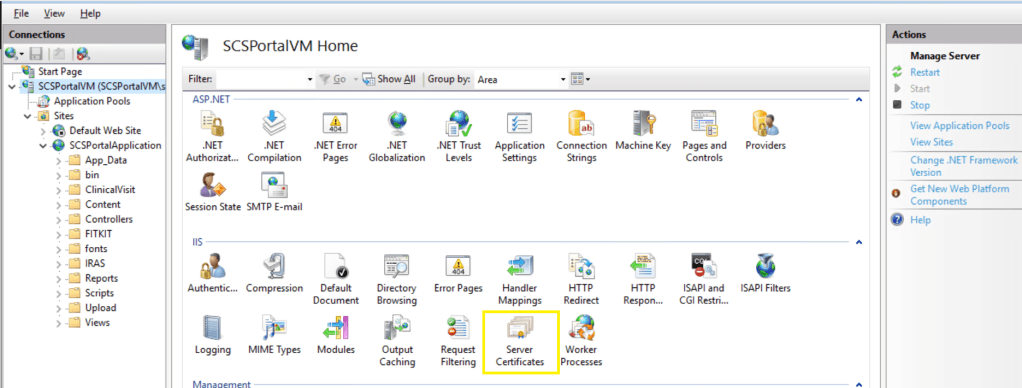
For updating certificate, you need use IIS….go to Server Certificates as highlighted below
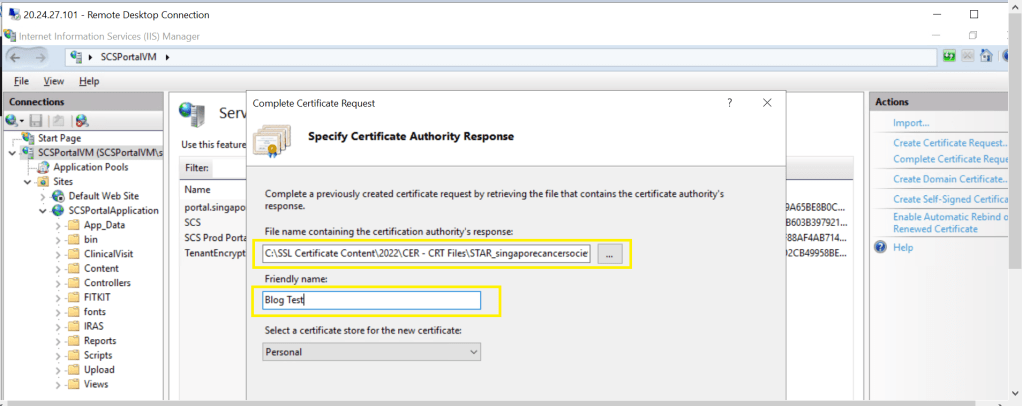
Click on Complete Certificate Request at the right…as below
For File name below, click on Elipses and locate the file(.cer) of your SSL certificate provided by certificate issuing authority and click Ok.
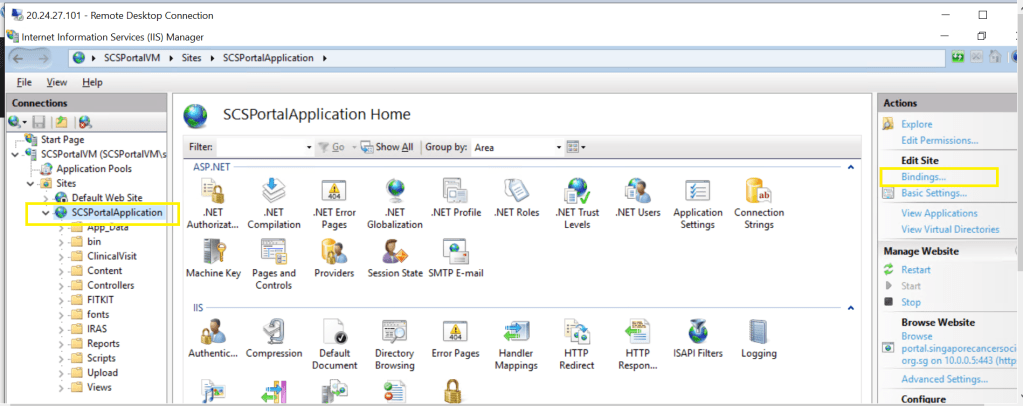
Next step is to update the website bindings to take the latest certificate just updated. Click on your website as below..you should see bindings at the right as highlighted.
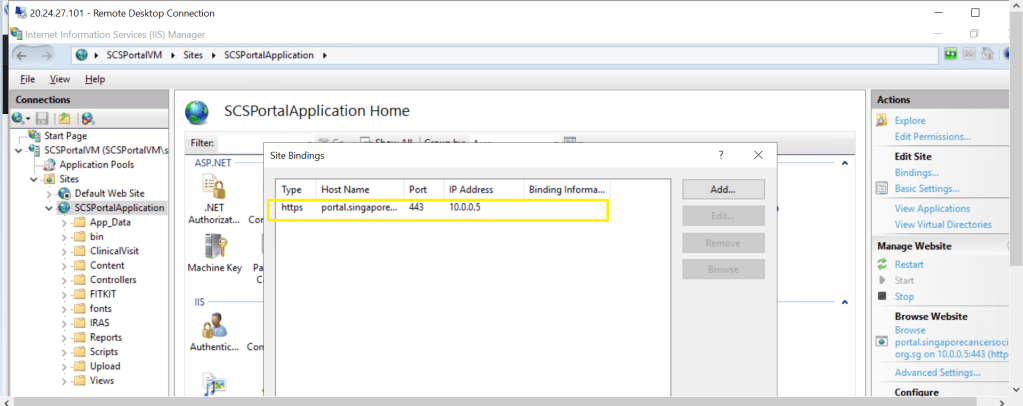
Locate the bindings as below
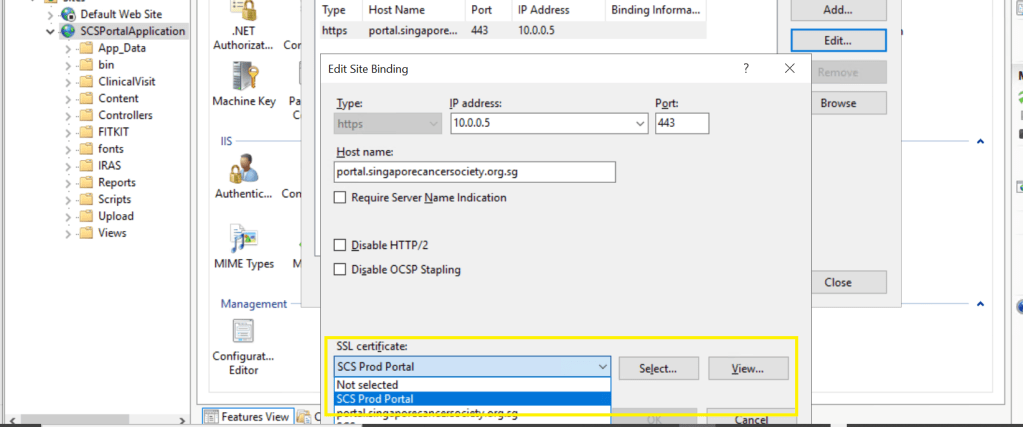
Click on the binding and click Edit..and select your latest SSL Certificate..
Click Ok and there you go, your certificate is updated.
Thank you for reading, please let me in comments if you have any queries….
Typescript is a strongly typed and built on Javascript. So now you could catch your errors little earlier…TypeScript code converts to JavaScript, which runs anywhere JavaScript runs: In a browser, in your apps etc.
TypeScript offers all of JavaScript’s features, and an additional layer on top of these: TypeScript’s type system. For example, JavaScript provides language primitives like string and number, but it doesn’t check that you’ve consistently assigned these. TypeScript does. This means that your existing working JavaScript code is also TypeScript code. TypeScript is an Object oriented programming language and inherits all the features of OO’Programming.
Microsoft recommends using TypeScript instead of JavaScript in all your Dynamics new implementations and slowly as this gives much flexibity to a developer. So why not learn this and boost your productivity…





 ECELLORS CRM Blog