
Hi Folks,
When coming to Power Automate, I see lots of articles regarding Pagination for retrieving more than 5000 records from Dataverse with varying complexity. It could be difficult to understand them at once if you were especially don’t much exposure on Power Automate working with functions and variables.
This post will give you a very easy way to retrieve more than 5k + records from Dataverse using PageNumber variable.
The Flow looks like below..
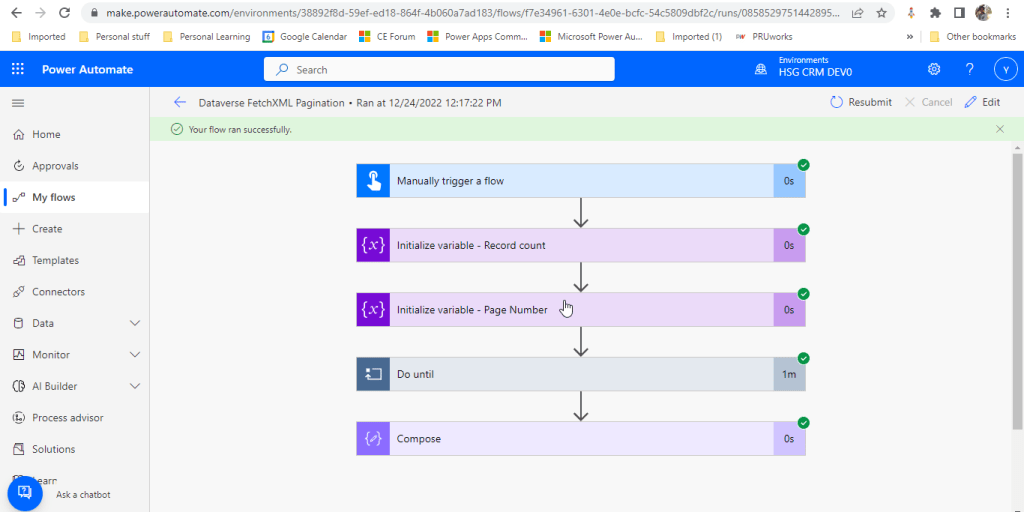
You just need two variables..
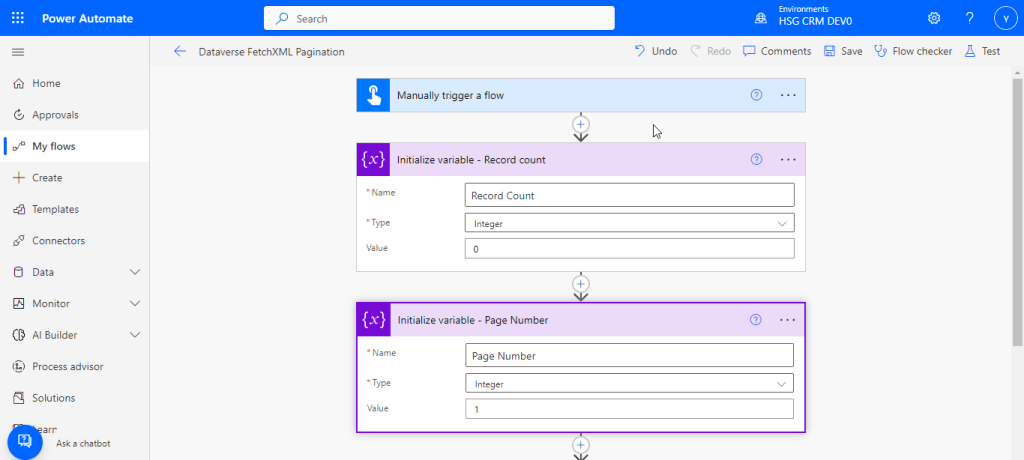
- Record count
- Page number
Lets create it…
For simplicity, create a manual trigger and initialize the two variables which we need.
Now create a do until loop to run until Page Number is 0.

Now define a Scope action as above to define your fetch criteria to retrieve the records from dataverse with Fetch updated as below
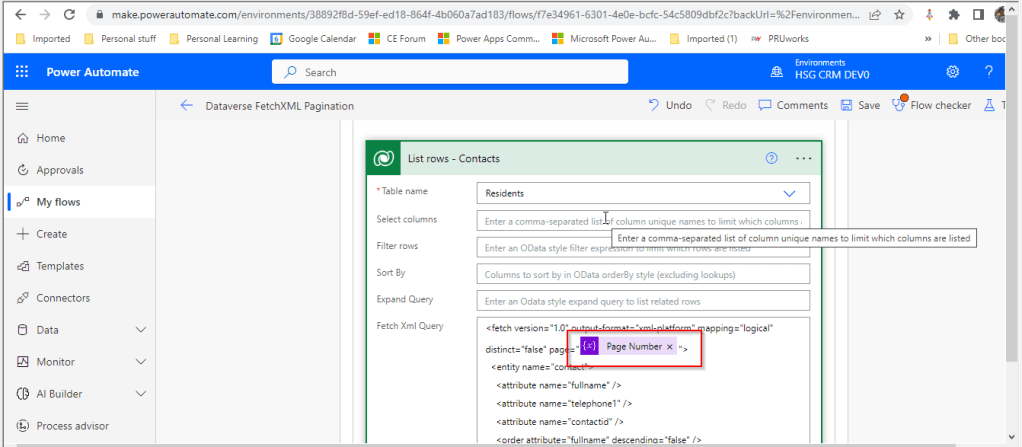
Add the Page Number variable created

Add a condition as above to check if List Rows Length is still greater than zero.
If yes, increment the length of Page Number, else set Page Number as 0.

In each iteration, increment the length variable. Here Residents entity is nothing but contacts.
Just save the flow, run it..you will find the number of records in the table(contact/resident) as below
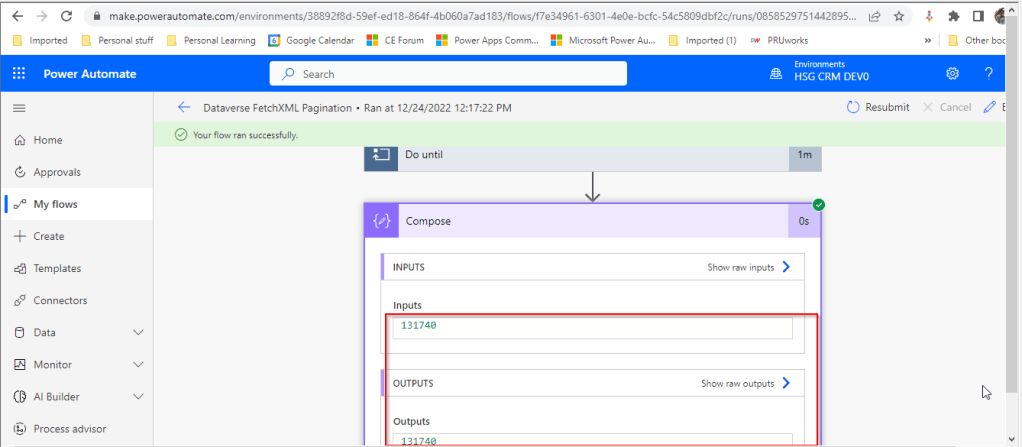
That’s it, so simple right….
Some other related articles or references below:
Retrieve 5k + records using Pagination using Paging cookie
Retrieve 100k+ records using Skip Token
Hope this helps….someone looking for an easy approach for using pagination with dataverse.
Cheers,
PMDY
 ECELLORS CRM Blog