

Hi Folks,
Today I am writing about a simple tip about Power Automate trigger which exists from quite a while but many people might not know it…stop the suspense. Let’s get into the use case…for Power Automate flows running on a trigger..
Are you tired of making the action which triggers your flow each and every time, then you can use this tip..
Just click on Test from top right bar as below..

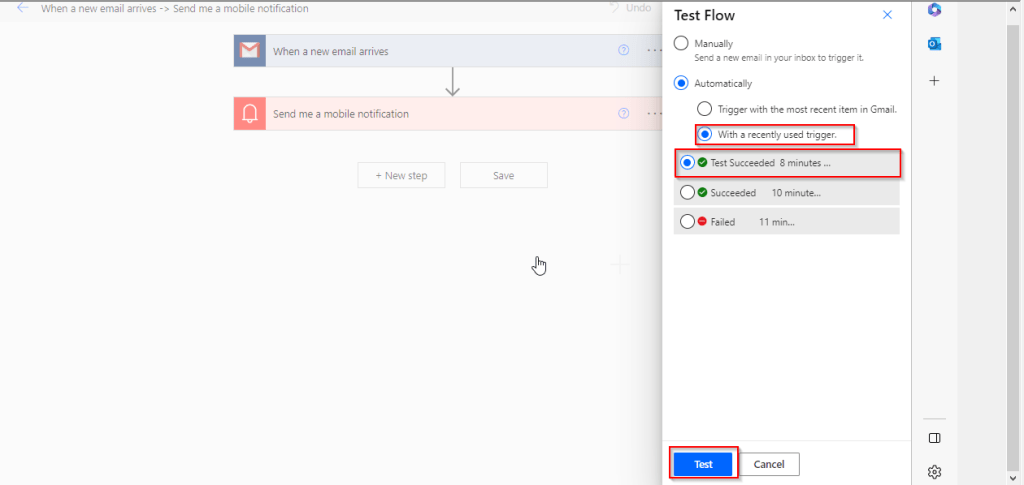
Then in the pop up menu, select Automatically and check With a recently used trigger.
Later you can select any of the recently successful or failed executions to re-trigger your flow, no more hassles or manual actions to trigger your flow.
Hope this helps some one…trying to re-trigger their Automated cloud flows…without invoking their flow using an actual trigger.
Cheers,
PMDY
Discover more from ECELLORS CRM Blog
Subscribe to get the latest posts sent to your email.

 ECELLORS CRM Blog