
Hi Folks,
Do you know that you can set to auto delete the audit log information from Admin center. Yes, you can do this from Power Platform Admin center. Of course, this tip is a very small one, not knowing such feature can cost you so much time to figure out the Audit log deletion.
Open Power Platform Admin Center https://admin.powerplatform.microsoft.com/
Select an environment –> Navigate to Settings –> Audit Settings
As highlighted below, you can specify the custom number of days within which your Audit logs can be deleted.
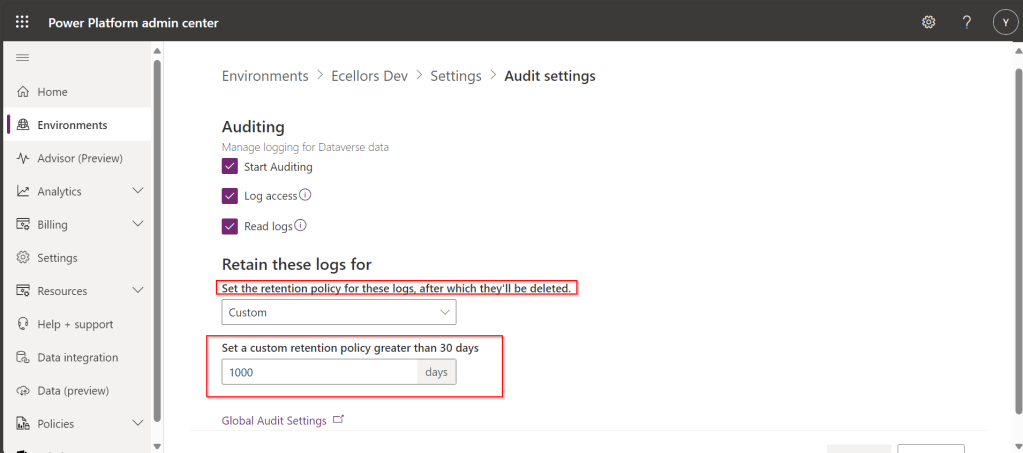
Then click on save available at the bottom of the screen.
Hope someone would find this useful…
Cheers,
PMDY
Discover more from ECELLORS CRM Blog
Subscribe to get the latest posts sent to your email.

 ECELLORS CRM Blog