Python + Dataverse Series – #01 – Console Application using Python

Hi Folks,

This series is for Pro Code Developers especially those working on Dataverse and want to know how to work with Dataverse and Python. I am starting this series as I see little to no content in this area.

So, in this post, first we will try to understand how to write a console application using Python Code utilizing(Tabular Data Stream) the TDS end point. Well, there were many posts in the internet for connecting to Dataverse using Python but uses more libraries and requires bit more code

Below posts will have hardcoded configurations as they are meant for initial trial purposes, going further, we will align with the best practices.

import pyodbc
import msal
# Azure AD details
client_id = '0e1c58b1-3d9a-4618-8889-6c6505288d3c'
client_secret = 'qlU8Q~dmhKFfdL1ph2YsLK9URbhIPn~qWmfr1ceL'
tenant_id = '97ae7e35-2f87-418b-9432-6733950f3d5c'
authority = f'https://login.microsoftonline.com/{tenant_id}'
resource = 'https://ecellorsdev.crm8.dynamics.com'
# SQL endpoint
sql_server = 'ecellorsdev.crm8.dynamics.com'
database = 'ecellorsdev'
# Get token with error handling
try:
print(f"Attempting to authenticate with tenant: {tenant_id}")
print(f"Authority URL: {authority}")
app = msal.ConfidentialClientApplication(client_id, authority=authority, client_credential=client_secret)
print("Acquiring token…")
token_response = app.acquire_token_for_client(scopes=[f'{resource}/.default'])
if 'error' in token_response:
print(f"Token acquisition failed: {token_response['error']}")
print(f"Error description: {token_response.get('error_description', 'No description available')}")
else:
access_token = token_response['access_token']
print("Token acquired successfully and your token is!"+access_token)
print(f"Token length: {len(access_token)} characters")
except ValueError as e:
print(f"Configuration Error: {e}")
print("\nPossible solutions:")
print("1. Verify your tenant ID is correct")
print("2. Check if the tenant exists and is active")
print("3. Ensure you're using the right Azure cloud (commercial, government, etc.)")
except Exception as e:
print(f"Unexpected error: {e}")

The logic just uses two libraries in Python

  1. pyodbc
  2. msal

The code efficiently handles all the errors for efficient tracking….

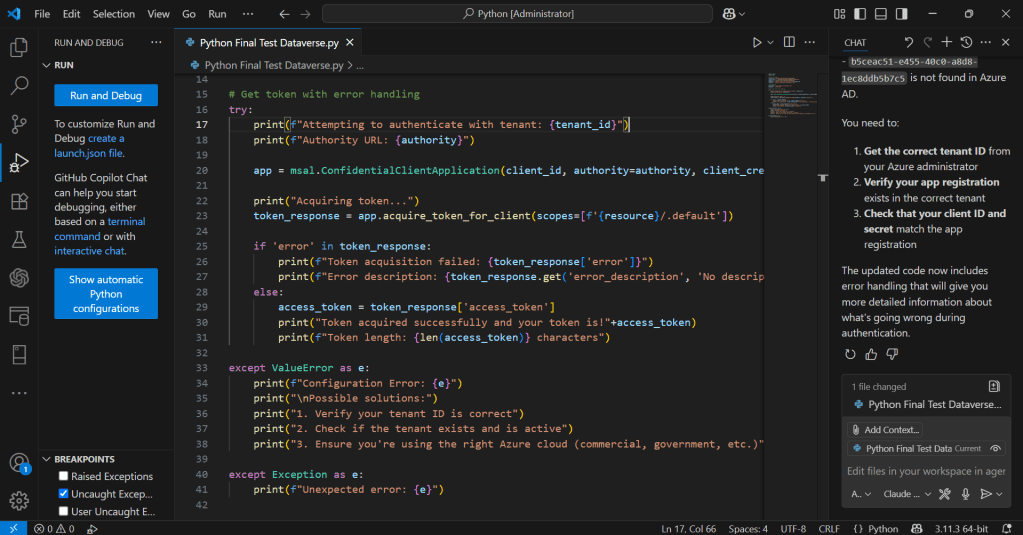
You can easily work with Python using VS Code as below,

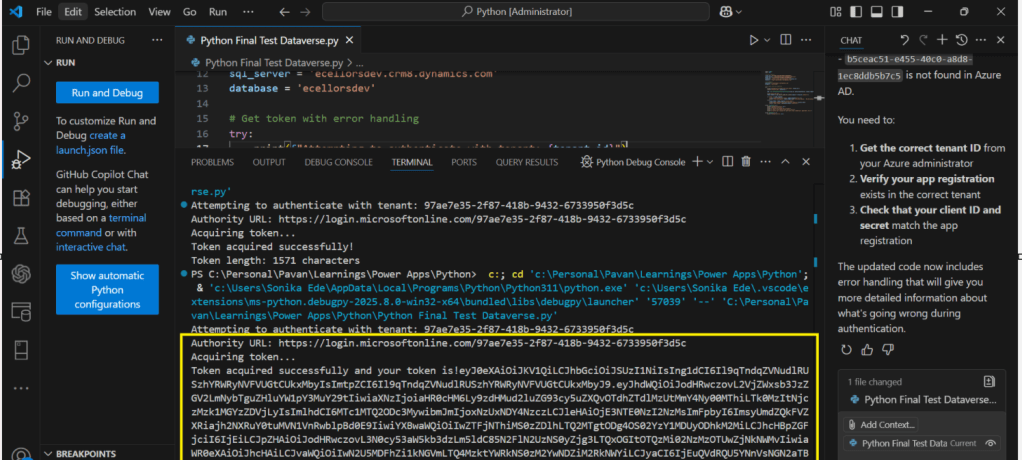
Hover over Run option –> Click Start Debugging

You will able to get the Access Token after invoking the Dataverse. If you were facing any issues, you can use GitHub Copilot.

Hope this posts helps…

Cheers,

PMDY


Discover more from ECELLORS CRM Blog

Subscribe to get the latest posts sent to your email.

Unknown's avatar

Author: Pavan Mani Deep Y

Passionate for Power Platform. A technology geek who loves sharing the leanings, quick tips and new features on Dynamics 365 & related tools, technologies. An Azure IOT and Quantum Computing enthusiast...

One thought on “Python + Dataverse Series – #01 – Console Application using Python”

Leave a comment

Discover more from ECELLORS CRM Blog

Subscribe now to keep reading and get access to the full archive.

Continue reading