Python + Dataverse Series – How to run Python Code in Vs Code

Hi Folks,

As you folks know that Python currently is the number #1 programming language with a massive, versatile ecosystem of libraries for data science, AI, and backend web development. This post kicks off a hands‑on series about working with Microsoft Dataverse using Python. We’ll explore how to use the Dataverse SDK for Python to connect with Dataverse, automate data operations, and integrate Python solutions across the broader Power Platform ecosystem. Whether you’re building data-driven apps, automating workflows, or extending Power Platform capabilities with custom logic, this series will help you get started with practical, real‑world examples.

https://www.microsoft.com/en-us/power-platform/blog/2025/12/03/dataverse-sdk-python/

With the release of the Dataverse SDK for Python, building Python-based logic for the Power Platform has become dramatically simpler. In this post, we’ll walk through how to download Python and set it up in Visual Studio Code so you can start building applications that interact with Dataverse using Python. Sounds exciting already. Let’s dive in and get everything set up..

1. Download and install Python from official website below and then install it in your computer.

https://www.python.org/ftp/python/3.14.3/python-3.14.3-amd64.exe

2. Install VS Code

Important: During installation, make sure to check “Add Python to PATH”. This ensures VS Code can detect Python automatically.

3. After installation, open VS Code and install the Python extension (Microsoft’s official one). This extension enables IntelliSense, debugging, and running Python script

4. That’s it, you are now able to run Python logic inside Vs Code

5. Create or Open a Python file in the system, opened a sample file below
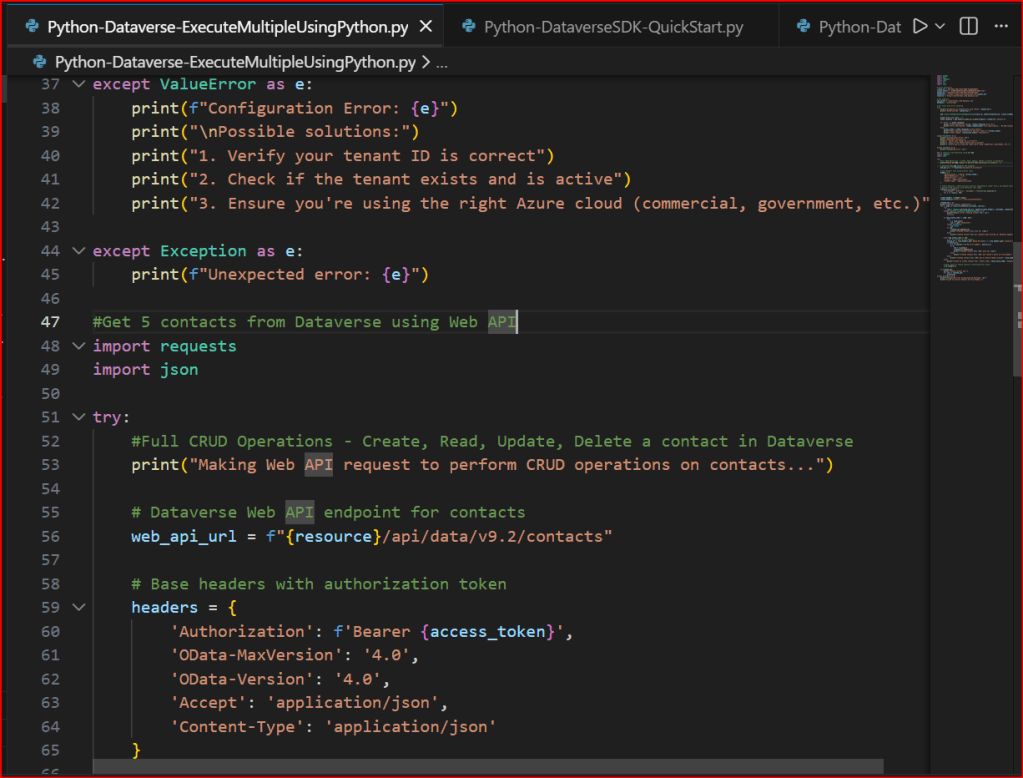
5. If you want to run Python Programmes in your VS Code, follow below options

a. Select Start Debugging

b. You will be prompted a window like below
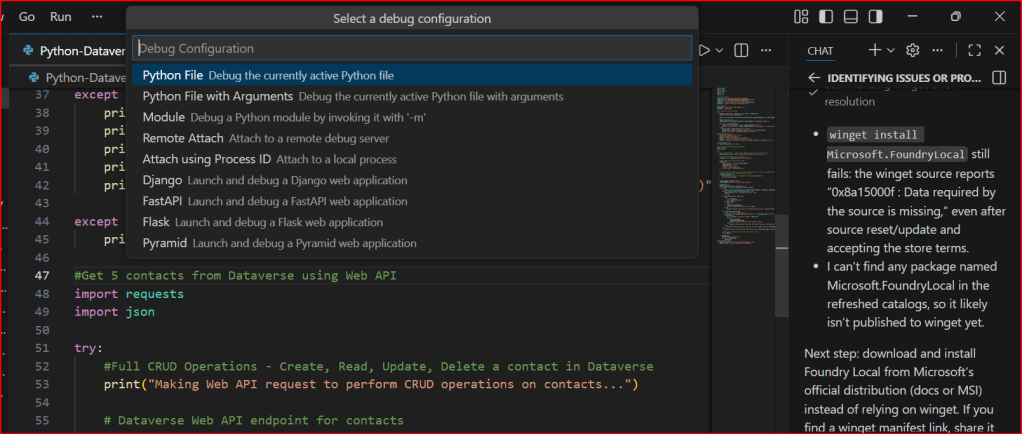
You can select the first option highlighted above, it automatically runs your Python Code
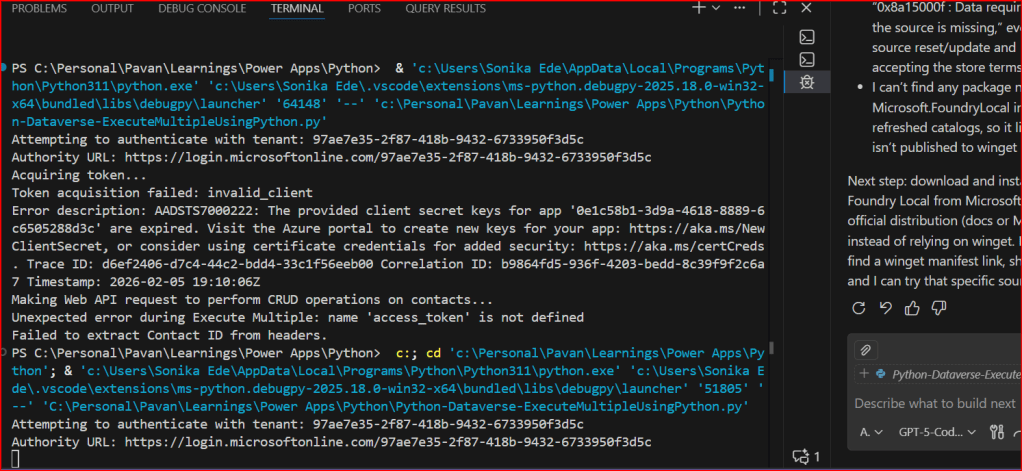
This is very easy to setup…

If you want to continue reading this series, check out the next article.

Hope this helps…

Cheers,

PMDY
Agentic AI Business Solutions Architect Exam -AB 100 Experience

Hi Folks,

On 14 November, 2025, I took the AB 100 Exam, this post is to share my experience about this exam.

The exam doesn’t look difficult or tricky to me, it feels like a lot to read in short amount of time. Most of the questions revolved around Copilot Studio, Azure AI Foundry, Azure Services for tracking telemetry, Copilot, Dynamics 365 Customer Engagement, Finance and Operations, Supply Chain Management.

While there is nitty-gritty on using Prebuilt agents and Custom Agents using Azure AI Foundry and Agent Governance, choosing right agent for the need but note that no question came up from AI Builder, Licensing as well.

However there were also scenario based questions on strategy using right tool for the need to build agent e.x. Azure Cloud Adoption Framework, Power Platform Well Architected Framework.

As per Exam NDA, exact exam questions may not be shared publicly, I am sharing my experience so that someone preparing for this exam can use this while preparing for taking this exam.

If you want to learn further, you can go through the below link which was recently created by Microsoft….go take a look…

AB 100 Collection

Hope it helps..

Cheers,

PMDY

Integrating Copilot Studio Agents into a Console got easier – Quick Review

Well, the wait is over, now you can invoke your Agents within Console Application using #Agents SDK.

Thank you Rajeev for writing this. Reblogging it…

Global AI Bootcamp 2025 – Singapore

🚀 You’re Invited to the Global AI Bootcamp 2025 – Singapore Edition!

Are you passionate about AI, Power Platform, and Microsoft technologies? Want to learn how AI is transforming businesses and industries? Then this event is for you!

🎯 What to Expect?
✅ Expert-led sessions on AI, Copilot, Power Platform, and more
✅ Hands-on workshops to apply AI in real-world scenarios
✅ Networking opportunities with industry leaders and AI enthusiasts
✅ Absolutely FREE to attend!


Event Date: Saturday, 8 March 2025

10:00 am – 4:00 pm (GMT+8)

Meeting Link

This is your chance to upgrade your AI skills, connect with like-minded professionals, and explore the latest AI innovations.

#GlobalAIBootcamp #AI #MicrosoftAI #PowerPlatform #SingaporeTech #FreeEvent