
Hi Folks,
Have you heard about this before?
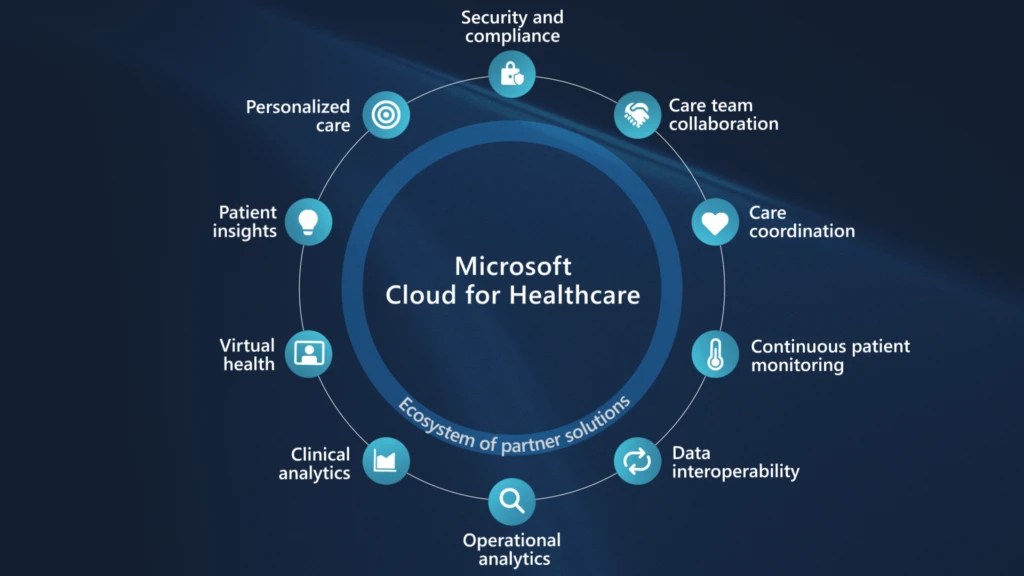
Microsoft Cloud for Healthcare provides capabilities to manage health data at scale and make it easier for healthcare organizations to improve the patient experience, coordinate care, and drive operational efficiency, while helping support security, compliance, and interoperability of health data.
Microsoft Cloud for Healthcare includes solutions that are built on capabilities within Microsoft Dynamics 365, Microsoft 365, Microsoft Azure, and Microsoft Power Platform.
This is an introduction blog post. Firstly, Microsoft Cloud for Healthcare solution should be installed from Microsoft Cloud Solution Center. To say about Microsoft Cloud Solution Center, it actually checks for requirements such as licenses, dependencies, and enables you to easily discover and deploy capabilities and solutions in Microsoft Cloud for Healthcare, there by simplifying the deployment process from a single location.
We will see what are the prerequisites.
Prerequisites
- You must be a tenant admin, Dynamics 365 admin, or Power Platform admin to deploy Microsoft Cloud for Healthcare solutions.
- You must have licenses for the Microsoft Cloud for Healthcare solutions and apps that you’re deploying. If your organization doesn’t have the necessary licenses, you’ll be notified during the deployment process in Solution Center.
Here are the solutions that are part of Microsoft Cloud for Healthcare, for each solution. We need to keep in mind that:
- Some solutions have predeployment setup requirements.
- Some solutions require configuration or have additional capabilities that you can set up after deployment.
| Solution | Dependencies |
|---|---|
| Patient access | Power Pages, Dynamics 365 Customer Service |
| Patient service center | Dynamics 365 Customer Service, Digital Messaging add-on for Dynamics 365 Customer Service |
| Patient outreach | Dynamics 365 Marketing |
| Patient insight cards | Dynamics 365 Sales Premium |
| Care management | Dynamics 365 Customer Service* |
| Home health | Dynamics 365 Field Service |
| Data integration toolkit | Power Apps |
| Unified patient view | Power Apps |
| Patient trends (preview) | Power Apps, Dynamics 365 Customer Insights |
| Patient population dashboard (preview) | Power BI |
| Provider data model | Power Apps |
| Payor data model (preview) | Power Apps |
| Life sciences data model (preview) | Power Apps |
| Virtual Visits | Microsoft Teams |
| Text analytics for health | Azure subscription |
| Azure IoT for healthcare | Azure subscription |
| Azure Health Bot | Azure subscription |
| Azure Health Data Services | Azure subscription |
| Healthcare database templates | Azure subscription |
| Health document intelligence | Azure subscription |
There were a ton of Microsoft Azure capabilities to explore which I will do in my upcoming blog posts. So here, I am using a personal Azure subscription and rest everything I will try to keep using Trial accounts as long as possible. So, you don’t need to worry if you will charge just to try it out.
Also, with the advent of AI, health care industry is getting revolutionized.
Interested…? Then keep looking this space as I will explore more with all of you. Stay tuned…
Cheers,
PMDY


 ECELLORS CRM Blog