

Power Platform Tools for Visual Studio supports the rapid creation, debugging, and deployment of plug-ins.
You may note that Power Platform Tools for Visual Studio is similar in appearance and function to the Developer Toolkit for Microsoft Dynamics CRM 2013.
While Power Platform Tools for Visual Studio is similar in appearance and function to the Developer Toolkit for Microsoft Dynamics CRM 2013, Power Platform Tools is a new product and completely independent of the Developer Toolkit.
Power Platform Tools is not directly compatible with any templates or projects from the Developer Toolkit and vice versa.
Steps to enable ‘Power Platform Tools’ extension in VS 2019:
- From the Visual Studio 2019, click on ‘Extensions -> Manage Extensions’.
- Expand the left navigation panel node Online > Visual Studio Marketplace. Search for “Power Platform Tools”, then click on ‘Download’.
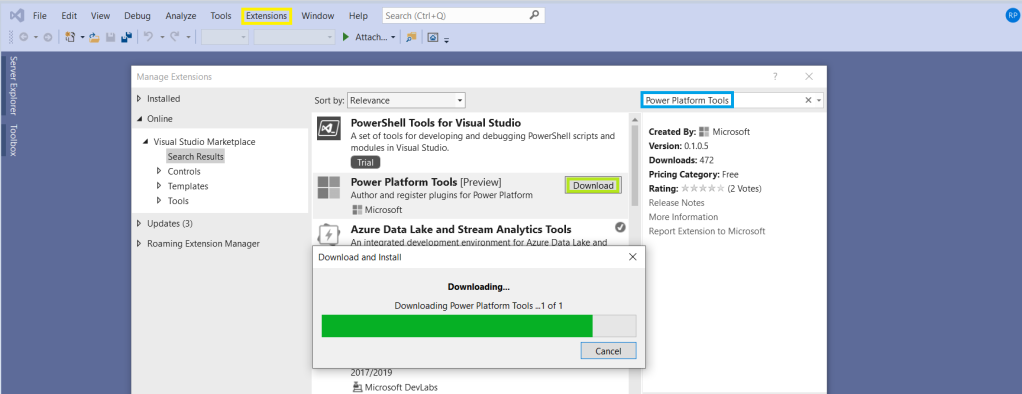
- Post Download, close all the Visual Studio instances and wait for few seconds…
View original post 112 more words
 ECELLORS CRM Blog