Know more about enabling MFA…& it’s consequences…

Recently I was exploring about setting Multi Factor authentication for my Dynamics 365 Instance and connecting to it via code using Console applications. This is when I came know about using an App password for my Console application to work.

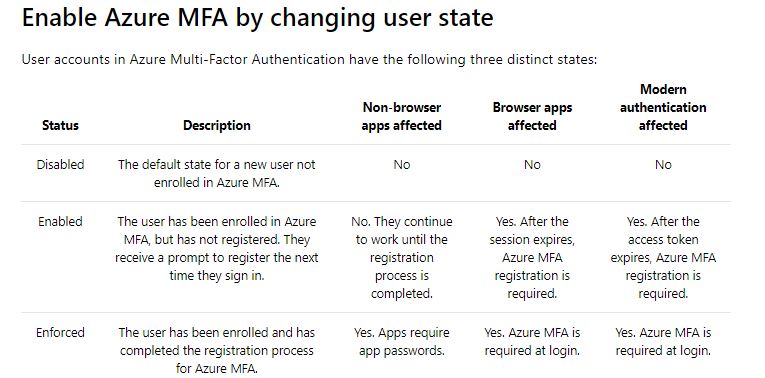
But do you know that based on the user states, MFA setup behaves differently..
Capture1

Ok..now let’s take a simple console application which just does nothing but connects using a OrganizationServiceProxy. Sample code can be found here.

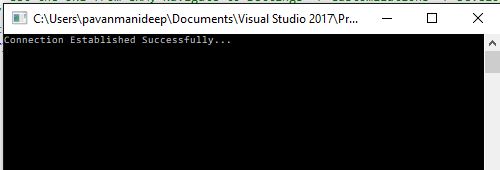
  1. When MFA is disabled, you will be able to connect to the instance without any issues.
Capture1

2. Now Enable the MFA but don’t enforce it. Don’t sign in and complete the registration process of either providing pin or answering the call. Try to run the same console code above, you would be still able to connect without any issues.

Capture1

This is because Console application would also behave as non browser app. and will continue to work until the sign up is done exclusively as stated in the table above.

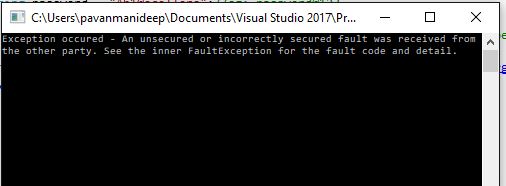
3. After the multifactor authentication is enforced, users will need to create app passwords for working with non browser applications. So now if you try to run the same Console application, you would get an error..
Capture2

Now sign in to your instance and generate the app password by providing additional security information when signing up. Use the same app password in place of credentials used while connecting to CRM in the console app.

And now you will be able to connect without issues…

Capture1

Hope this helps..

PMDY.

Power Apps…low code solution…

Before diving into the Power Apps..and walkthroughs..lets see the different Power Apps variants…we have two different kinds of Power Apps. available which are developed based on needs, data sources available and their advantages in the design.

1.Canvas Apps:

These Apps. are developed on Canvas without writing any code with the usual language namely C#. These are developed by just dragging the respective components on to the Canvas. However just should be aware of basic excel functions in order to develop apps with ease. We can connect to Microsoft & Non Microsoft Data sources where we do have design control, need to create separate apps for mobile devices and web browsers. These are task focused and used frequently for creating simple apps.

2. Model Driven Apps:

These are built using Dynamics 365 framework and  uses CDS Connectors. Model-driven app design is a component-focused approach to app development and can be used to develop apps covering complex scenarios. The design is automatically by the components we add to the App. To use model driven apps or for creating CDS for apps, we need Power Apps P2 License having access to Data. Moreover the model driven apps can be distributed as a solution. If we speak about model driven app. components, these are divided into dataUIlogic, and visualization categories.

The data talks about on which data the app. was built, UI defines how the users will interact with the App. While the logic determines the business processes, rules, and automation the app will have..

Cheers,

PMDY