Email templates showing Xml – Quick Tip

Hi Folks,

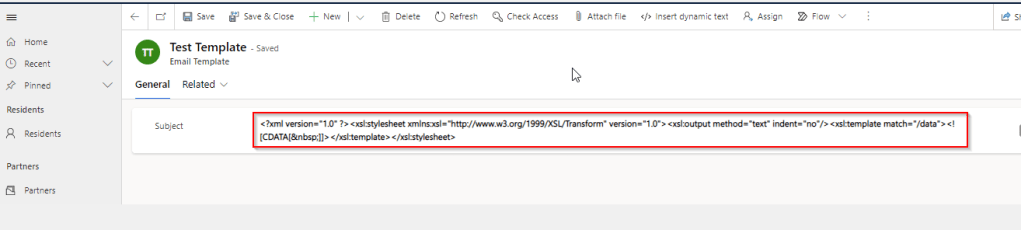
We recently came across a situation where the new and existing email templates keeps showing a xml as below.
This kept us annoying as already the existing ones are created using Rich Email Template editor. At first check, we verified in our Dev and SIT, badly we saw that this is same in both the environments. We double confirmed that no changes were made to the OOB Email template form, so we doubted that there was something wrong with our environment. Luckily we have one more environment where we able to see the email templates working fine. Then we confirmed that there is related to email template form related issue. Also when we tried to open the existing email templates in new designer from https://make.powerapps.com, they opened without any issue.

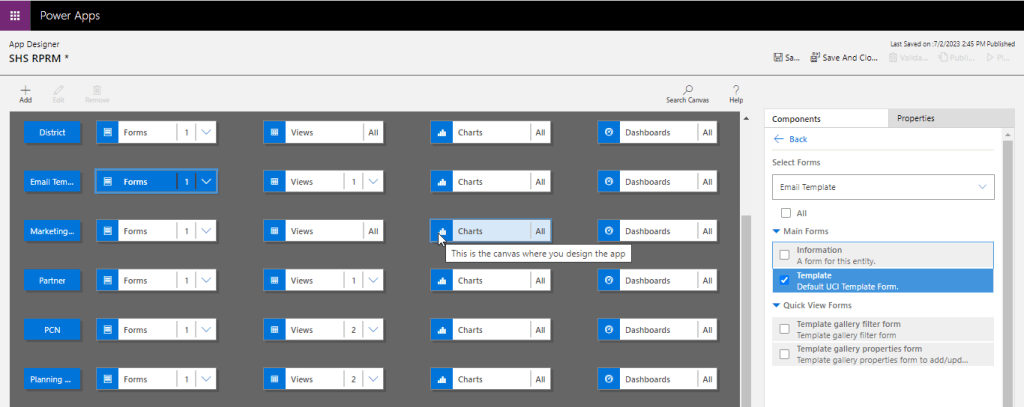
Fix: Open your model driven app in your custom solution created and launch it by double clicking on it. Just verify it the forms selected for Email Template entity….
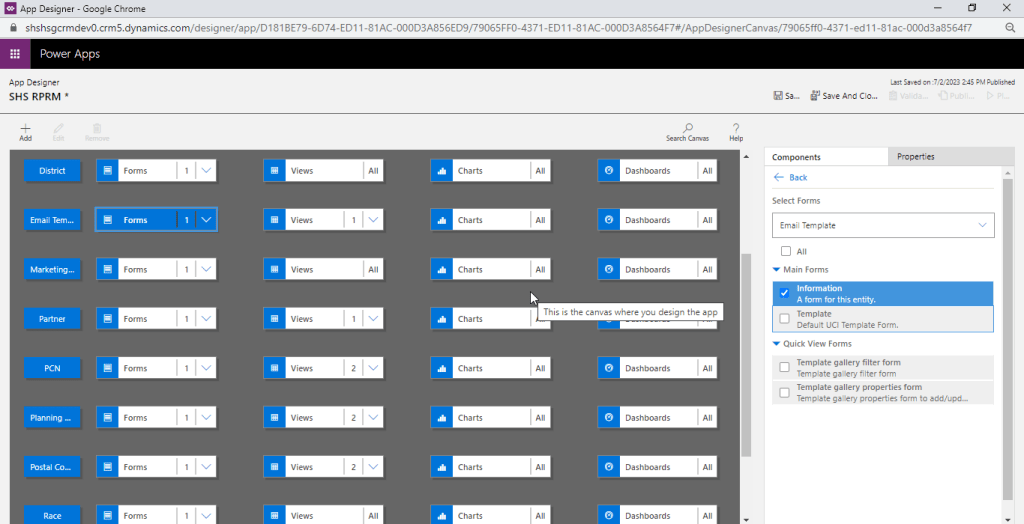
The fix is quite obvious and there you are..inorder for email template to show properly, you should select Default UCI Template type form.
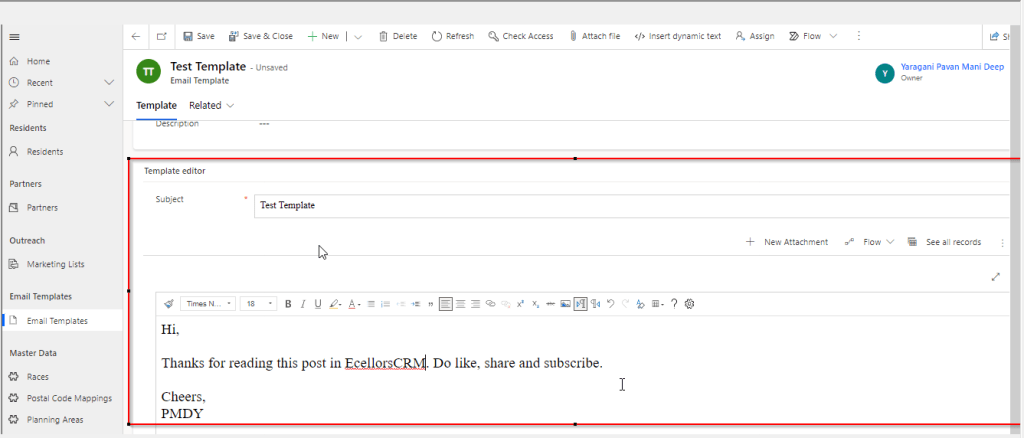
Voila, its back as below.
Hope this useful…

Cheers,

PMDY

ChatGPT – Insights

Hi Folks,

In this modern era where AI/ML is ruling the world and automating all the possible day to day activities done by a human, in this blog article, let’s talk about the latest buzz word since November 2022. i.e. ChatGPT.

So, what is ChatGPT, why its has become so much popular?

Officially ChatGPT stands for Generative PreTrained Transformer, it’s an AI-powered chatbot created by OpenAI. ChatGPT was fine-tuned on top of GPT-3.5 using supervised learning as well as reinforcement learning using Microsoft’s neural network technology. Open AI’s Chat GPT uses powerful machine learning algorithms to generate coherent and natural-sounding responses for user queries. To some extent, its giving a tough competition to its competitor Google Deep Mind Sparrow. The differences between the two can be found here.

The AI race between Microsoft and Google has definitely been ignited. Microsoft’s recent $10 billion investment into OpenAI, the startup behind their popular Chat GPT chatbot, has increased competition for AI supremacy.

Ok, that’s all the sleek intro. Let’s see how to work on this Chat GPT.

It can be accessed here

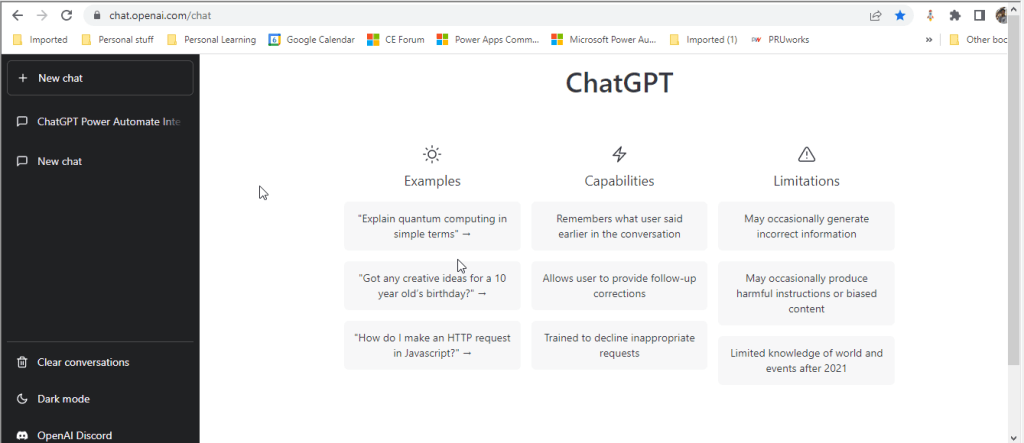
Once you click on the above link, you need login either with your Google or Microsoft credentials. You will be presented with below screen.

In the text box available at the bottom, you can enter your input for ChatGPT to search and get back the result to you.

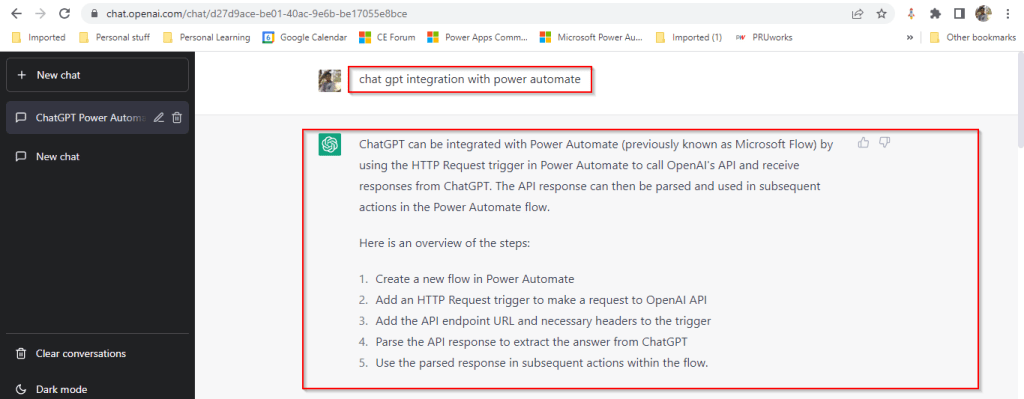
I have just tried entering how we can integrate Open AI’s ChatGPT and Power Automate and results are pretty much shown in a manner which is easier to understand as below.

The interesting part compared to Power Platform’s Power Virtual Agents is that ChatGPT has the capability to record the previous responses used under the login which is a great enhancement. So with this, the problems can be analyzed and solutions can be generated. By the way, the GPT-3 model, in particular, is 175 billion parameters in size, making it the largest language model ever trained.

In the upcoming blogs, I will try to elaborate how Chat GPT can be used for Power Platform real world scenarios and how we can integrate with Power Automate step by step…. Till then stay tuned…and keep rocking….

Cheers,

PMDY