Enable logging in CE without any third party tools

Hi,

Have you ever had an issue where you need logging mechanism to troubleshoot…

Out there we have some 3rd party software which can help with this…but we can use Notes entity in CE so that we can enable logging to our .Net Assembly code with out any other 3rd party additions.

Add the below part to your code..

Entity _annotation = new Entity(“annotation”);
_annotation.Attributes[“mimetype”] = @”text/plain”;
_annotation.Attributes[“notetext”] = message;
service.Create(_annotation);

And use the method above to create log wherever needed like below..no other DLL additions required..you fill find the logs under Notes entity.

createlog(service, “Your String to be logged”);

Hope this helps while troubleshooting…

Cheers,

PMDY

Advanced Find Layout Problem – Quick Fix

Hi Folks,

Some day or the other you might encounter this problem…

I faced it again today, so just want to keep this post as quick reference…

When you open Advanced Find in any Model Driven App especially in old UI, suddenly this screen keeps popping up which is due to caching issues in your browser.

Screen will look weird as below….

Capture for blog

Fix:

  • Hit F12 in your Browser and find the Console tab in the window.
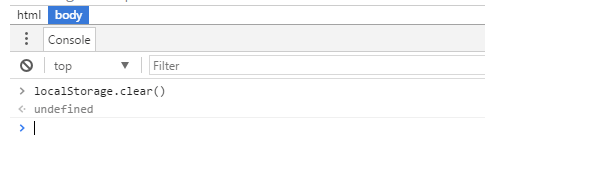
  • In the console window screen where the screen blinks…key in the below command and then press enter.
  • localStorage.clear()
  • Screen looks like as below…and good to proceed. Capture
  • Go ahead and refresh your browser page by pressing F5….there you go!!!

Cheers,

PMDY