While I was working with Power Automate, I encountered this error, FYI, I was using Old Designer UI, hope the fix I found was an easy one but could help someone else without digging deeper and troubleshooting by changing the flow. I tried refreshing the page couple of times as suggested in error message but still the issue remains.
To solve this, just grab the Power Automate URL from your browser search bar…you should see something like below.
Just replace it to
While this could be an intermittent issue, but it persists for few mins or so. So, this tip can help someone.
While everything is being automated, we will learn how effective you can handle the errors while you automate the process. Ideally when a failure happens in a Power Automate cloud flow, the default behavior is to stop processing. You might want to handle errors and roll back earlier steps in case of failure. Here are 3 basic first hand rules to consider implementing without second thought.
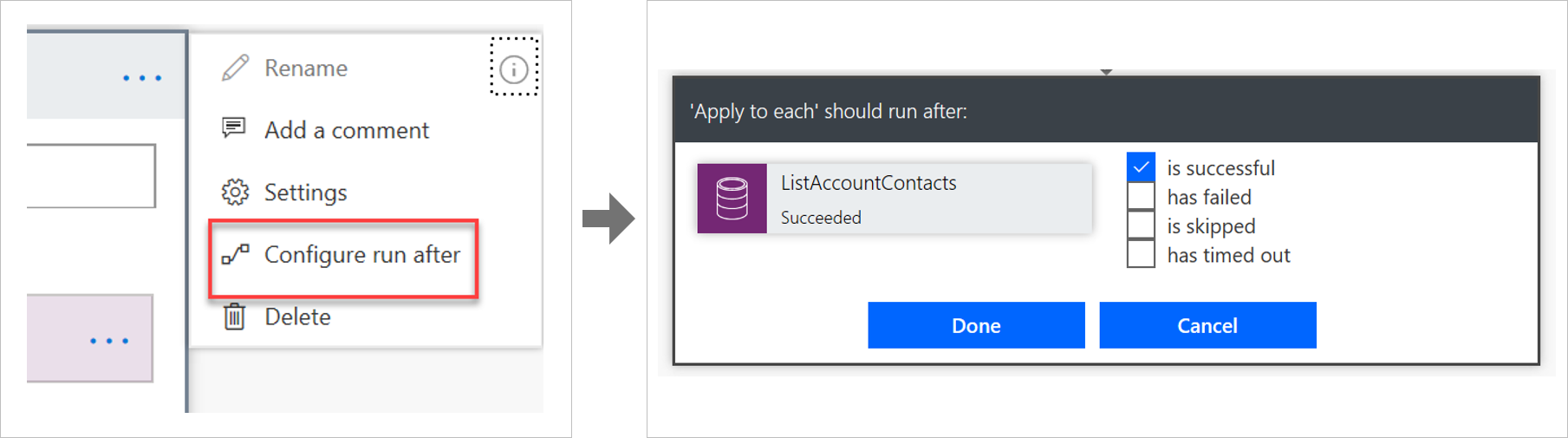
Run after
The way that errors are handled is by changing the run after settings in the steps in the flow, as shown in the following image.
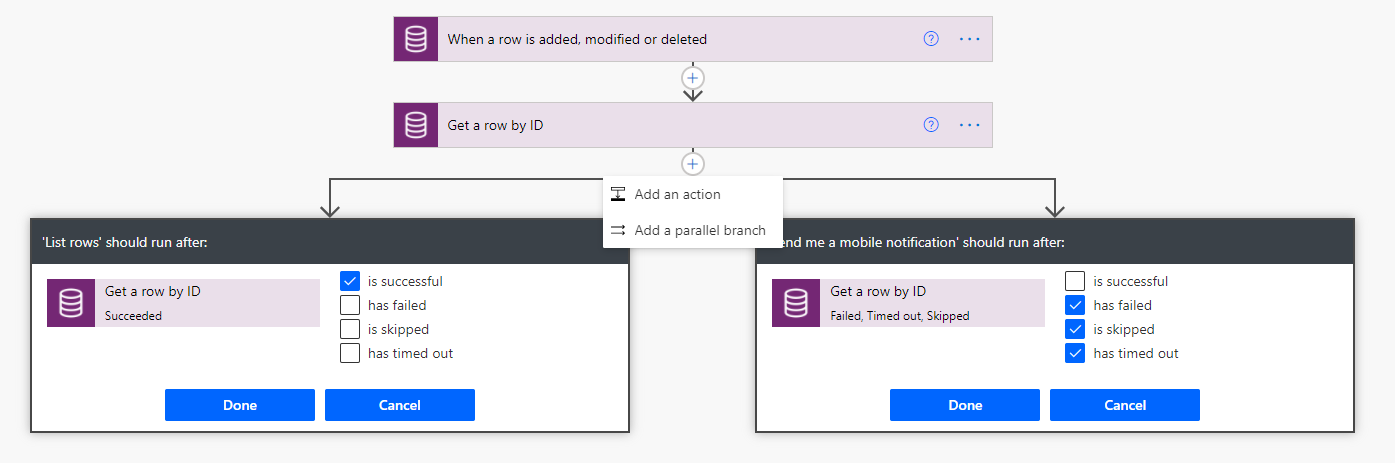
Parallel branches
When using the run after settings, you can have different actions for success and failure by using parallel branches.
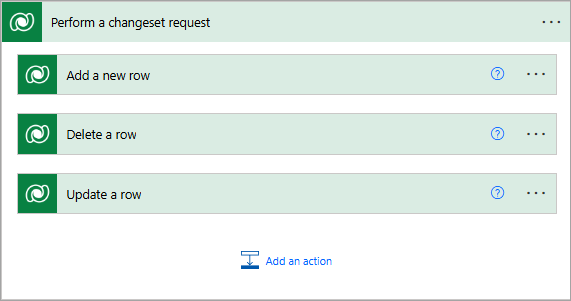
Changesets
If your flow needs to perform a series of actions on Dataverse data, and you must ensure that all steps work or none of them work, then you should use a changeset.
If you define a changeset, the operations will run in a single transaction. If any of the step’s error, the changes that were made by the prior steps will be rolled back.
Special mentions:
Using Scopes – Try, Catch, Finally
Retry policies – Specify how a request should be handled incase failed.





 ECELLORS CRM Blog