
Power Platform folks rarely build new custom connectors in a project, while most of them work on existing ones, it is often observed that the triggers are missing from the custom connector, below are the steps you can review if so…
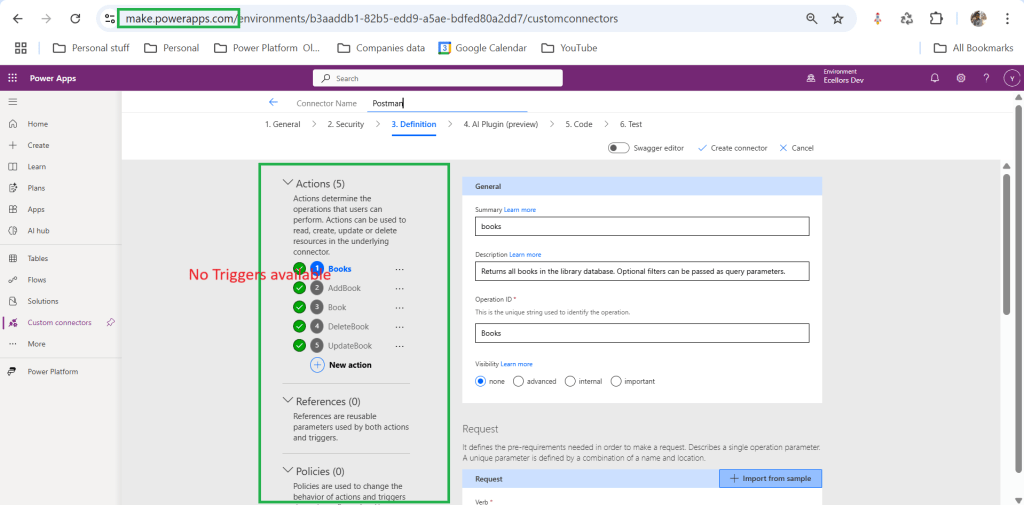
1. Wrong Portal
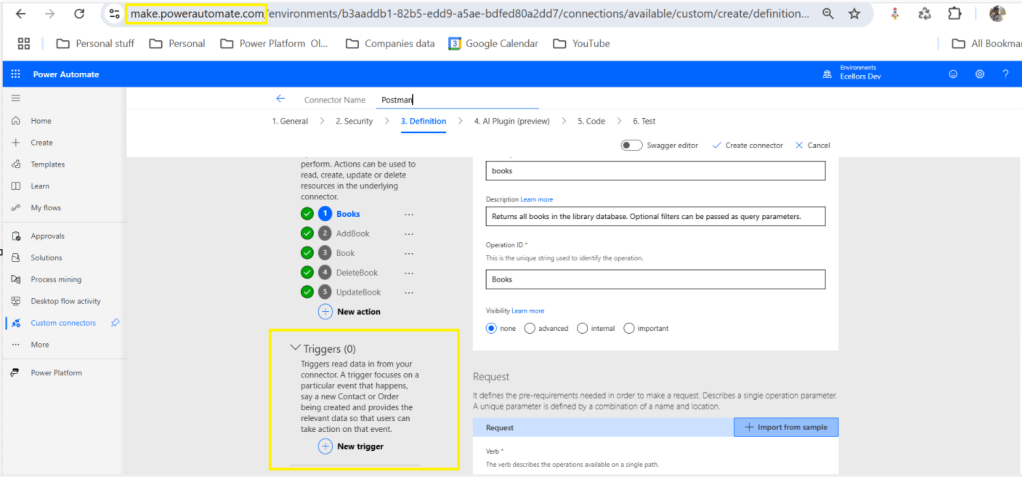
If you’re building the connector in Power Apps, you won’t see trigger options. ✅ Fix: Use the Power Automate portal to define and test triggers. Only Power Automate supports trigger definitions for custom connectors.
2. Trigger Not Properly Defined
If your OpenAPI (Swagger) definition doesn’t include a valid x-ms-trigger, the trigger won’t appear.
✅ Fix:
- Make sure your OpenAPI includes a
webhookorpollingtrigger. - Example:json
"x-ms-trigger": { "type": "Webhook", "workflow": true }
3. Connector Not Refreshed
Sometimes, even after updating the connector, the UI doesn’t refresh.
✅ Fix:
- Delete and re-add the connector in your flow.
- Or create a new connection in Power Automate to force a refresh.
4. Licensing or Environment Issues
If you’re in a restricted environment or missing permissions, triggers might not be available.
✅ Fix:
- Check if your environment allows custom connectors with triggers.
- Ensure your user role has permission to create and use custom connectors.
5. Incorrect Host/Path in Swagger
If the host or path fields in your Swagger are misconfigured, the connector might fail silently.
✅ Fix:
- Ensure the
hostandpathare correctly defined. - Avoid using just
/as a path — use something like/trigger/startinstead.
5. Incorrect Environment
Make sure you were in the right environment of the Power Platform, sometimes when juggling things around, we often mistakenly try using connectors from a wrong environment. Do take a note.
Finally you will be able to see Triggers while creating custom connectors…
Hope reviewing these will help…
Cheers,
PMDY
 ECELLORS CRM Blog