Opening a Custom page to capture entity details for Case Rejection in Model Driven Apps

Hi Folks,

In this blog post, I will talk about implementing a custom page for your implementations.

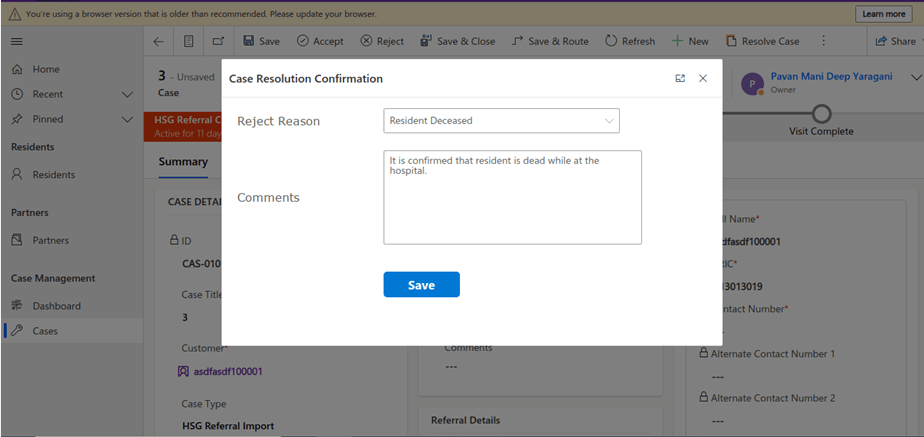
Here in our use case, customer want to see a pop up dialog box where they can reject the cases from a button and when reject is clicked, there should be a dialog box to capture the reject reason and comments and update them back to the record. So for this we had to implement a custom page and called from a Ribbon button. If you just want to show an alert, you can very easily implement using JavaScript with the help of OOB Alert Dialog…

Xrm.Navigation.openAlertDialog(alertStrings,alertOptions).then(closeCallback,errorCallback);

But in case as user want to update entity details like optionset field, directly from the pop up, you should consider using the approach as we did using a custom page.

.

All we have used is JavaScript, Ribbon Workbench and Custom Page…First is to design the custom page in https://make.powerapps.com/

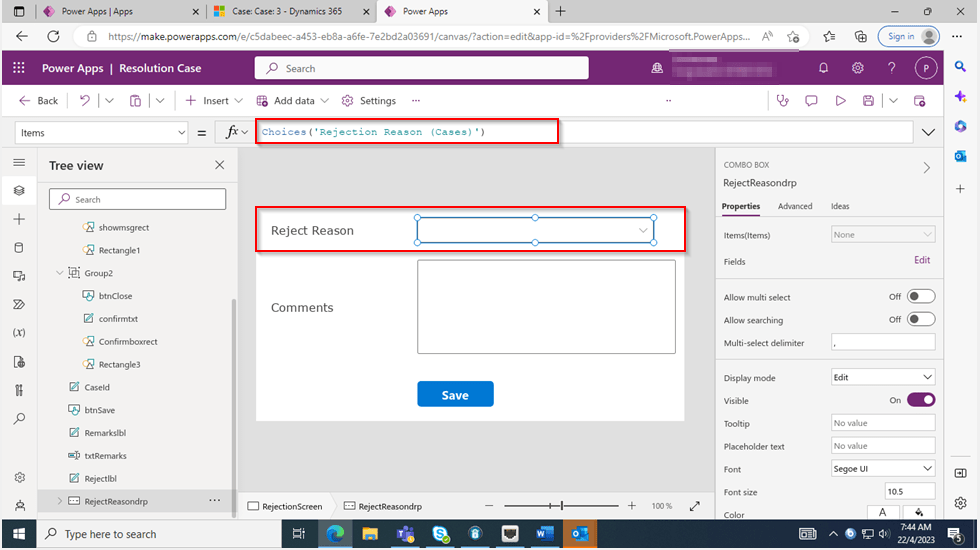
The optionset for Reject Reason is bound to the Reject Reason combo box using the below property.
On the App start, we will set the parameter with what we have supplied from the ribbon on-click function.

On the OnSelect property of the Save button, we can use the below function
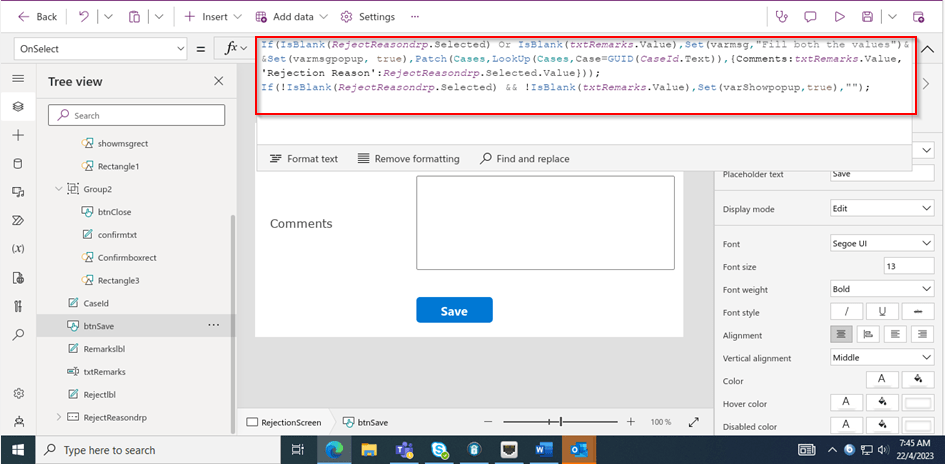
Function:

If(IsBlank(RejectReasondrp.Selected) Or IsBlank(txtRemarks.Value),Set(varmsg,"Fill both the values")&&Set(varmsgpopup, true),
Patch(Cases,LookUp(Cases,Case=GUID(CaseId.Text)),{Comments:txtRemarks.Value,'Rejection Reason':RejectReasondrp.Selected.Value}));
If(!IsBlank(RejectReasondrp.Selected) && !IsBlank(txtRemarks.Value),Set(varShowpopup,true),"");
view raw OnSavePowerFx hosted with ❤ by GitHub

Here’s the js code for the button OnClick Event…

//On Click of Reject button
onClickOfRejectRibbonButton: function (executionContext) {
"use strict";
var formContext = executionContext;
var recordId = formContext.data.entity.getId();
recordId = recordId.replace("{", "");
recordId = recordId.replace("}", "");
var contactId = formContext.getAttribute("customerid").getValue()[0].id;
contactId = contactId.replace("{", "");
contactId = contactId.replace("}", "");
var pageInput = {
pageType: "custom",
name: "new_custompage_7e429",
entityName: "incident",
recordId: recordId
};
var navigationOptions = {
target: 2,
position: 1,
height: 400,
width: 700,
title: "Case Resolution Confirmation" // Enter Title Of Your Choice
};
//Using navigateTo Client API.
Xrm.Navigation.navigateTo(pageInput, navigationOptions).then(
function success() {
// Run code on success
//formContext.data.refresh();
},
function error() {
// Handle errors
formContext.data.refresh();
}
);
}

Here the ribbon workbench customization added…

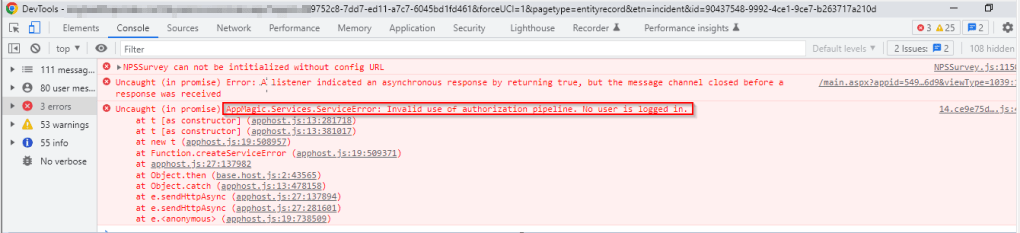
Finally publish the customizations and add the custom page to the model driven app…don’t forget to add this to your app as this mandatory to get the authorization to your page as below, else you see below error in developer tools of your browser as below…and no custom page opens up…
That’s it…when a Reject is clicked, you should a see a page as below..
Upon entering the details as above, you will be shown a confirmation screen as below..

Once you click on Close, the selected details will be updated back in the record.

Hope this helps someone implementing custom page for a similar requirement….

Cheers,

PMDY

Fixed – Invalid data from the network error in the custom page – Power Apps / Dataverse

Reblogged on ecellorscrm.com

Nishant Rana's avatarNishant Rana's Weblog

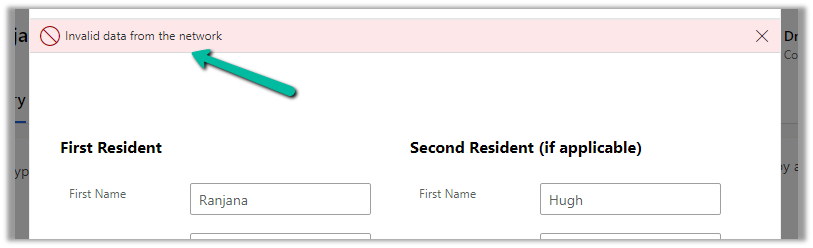
Recently in one of our custom pages, we were getting the below error

“Invalid data from the network”

We had this setting “Formula-level error management” as On, switching it off was hiding this error on the page.

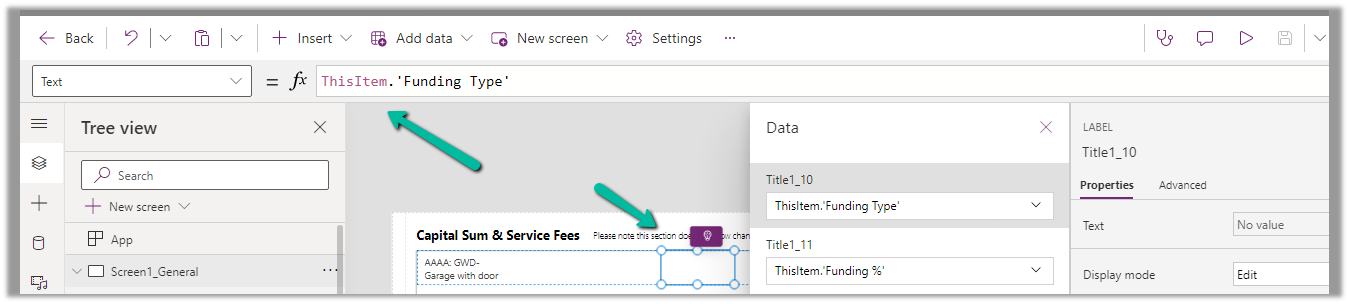
To fix it we tried removing the fields one by one to figure out the issue. Eventually, we saw the error was going away if we remove one of the option set fields from the gallery or comment it’s formula. Later when we removed and added the field back in the gallery and the error got fixed for us.

The page loading properly without the error –

Hope it helps..


View original post