Unable to profile Custom Workflow using Profiler – Quick Fix

Hi Folks,

I am a big fan of Power Automate…but this post is not about flows but features about Custom Workflow in Dynamics 365 CE.

Did you ever come across this problem where you were not able to debug custom workflow extension. I had come across this and this blog post is all about it…I successfully registered my Custom workflow, but it is not triggering at all.

So, I need to debug it to see what the exact issue was…as I am encounter this error.
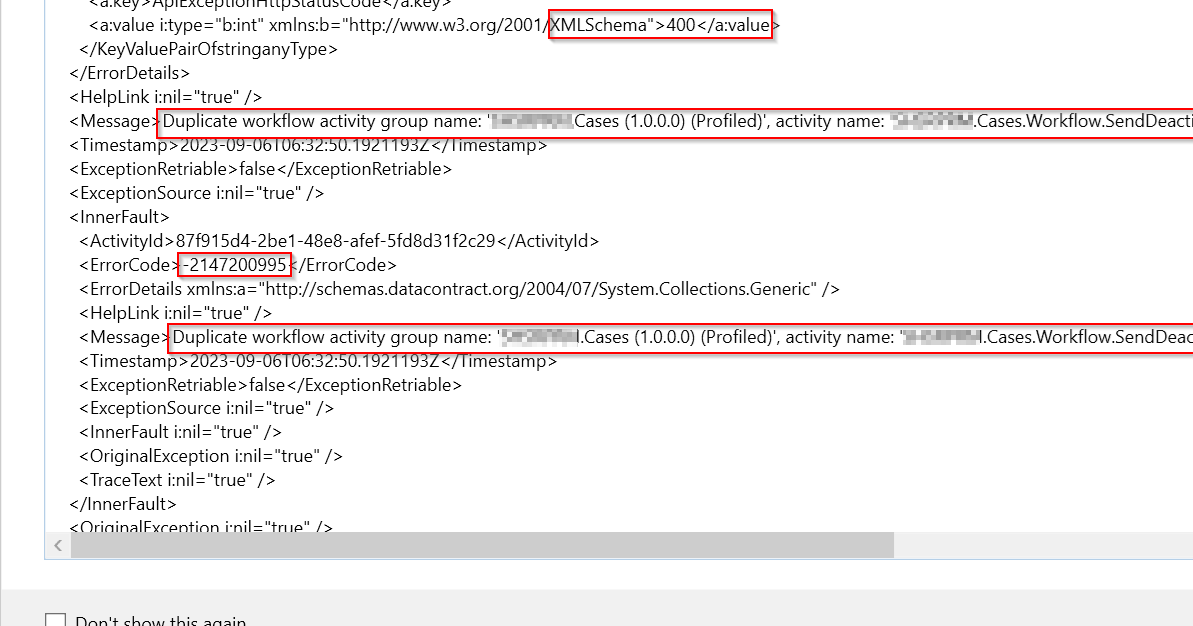
Error message says Duplicate workflow activity group name: ‘EcellorsDemo.Cases(1.0.0.0) (Profiled)‘. So, I tried to check my code, plugin steps and any activated plugins but couldn’t find any duplicates.

Usually while debugging your custom workflow using profiler, your workflow will go into draft mode and another copy of the same workflow gets created with name of (Profiled) attached to the name. However, in my case, I didn’t see the same behavior and at the same time, I was unable to use Profiler after the first profiling session and it gave me error shown above.

In order to resolve, this just delete the Plugin Assemblies which could find in the default solution like highlighted below…
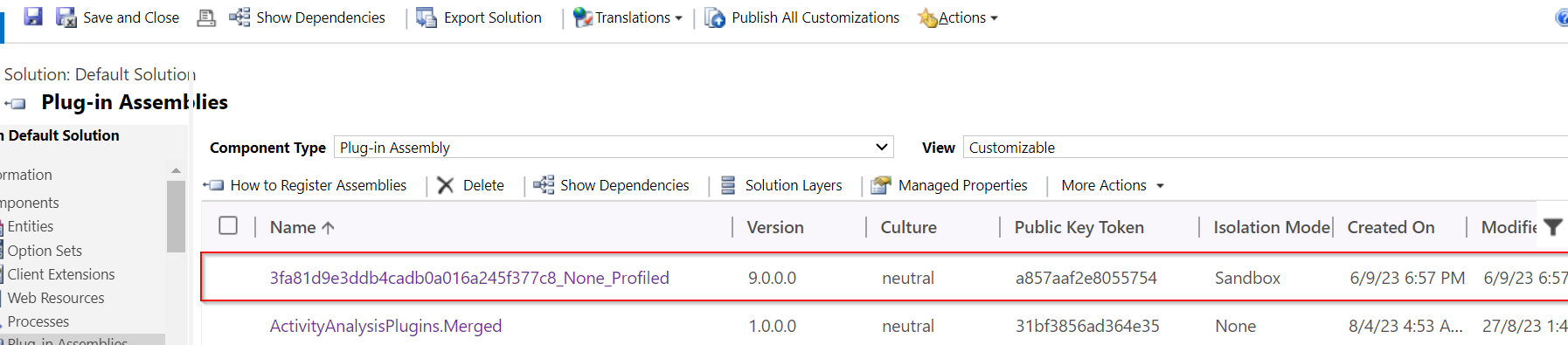
Once you have deleted this, try to debug the custom workflow and voila!!!

Hope this helps someone troubleshooting Custom workflow…!

Cheers,

PMDY

Xrm.WebAPI with Promise for synchronous calls in Javascript

Hi Folks,

Here is how I have quickly achieved the synchronous Retrieve multiple call using Web API and Promises with the help of JavaScript. I don’t want to make my post too detail, but I would like to share the approach.

All I want to do is to just Restrict saving the Contact creation if the Postal Code entered is not present in the system. But this call should be synchronous as the message should be shown immediately incase postal code is not found in the system and prevent saving the contact record. All you need to do is simple, just call the below function on change of Postal Code in Contacts.

Here in place of XMLHTTPRequest, I have used Xrm.WebAPI so that it won’t show a critial warning in Solution Checker.

ValidatePostalCode: function (executionContext) {
"use strict";
var formContext = executionContext.getFormContext();
var postalcode = formContext.getAttribute(Resident.Fields.address1_postalcode).getValue();
var message = "Please enter a valid Postal code; Refer to Postal Code Mappings"
var uniqueId = "cnt_postalcodenotpresent";
return new Promise(function (resolve, reject) {
Xrm.WebApi.retrieveMultipleRecords("new_postalcodes", "?$select=new_postalcode&$filter=hsg_postalcode eq '" + postalcode + "' ").then(
function success(result) {
var isNotFound = false;
if(result !== undefined)
isNotFound = result.entities.length === 0 ? true : false;
if (isNotFound) {
var errorMessage = "Postal Code Mapping is not present for the given postal code"
formContext.ui.setFormNotification(errorMessage, "ERROR", uniqueId);
}
else {
Resident.isValidationNeeded = false;
formContext.ui.clearFormNotification(uniqueId);
formContext.data.entity.save();
}
// return true or false
resolve(isNotFound);
},
function (error) {
reject(error.message);
//console.log(error.message);
}
);
});
}

References:

What is Promise?

Web API Retrieve Multiple

Action based on Async Operation

Cheers,

PMDY