

Hi Folks,
This post is about ALM in Power Platform integrating with a different ecosystem than usual, i.e. using Google Cloud, sounds interesting..? This approach is mainly intended for folks using Google Cloud or GitLab as part of their implementation.
Integrating Google Cloud Build with Power Platform for ALM (Application Lifecycle Management) using GitLab is feasible and beneficial. This integration combines GitLab as a unified DevOps platform with Google Cloud Build for executing CI/CD pipelines, enabling automated build, test, export, and deployment of Power Platform solutions efficiently. This was the core idea for my session on Friday 28 November, at New Zealand Business Applications Summit 2025.
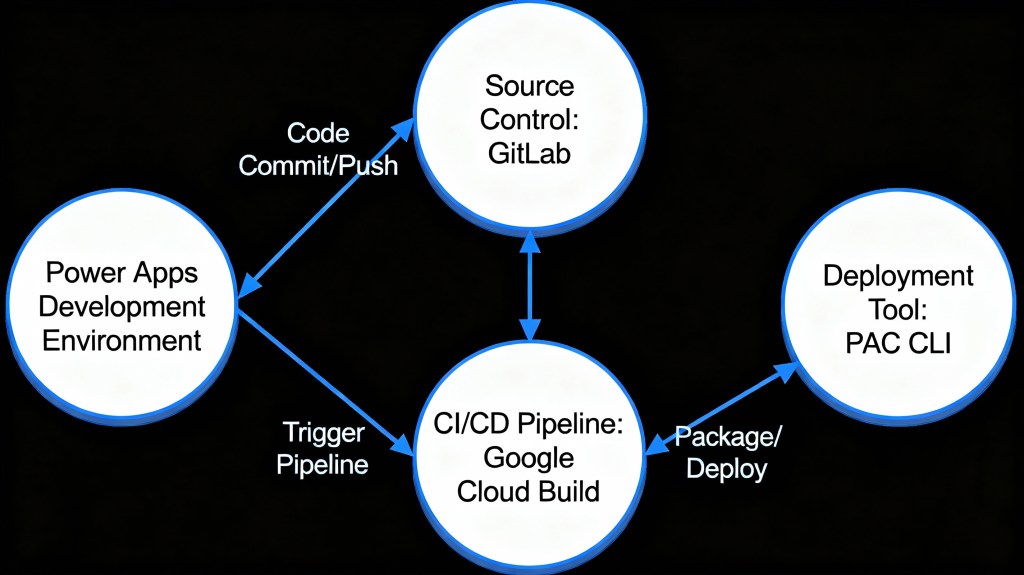
Detailed Steps for this implementation
Create an access token in GitLab for API Access and Read Access

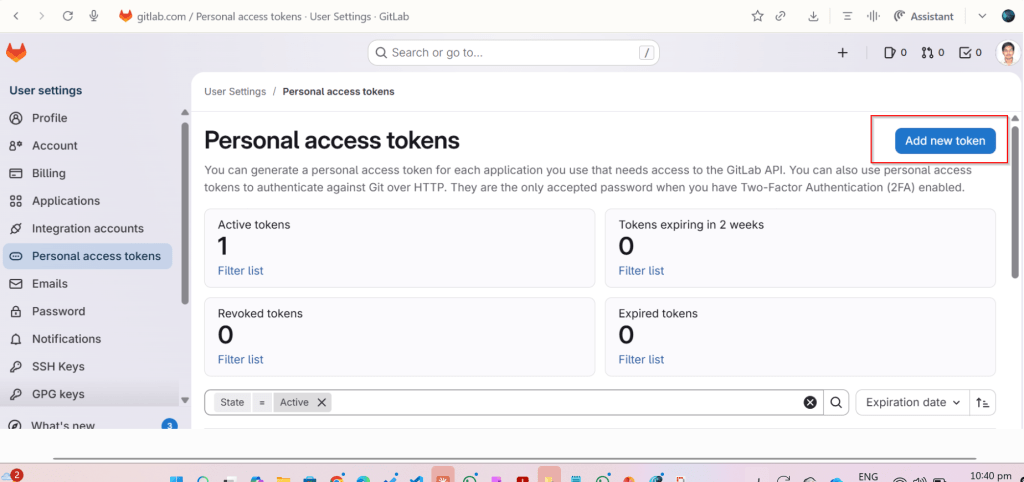
Click on Add new token, you can select at the minimum the below scopes while you were working with CI-CD using GitLab


Create a host connection for the repository in GitLab

Specify the personal access token created in the previous step
Link your repository

The created host connections in the previous step will be shown under Connec ctions drop down

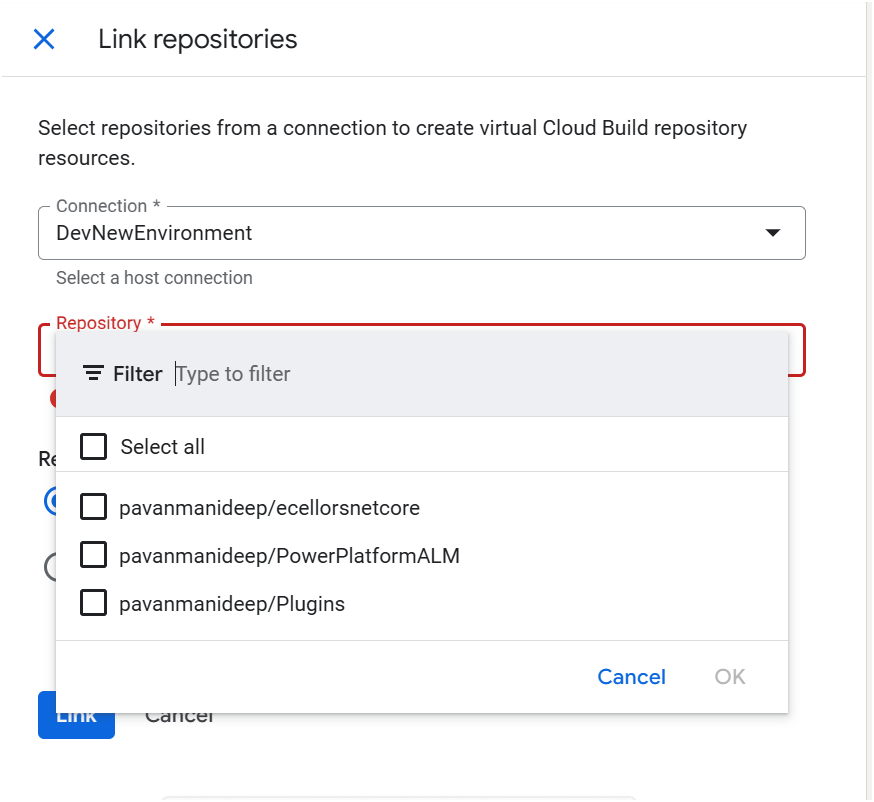
Create Trigger in Google Cloud Build

Click on Create trigger above, provide a name, select a nearest region
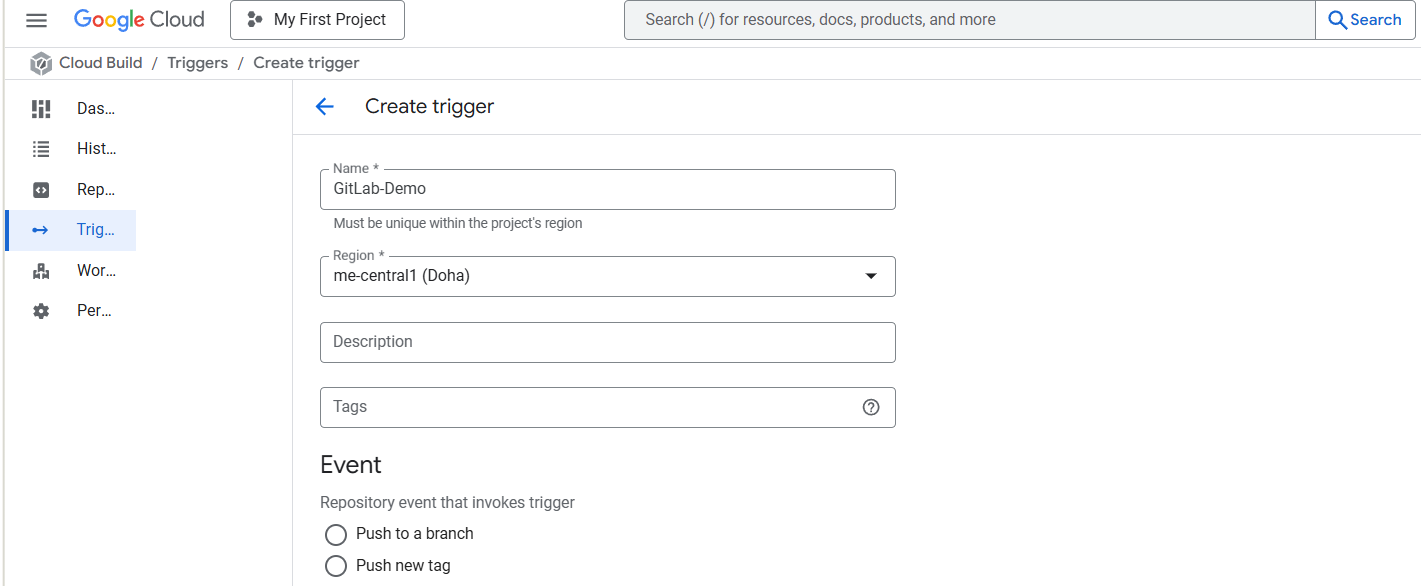
Event:
For now, I am choosing Manual invocation for illustration

Specify where the name of the Repository where your YAML in GitLab resides
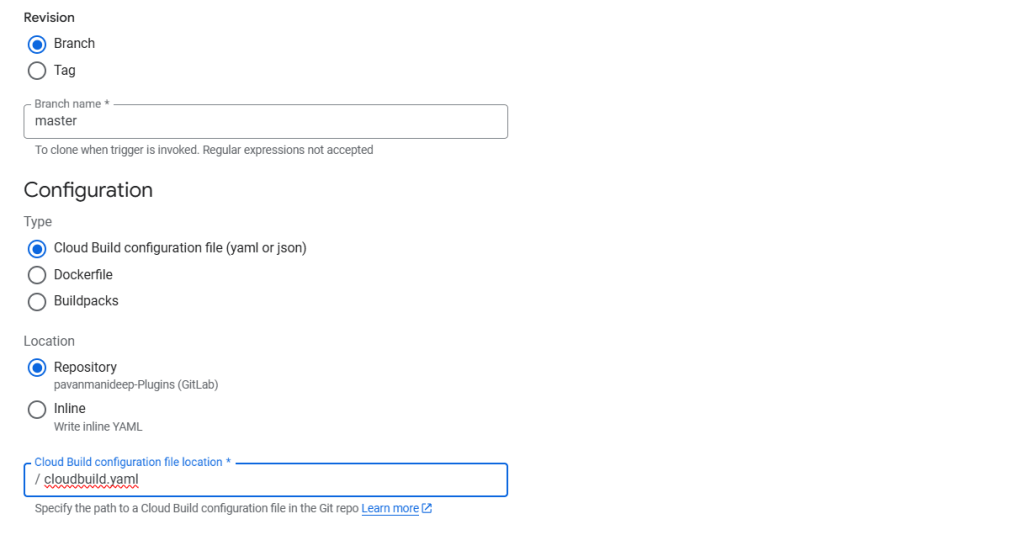
You can optionally specify the substitution variables which are nothing but parameters you can pass to your pipeline from Google Cloud Build Configuration

You can optionally give this for any approval and choose the service account tagged to your google account in the drop down.
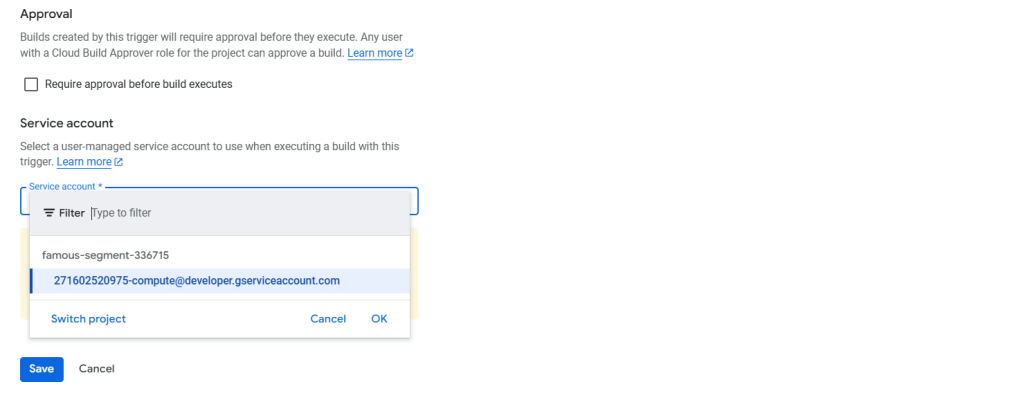
Click on Save.
Next proceed to GitLab YAML
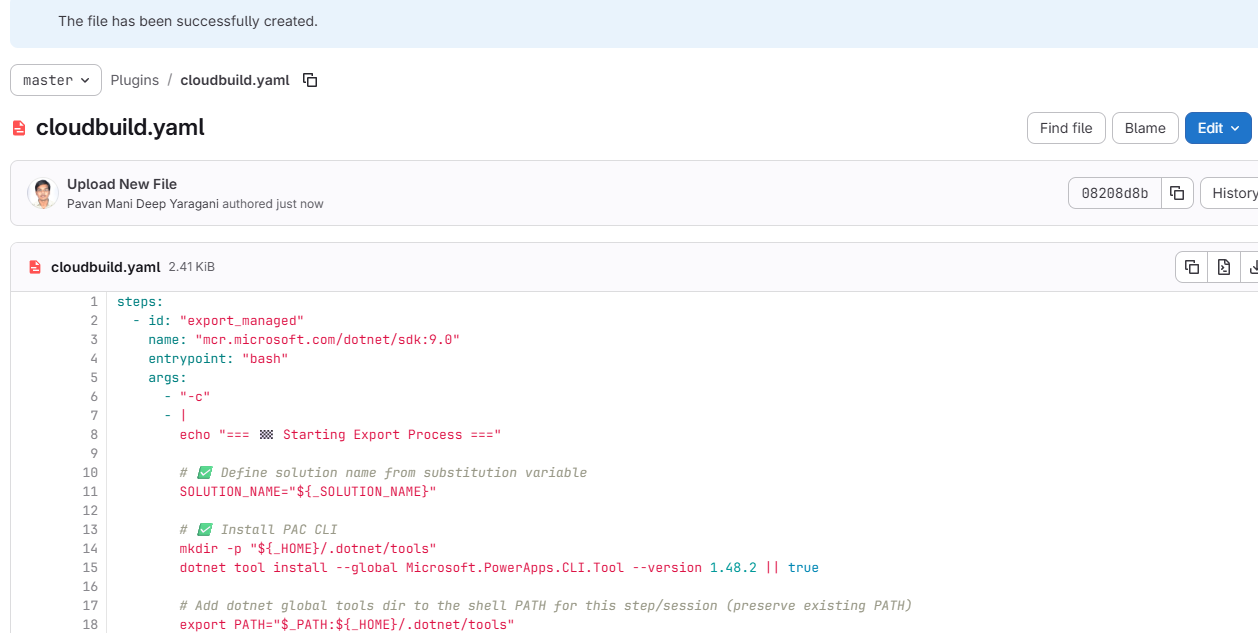
You can find the full code below
Solution from Source Environment

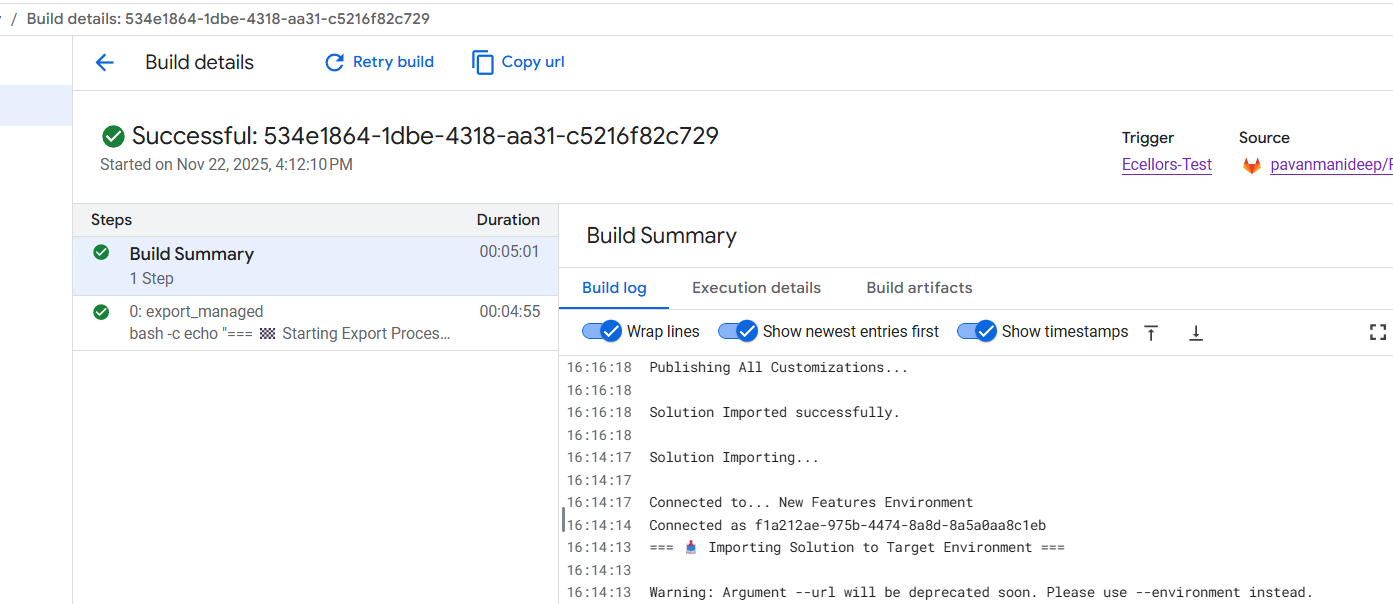
Now lets run the trigger which will export the solution from the source environment and import to the target environment….we have manual trigger, automatic trigger whenever there is an commit to the repo in GitLab etc., you may pick whatever suits your needs best.
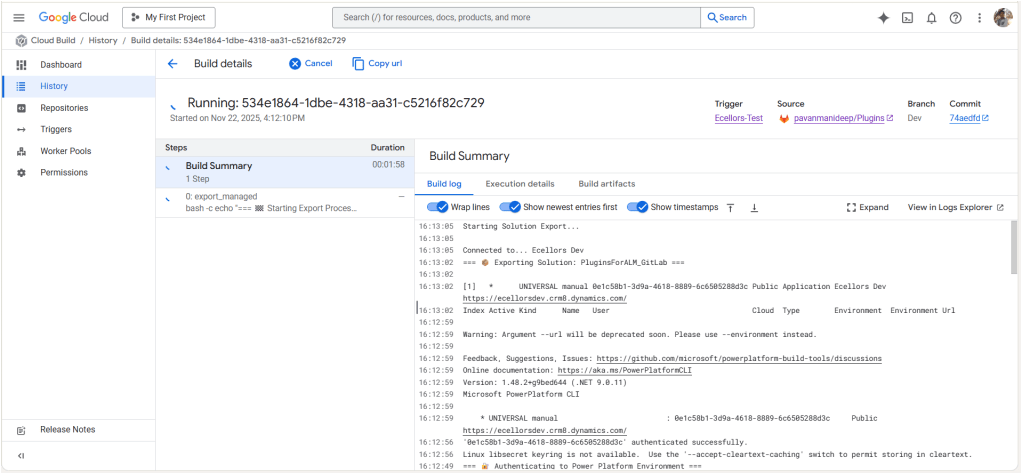
Solution imported to the target environment using Google Cloud Build
The below table illustrates key differences between Google Cloud Build and Azure Devops….
| Aspect | Google Cloud Build | Azure DevOps Build Pipelines |
|---|---|---|
| Pricing Model | Pay-as-you-go with per-second billing | Per-minute billing with tiered pricing |
| Cost Optimization | Sustained use discounts, preemptible VMs | Reserved capacity and enterprise agreements |
| Build Environment | Serverless, container-native, managed by Google Cloud | Requires self-hosted or paid hosted agents |
| Free Tier | Available with build minutes and credits | Available but more limited |
| Operational Overhead | Low, no need to manage build agents | Higher, managing agents or paying for hosted agents |
| Ideal For | Variable, short, or containerized workloads | Large Microsoft-centric organizations |
| Integration Cost Impact | Tightly integrated with Google Cloud serverless infrastructure | Integrated with Microsoft ecosystem but may incur additional licensing costs |
Conclusion:
PAC CLI is a powerful command-line tool that automates authentication, environment, and solution management within Power Platform ALM, enabling consistent and repeatable deployment workflows. It integrates smoothly with DevOps tools like GitLab and Google Cloud Build, helping teams scale ALM practices efficiently while maintaining control and visibility over Power Platform environments. Just note, my intention was showcase the power of PAC CLI with wider ecosystem, not only with Microsoft.
Cheers,
PMDY
 ECELLORS CRM Blog