Establishing tenant hygiene with the CoE Starter Kit – Learn COE #04

Hi Folks,

In this blog post, I am going to talk about establishing tenant hygiene using COE Stater kit, in today’s world where there increasing Power Platform demand. Organizations have become mature, that every implementation is now looking for having some kind of governance being established.

If you were some one who want to get some knowledge of implementing governance, you were at right place.

In order to efficiently implement governance, we need to understand the environment strategy, your current implementation has used. Of course if you were looking for some guidance, there were examples of tooling available in the CoE Starter Kit and out-of-the-box capabilities to help CoE teams effectively manage and optimize their Power Platform solutions.

Few key steps to be considered for maintaing this in your environment, so let’s get started…

  1. Define Environment Strategy
  • Assign your admins the Power Platform service admin or Dynamics 365 service admin role.
  • Restrict the creation of net-new trial and production environments to admins
  • Rename the default environment to ‘Personal Productivity’
  • Provision a new Production environment for non-personal apps/flows
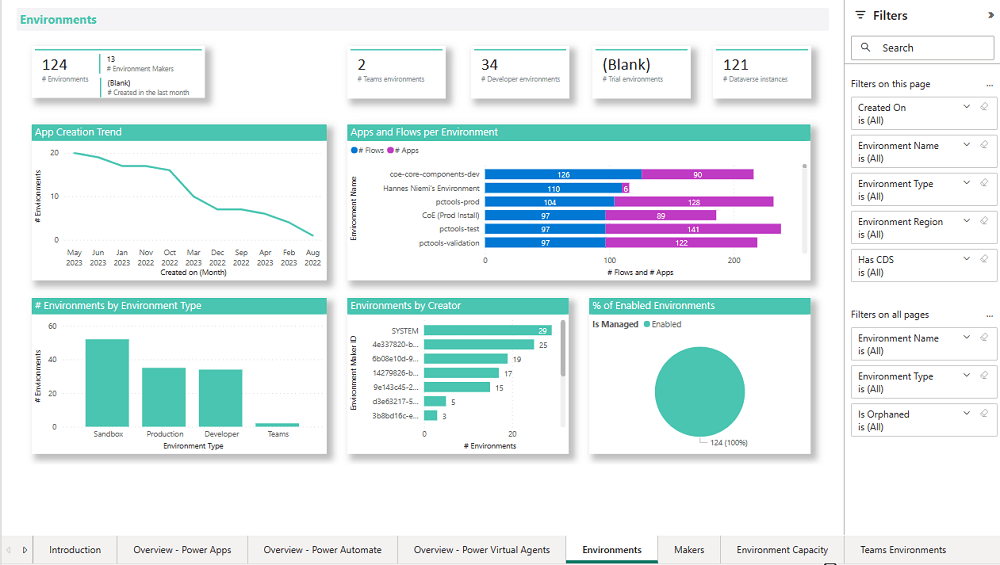
  • Define and implement your DLP policies for your environments
  • When establishing a DLP strategy, you may need multiple environments for the same department
  • When establishing your Power Platform environment strategy, based upon your licensing, you may find that you need to provision environments without a Dataverse (previously called Common Data Service) database and also use DLP policies to restrict the use of premium connectors.
  • Establish a process for requesting access or creation of environments
  • Dev/Test/Production environments for specific business groups or application
  • Individual-use environments for Proof of Concepts and training workshops
  • Use a service account to deploy production solutions
  • Reduce the number of shared development environments
  • Share resources with Microsoft Entra Security Groups.

2. Compliance and Adoption:

The Compliance page in the CoE Starter Kit’s Compliance and adoption dashboard can help you identify apps and flows with no owners, noncompliant apps, and suspended flows.
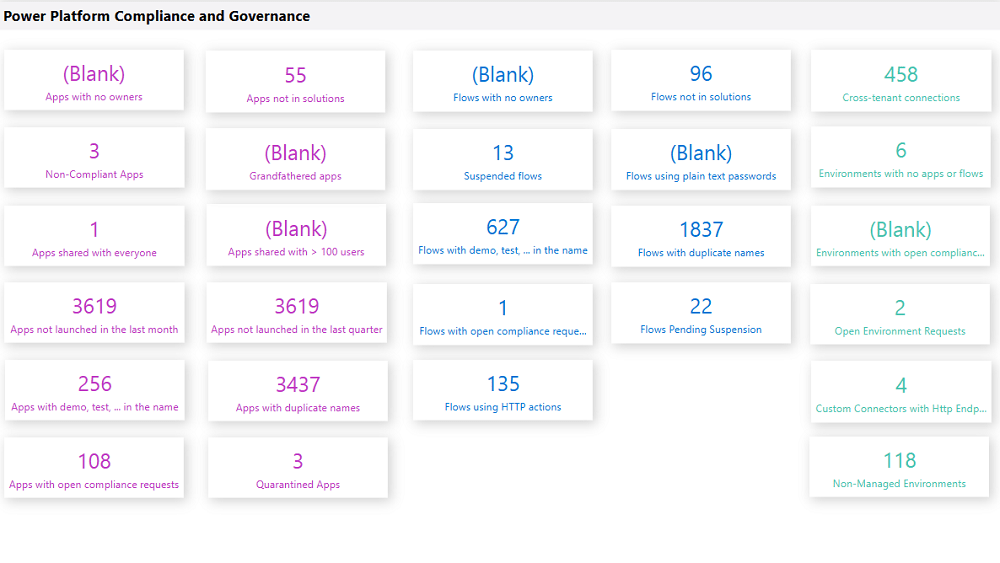
  • Rename and secure the default environment
  • Identify unused apps, pending suspension, suspended cloud flows and not without an owner or not in solutions
  • Quarantined noncompliant apps and clean up orphaned resources
  • Enable Managed Environments and establish a data loss prevention policy
  • Apply cross tenant isolation
  • Assign Administrator roles appropriately
  • Apps and flows with duplicate names not compliant with DLP policies or billing policies
  • Apps shared with everyone and apps shared with more than 100 users and Apps not launched in the last month and in the last quarter
  • Flows using plain text passwords and using HTTP actions
  • Cross-tenant connections
  • Environments with no apps or flows
  • Custom connectors using HTTP environments

3. Managing Dataverse for Teams environments

If you were not using Dataverse for Teams, you can safely skip this step, else please review

The Microsoft Teams environments page in the CoE Starter Kits dashboard provides you with an overview of your existing Teams environments, apps and flows in those environments, and the last launched date of apps.
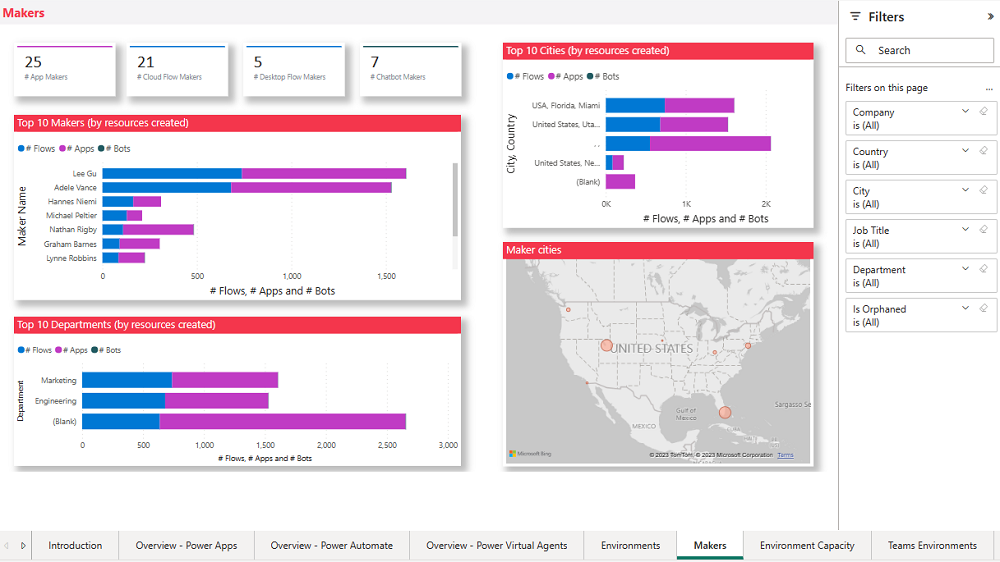
Screenshot of a Microsoft Teams Environments overview.

By checking for new Dataverse for Teams environments daily, organizations can ensure they’re aware of all environments in use. 

State of Dataverse for TeamsPower Platform action
83 days after no user activitySend a warning that the environment will be disabled. Update the environment state on the Environments list page and the Environment page.
87 days after no user activitySend a warning that the environment will be disabled. Update the inactive environment state on the Environments list page and the Environment page.
90 days after no user activityDisable the environment. Send a notice that the environment has been disabled. Update the disabled environment state on the Environments list page and the Environment page.
113 days after no user activitySend a warning that the environment will be deleted. Update the disabled environment state on the Environments list page and the Environment page.
117 days after no user activitySend a warning that the environment will be deleted. Update the disabled environment state on the Environments list page and the Environment page.
120 days after no user activityDelete the environment. Send a notice that the environment has been deleted.

Please note a warning is displayed only if the Dataverse for Teams environment is <= 7 days until disablement.

4. Highly used apps

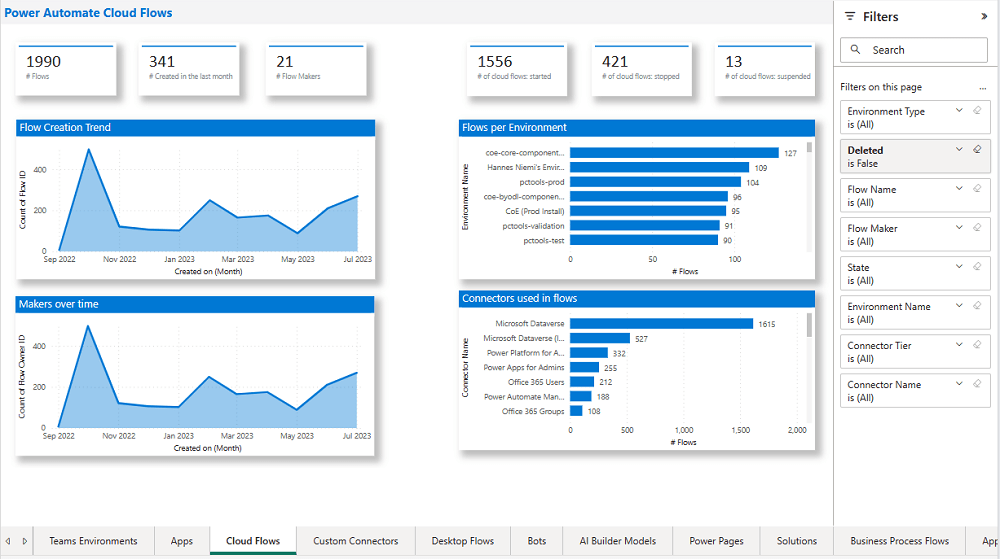
The Power BI Dashboard available out of the box with COE Starter Kit will provide you the necessary guidance over high performing apps and also your most active users.
5. Communicating governance to your makers

This is one of the important step while setting up COE and governance guidelines, follow the below approaches

  • Clearly communicate the purpose and benefits of governance policies:Explain how governance policies protect organizational data
  • Make governance policies and guidelines easily accessible:Place the policies and guidelines in a central location that is easily accessible to all makers
  • Provide training and support:Offer training sessions and resources to help makers understand and comply with governance policies.
  • Encourage open communication: Foster culture where makers can ask questions and raise concerns about governance policies.
  • Incorporate governance into the development process:For example, you can require a compliance review before deploying a solution.

6. Administration of the platform

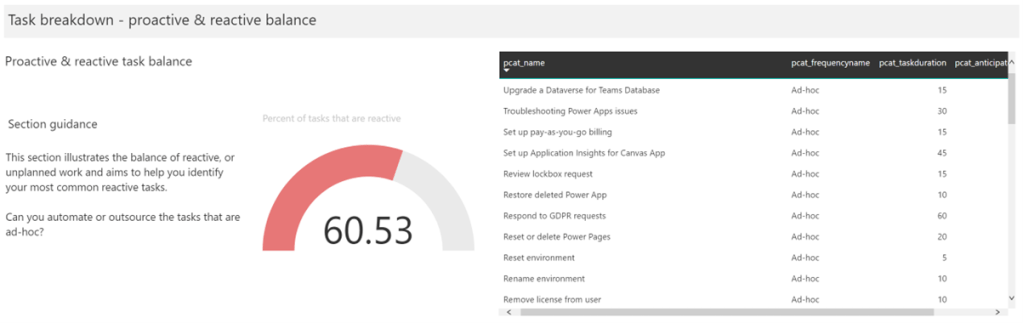
Power Platform Administrator Planning Tool which comes with COE Strater Kit provides guidance and best practices for administration. Also the planning tool can optimize environments, security, data loss prevention, monitoring and reporting.
6. Securing the environments

It is critical to establish a Data Loss Prevention (DLP) strategy to control connector availability.
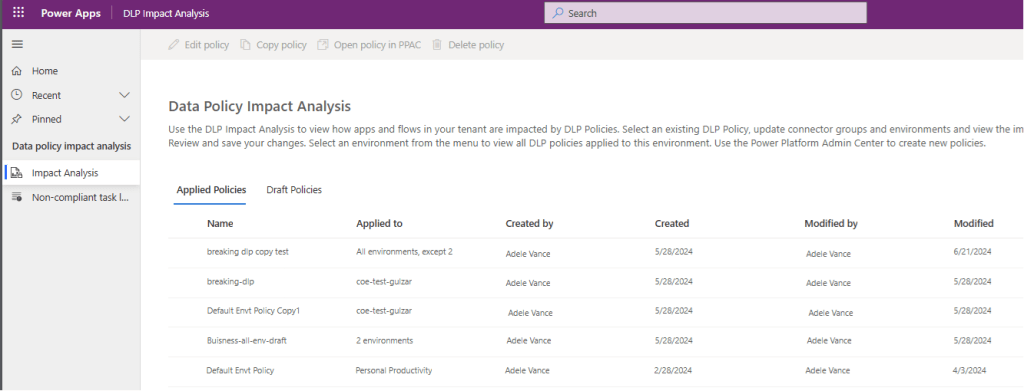
The DLP editor (impact analysis) tool is available for use before making changes to existing policies or creating new DLP policies. It reveals the impact of changes on existing apps and cloud flows and helps you make informed decisions.

Reference: COE Starter Kit Documentation

If you face issues using the COE Starter Kit, you can always report them at https://aka.ms/coe-starter-kit-issues

Hope this helps…. someone maintaining tenant governance with COE starter kit…. if you have any feedback or questions, do let me know in comments….

Cheers,

PMDY
Deploy dependent assemblies easily using PAC CLI

Hi Folks,

This is another post related to Plugins in Dynamics 365 CE.

Considering medium to large scale implementations, there isn’t a single Power Platform Project which don’t require merging of external assemblies.

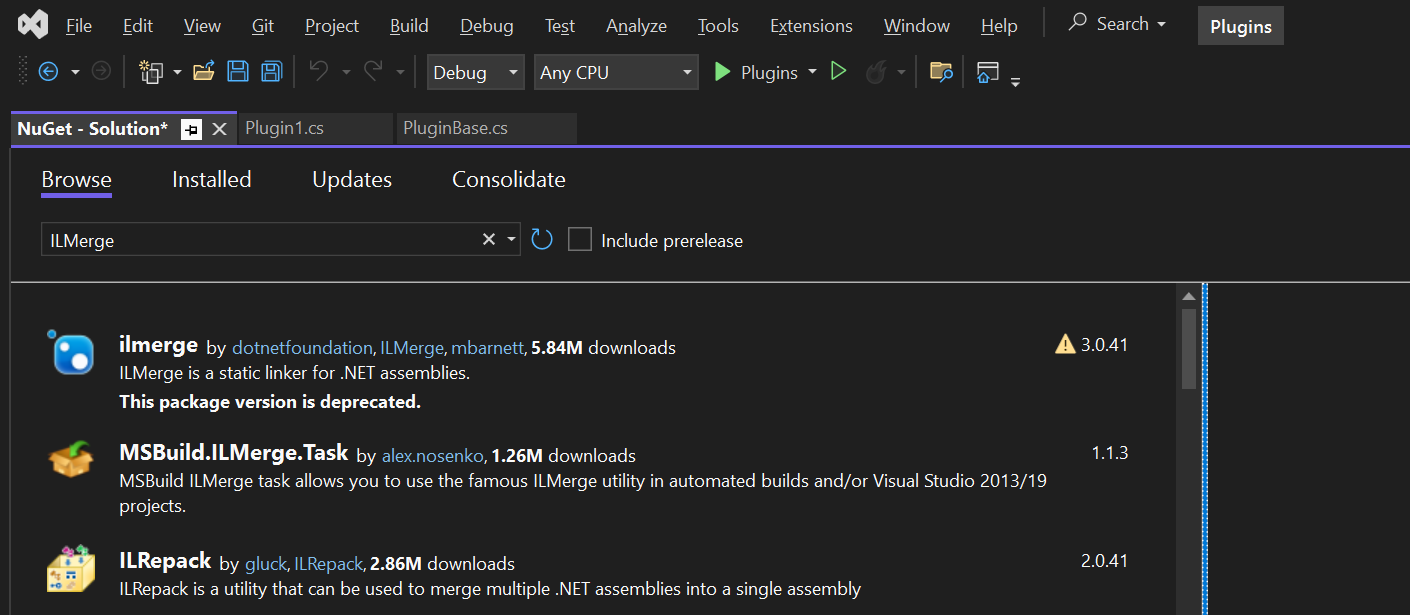
We relied on ILMerge to merge those assemblies into a single DLL. We used to search for ILMerge assemblies in Nuget and installed them for use.

Then the plugins are signed in for several reasons, primarily related to security, assembly integrity, and versioning of the sandbox worker process.

But either of the above are no longer needed with the help of Dependent Assembly feature…with few simple steps, you can build the Plugin…Interesting, isn’t it, read on…

Pre requisites:

  • Download Visual Studio 2022 Community Edition here
  • Download VS Code from here
  • Download Plugin registration tool from here
  • Download PAC CLI from here
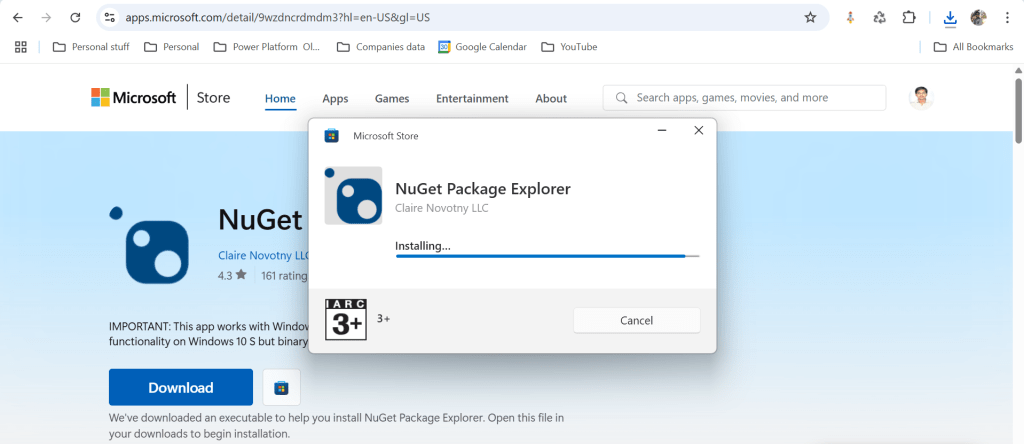
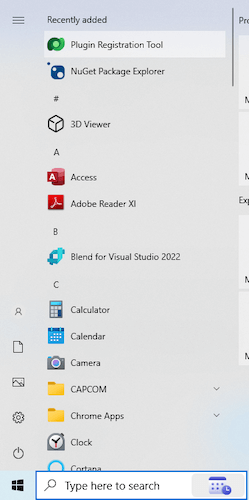
  • Download and install NuGet Package Explorer from this link NuGet Package Explorer open the NuGet Package Explorer

Avoid Direct Plugin Project Creation in Visual Studio

  • Never create a Plugin project directly from Visual Studio or any other IDE here after.
Use Microsoft PowerApps CLI instead
  • Always use Power Apps CLI as it easy and only requires a single command to create the entire Plugin project scaffolding
  • This ensures a standardized and reliable development environment.
  • It automatically creates a Nuget Package file that will be used to avoid ‘Could not load assemblies or its dependencies‘.

Ok, let’s begin.

Once you have downloaded all the prerequisites mentioned, make sure you have installed them in your local machine. Others are straight forward to download, for NuGet Package explorer, you need to search in Windows store to install.

  1. Create a local folder for the Plugins

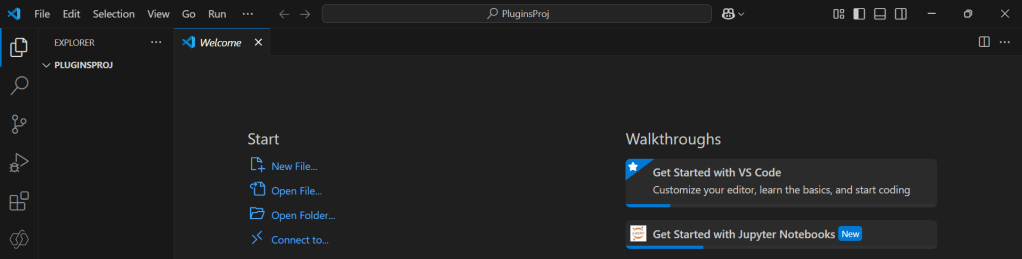
Navigate to that folder from VS Code

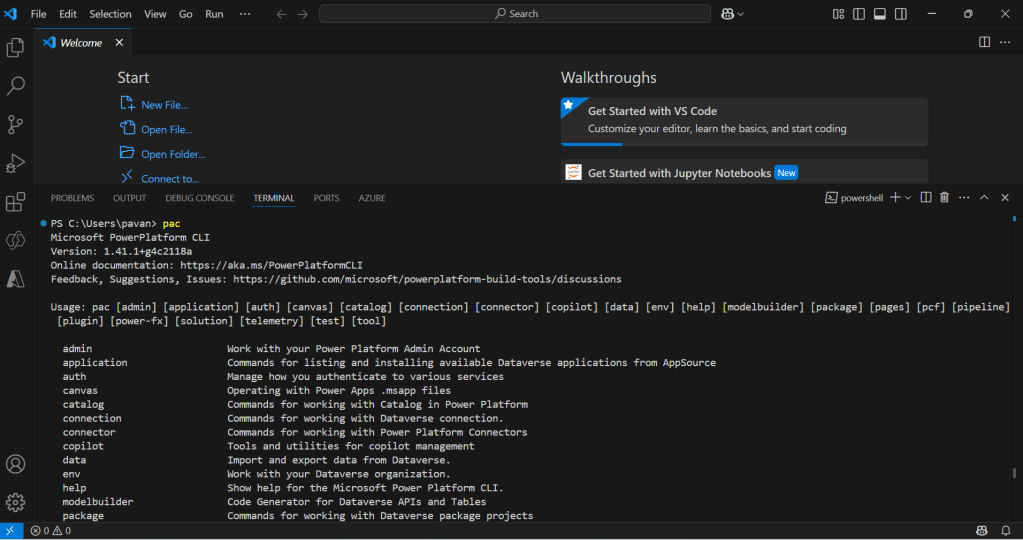
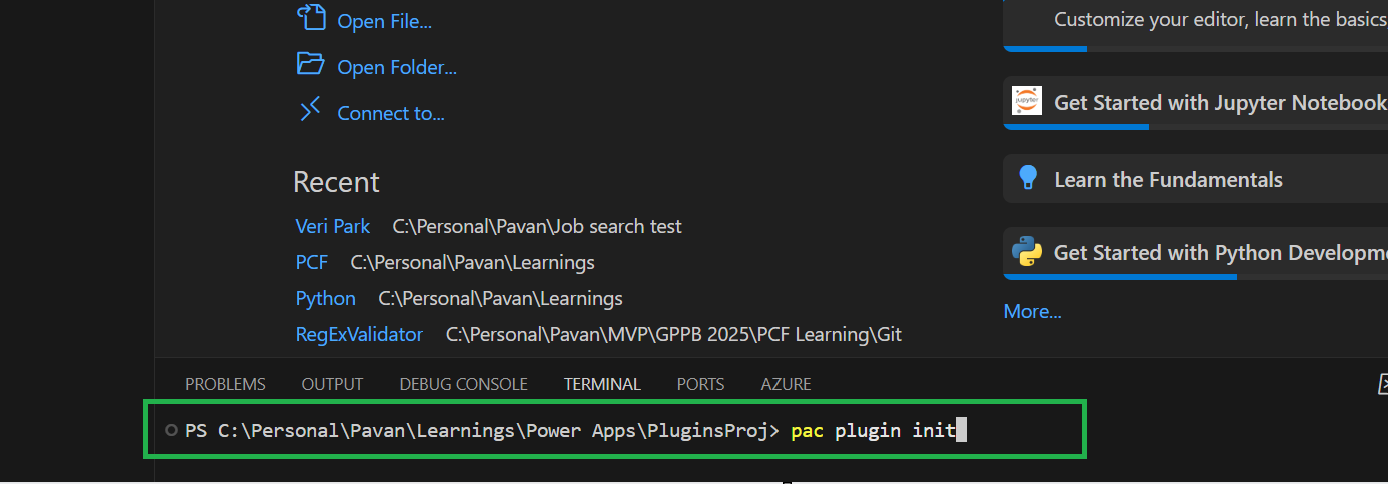
Now open terminal, run the pac command as below

Execute the following command to create plugin project 

  • Browse to the directory where you want to create the plugin project
  • Execute the command on CMD to create plugin project “pac plugin init

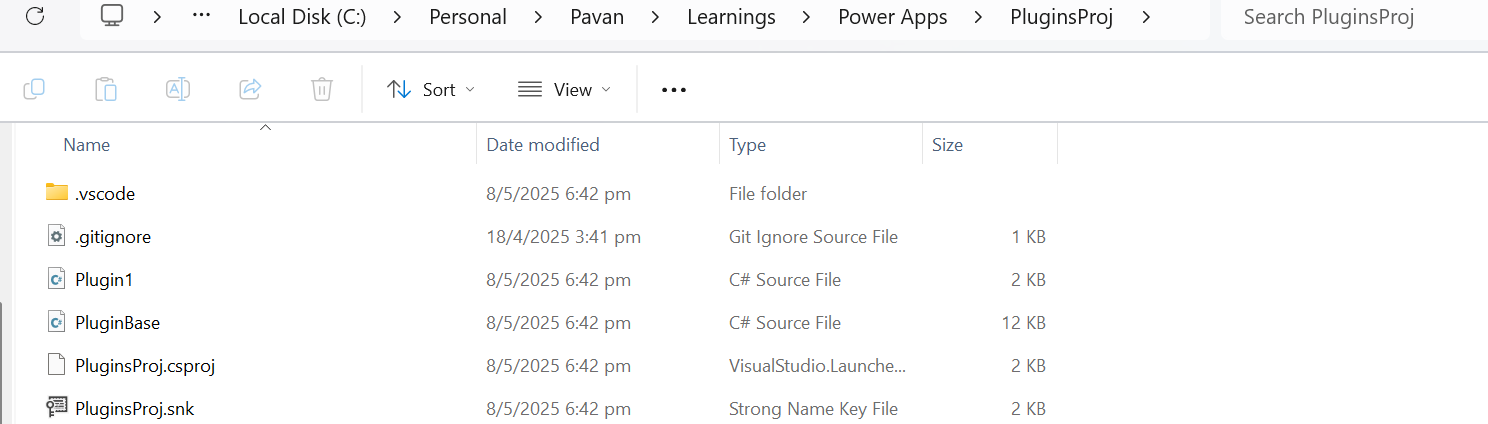
A plugin project will be created at your desired location as follows

Plugin project in local folder will be created as below

That’s it, you can close the VS Code for now.

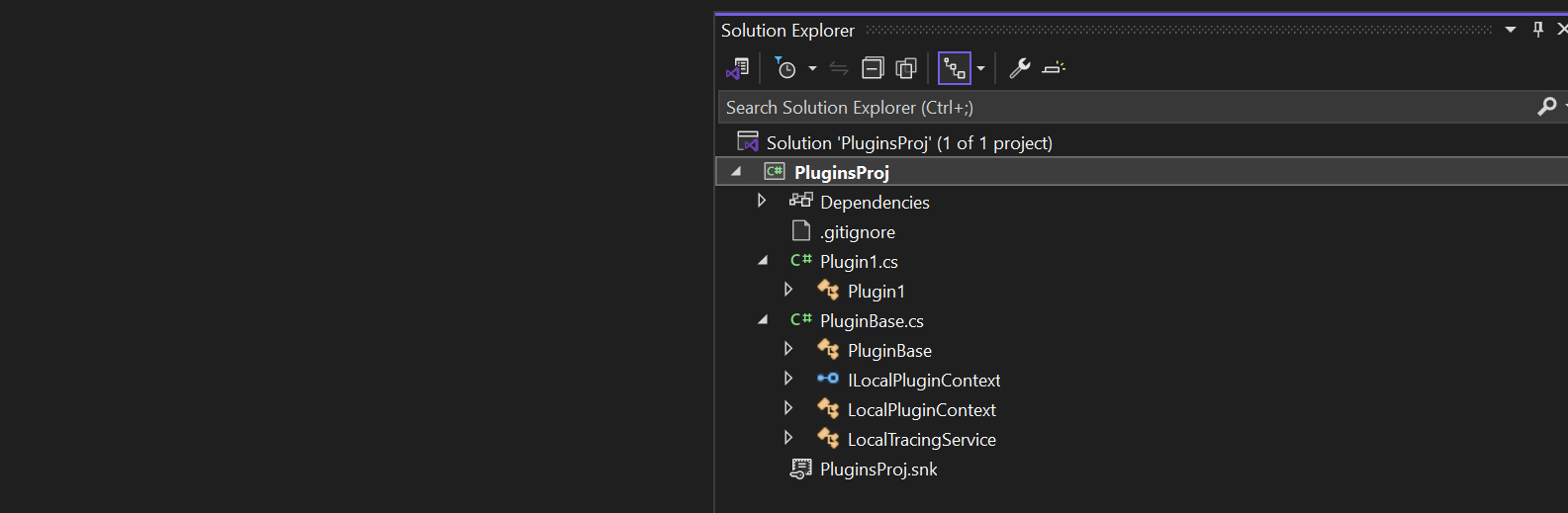
Click on the CS Proj file and open it in Visual Studio

By default, 2 files are automatically created when you create a plugin project as shown above.

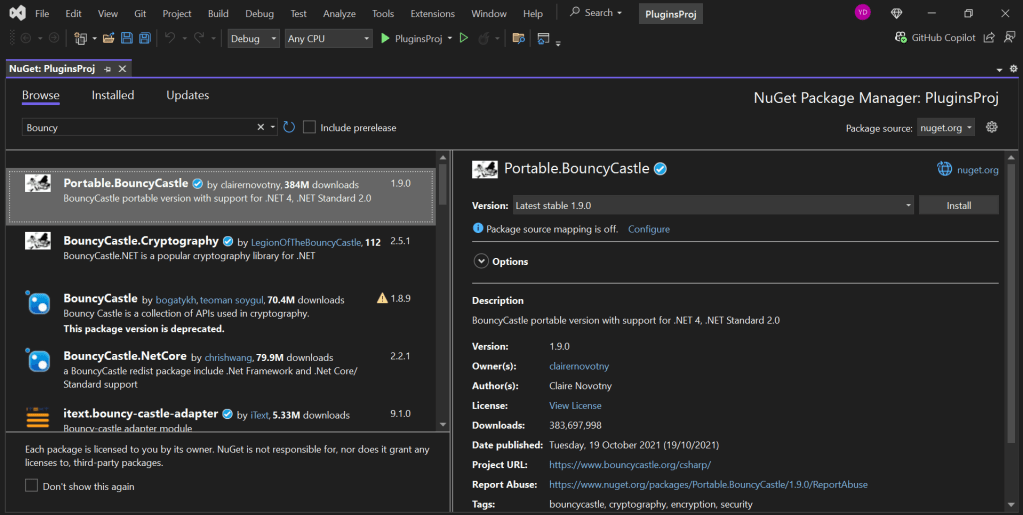
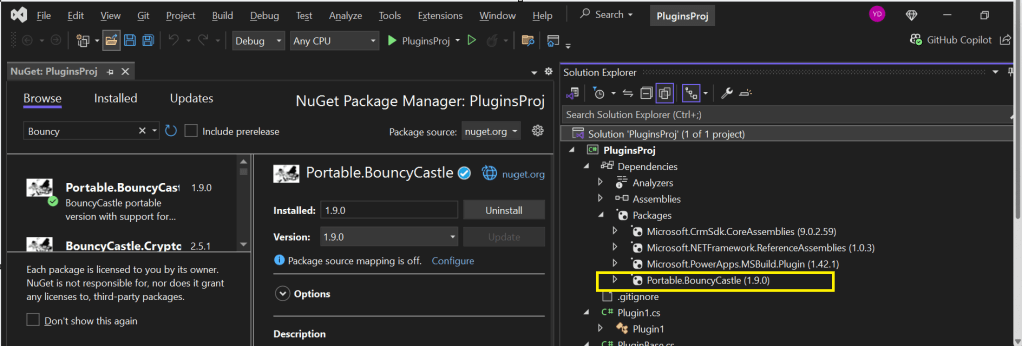
Now will install Bouncy Castle which is an external library, right click on the Plugin Solution –> Manage Nuge Packages

I have added Bouncy Castle NuGet Package to my plugin project for Encryption and Decryption. You can have your own required NuGet Package as per your need.

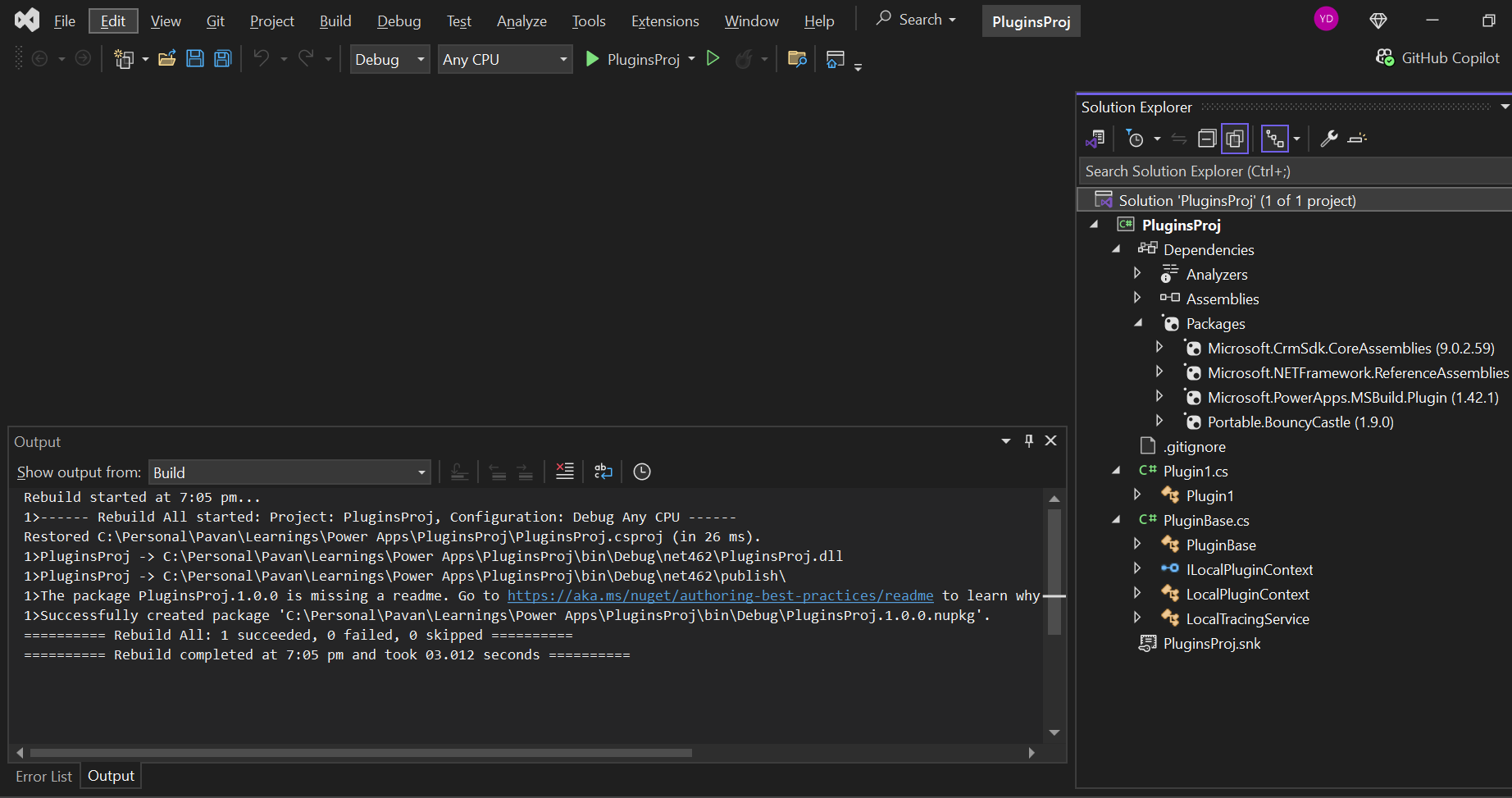
Build your project

After a successful build, you will get the output result as follows

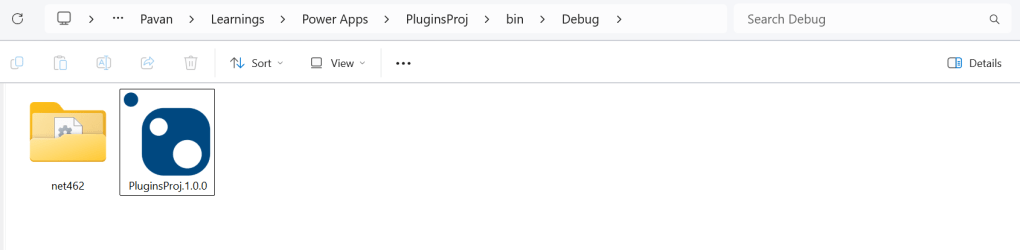
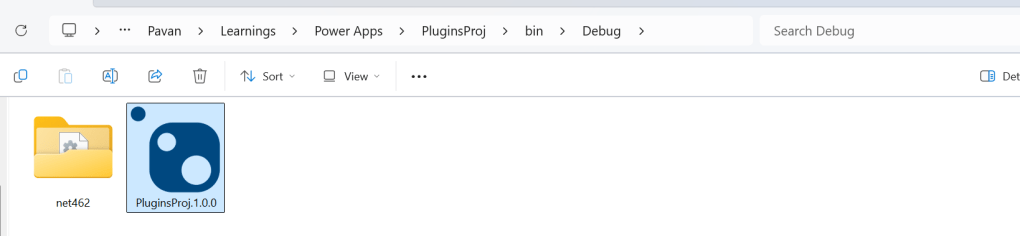
Browse the directory of your project

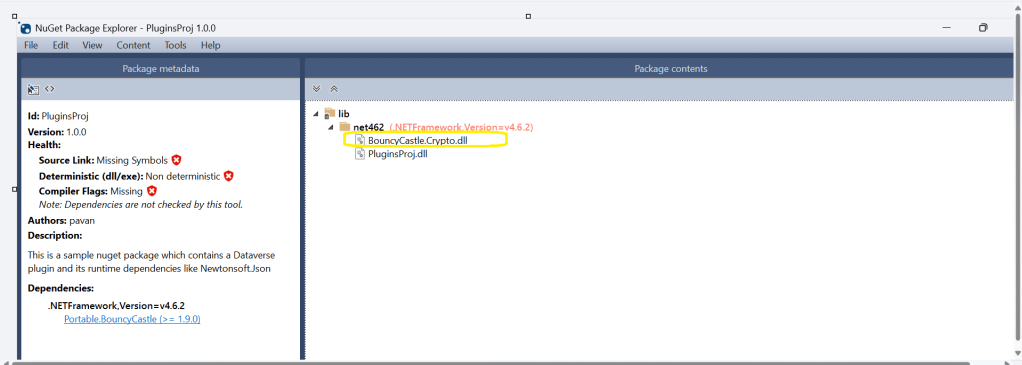
Open the file Plugin_Project.1.0.0.nupkg in Nuget Package Explorer by double clicking it

Now you can see that this nuget package file contains the information related to the added nuget package of Bouncy Castle that we want to include in our plugin project package as follows. In your case, you can have the required nuget package that you want to add 

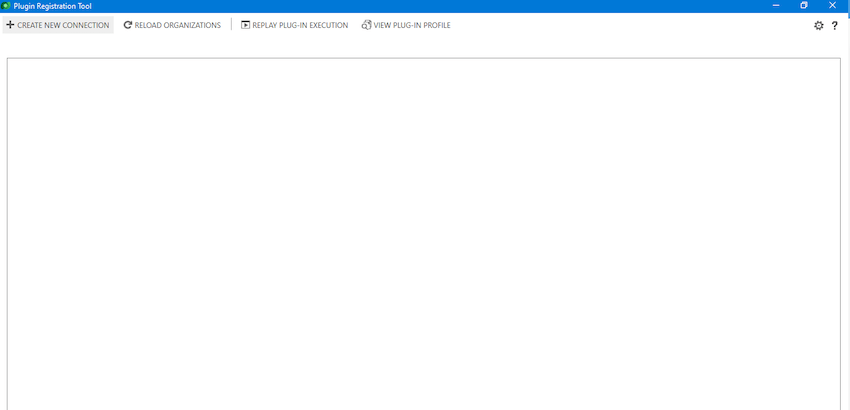
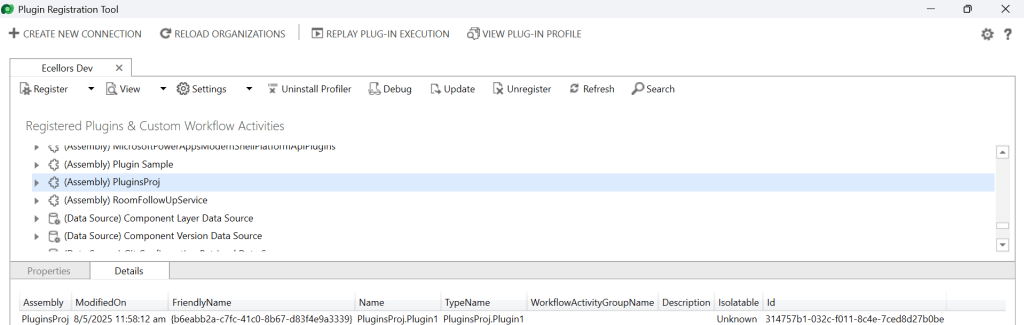
Now open up plugin registration tool

Click to create new connection

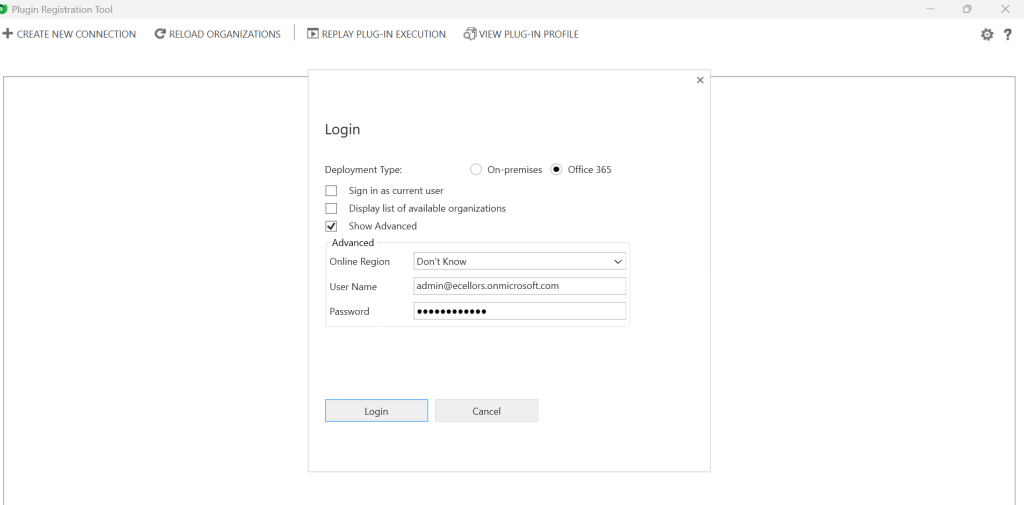
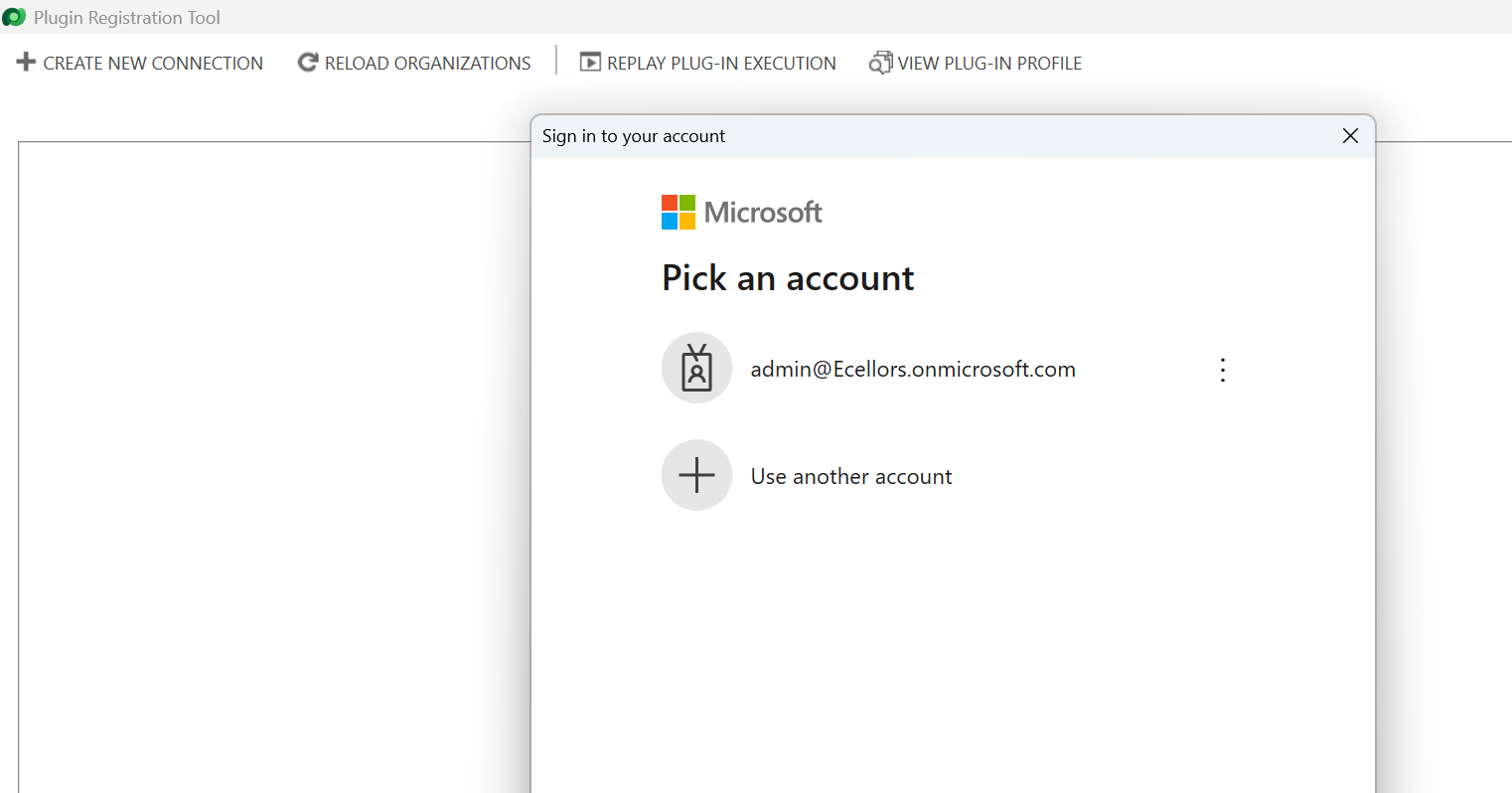
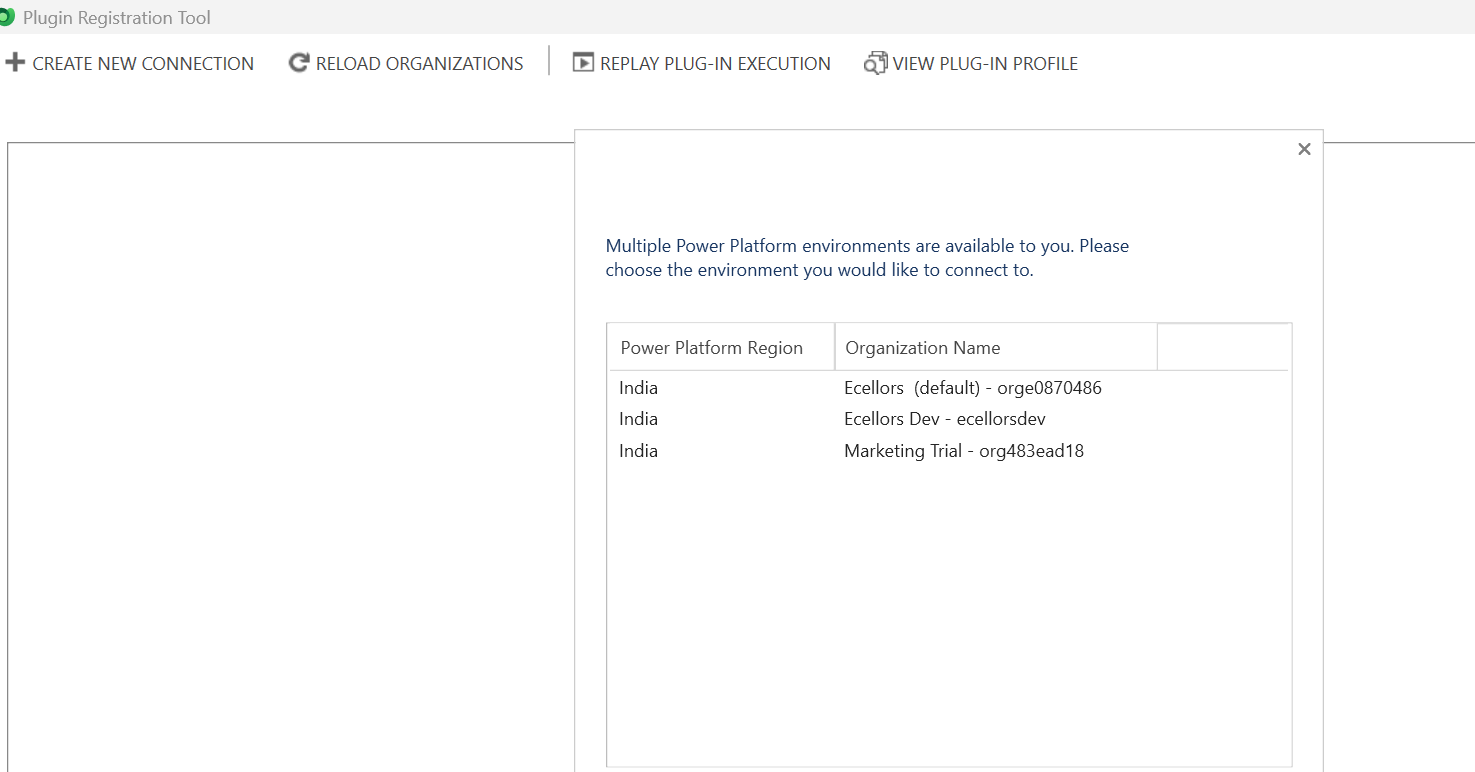
Provide login details and login

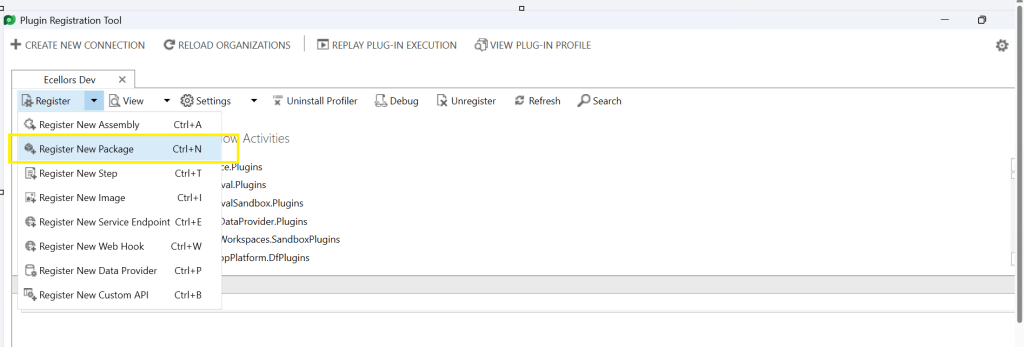
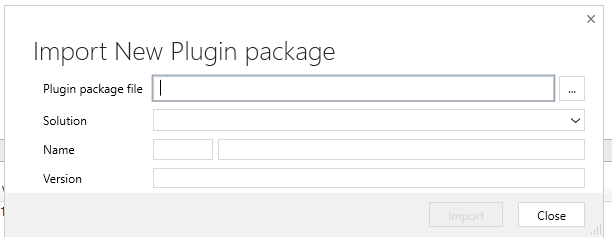
Click to Register New Package

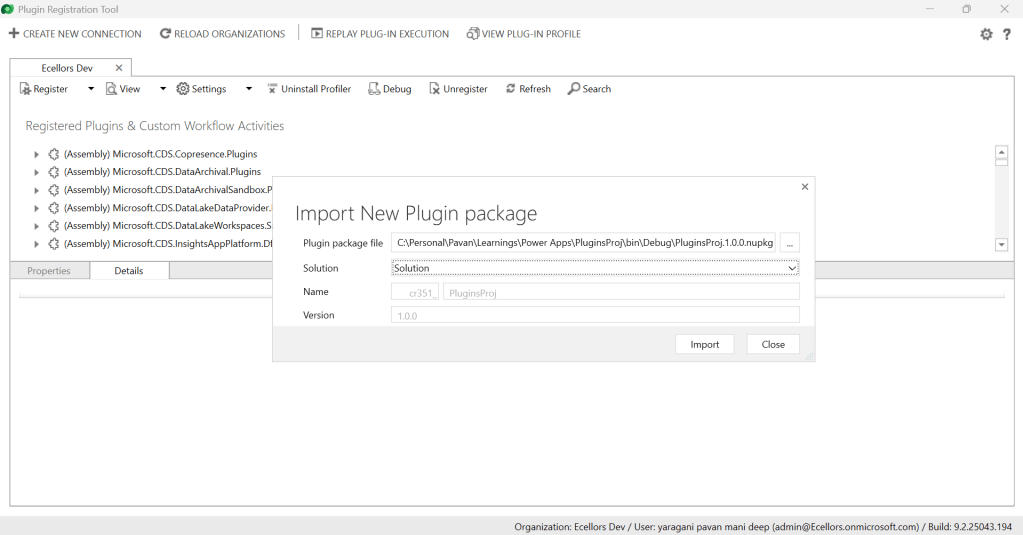
Browse to the directory where your nuget package file was created automatically when you build the project and import this file 

Select the Command Data Service Default Solution and import it

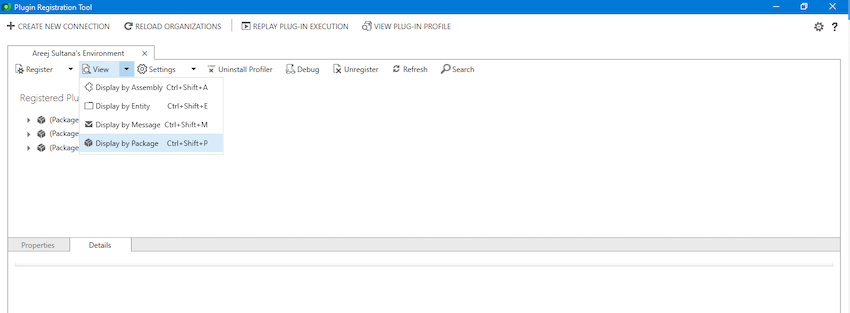
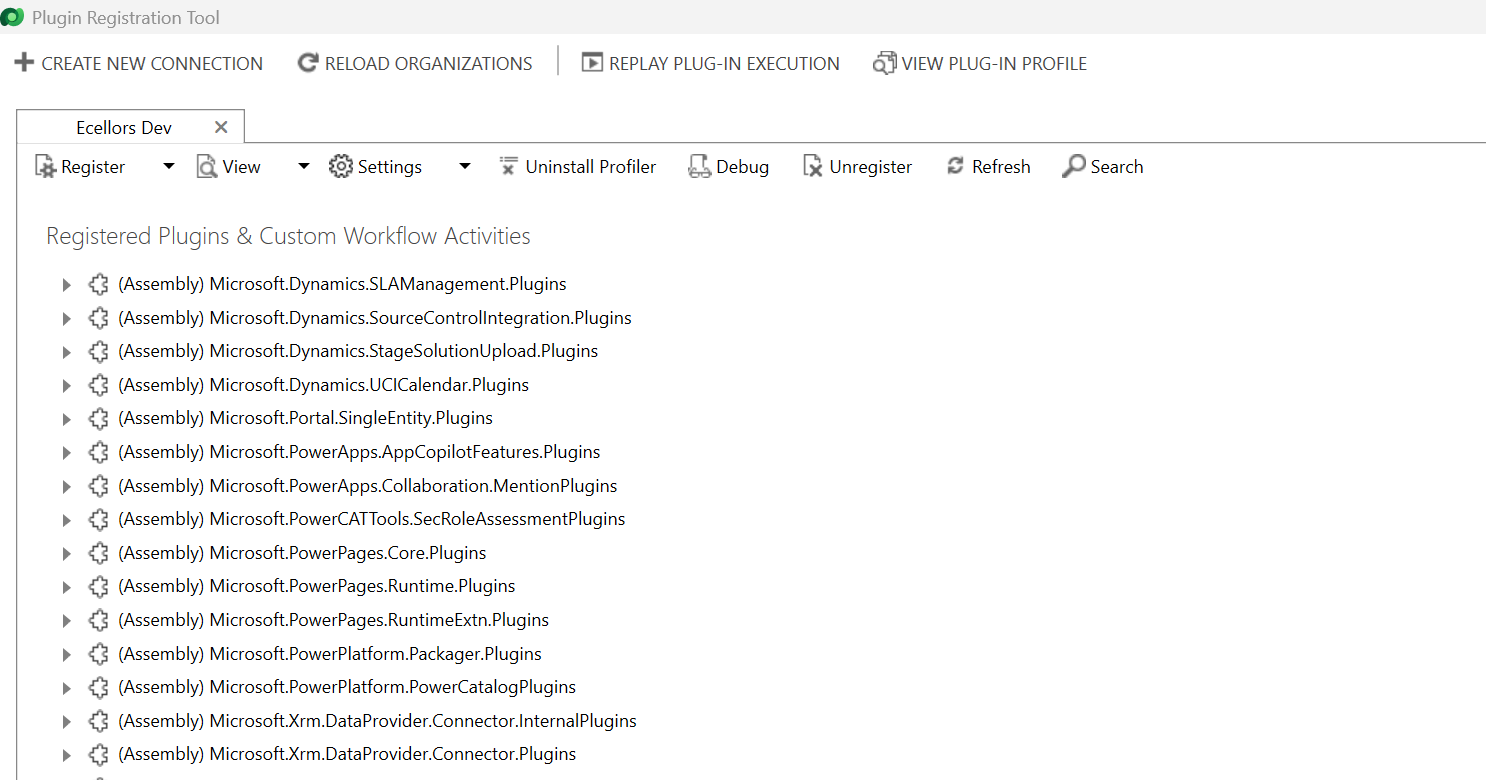
Click on view and Display by package

Now your Plugin Project is successfully registered with all dependent assemblies and ready to use.

While this post gives you a structure on how you can do build a plugin assembly, you can add the business logic as per your need.

Conclusion:

In conclusion, navigating the intricacies of Microsoft Dynamics 365 CRM plugins demands a nuanced approach, especially when dealing with NuGet Packages and dependent assemblies. This article has delved into the critical process of resolving the persistent ‘Could not load assemblies or its dependencies‘ issue, offering a comprehensive, step-by-step demonstration.

By following the recommended best practices, such as avoiding direct plugin project creation in Visual Studio and harnessing the power of Microsoft PowerApps CLI, developers can establish a standardized and reliable development environment. The CLI’s automatic creation of a NuGet Package file not only streamlines the process but also reduces the errors.

To further facilitate your journey, prerequisites such as downloading and installing essential tools like the Plugin Registration tool, Microsoft PowerApps CLI, and NuGet Package Explorer are highlighted. The guide emphasizes the significance of these tools in ensuring a smooth plugin development experience.

By adopting these practices and incorporating the suggested steps into your workflow, you not only troubleshoot existing issues but also fortify your understanding of the entire process. Take charge of your Dynamics 365 CRM plugin development, elevate your skills, and sidestep common pitfalls by mastering the art of handling NuGet Packages and dependencies seamlessly.

References:

Build and package plug-in code

Cheers,

PMDY 

Fix Plugin Registration Tool Connection Issues with Multi-Factor Authentication (MFA) Enabled in Power Platform

Hi Folks,

It’s been a since I posted on Power Platform Plugins, so this blog post talks about one small tip when connecting to your Power Platform Environment from Plugin Registration Tool either if you were connecting from Standalone Plugin Registration Tool or using Plugin Registration Tool from XrmToolBox.

If you were looking to install plugin registration tool itself, you can check the below post or if you want to learn about all Plugin related issues at once, you can check the references at the bottom of this post, else you can continue reading this post.

If you don’t know this tip, it will be difficult and least you will spend many minutes figuring out the error message you see in the Plugin registration tool.

This is applicable for applications who have MFA enabled, even if you haven’t enabled, it was enabled by Microsoft by default to enforce security.

As usually, you select:

  1. Office 365
  2. Enable Display list of available organizations, Show Advanced
  3. Provide User Name, Password
  4. Click on Login

You will be prompted this error in such case

======================================================================================================================
Source : Microsoft.IdentityModel.Clients.ActiveDirectory
Method : MoveNext
Date : 12/4/2025
Time : 5:09:52 pm
Error : AADSTS50076: Due to a configuration change made by your administrator, or because you moved to a new location, you must use multi-factor authentication to access '00000007-0000-0000-c000-000000000000'. Trace ID: 7a7cac23-056c-4e77-ba82-98d50c0b7001 Correlation ID: d8b32fe6-6197-4d9a-a460-3834c8dc292a Timestamp: 2025-04-12 09:09:52Z
Stack Trace : at Microsoft.Xrm.Tooling.Connector.CrmWebSvc.ProcessAdalExecption(Uri serviceUrl, ClientCredentials clientCredentials, X509Certificate2 userCert, UserIdentifier& user, String clientId, Uri redirectUri, PromptBehavior promptBehavior, String tokenCachePath, Boolean isOnPrem, String authority, Uri& targetServiceUrl, AuthenticationContext& authContext, String& resource, CrmLogEntry logSink, Boolean useDefaultCreds, String& authToken, AdalException adalEx)
at Microsoft.Xrm.Tooling.Connector.CrmWebSvc.ExecuteAuthenticateServiceProcess(Uri serviceUrl, ClientCredentials clientCredentials, X509Certificate2 userCert, UserIdentifier user, String clientId, Uri redirectUri, PromptBehavior promptBehavior, String tokenCachePath, Boolean isOnPrem, String authority, Uri& targetServiceUrl, AuthenticationContext& authContext, String& resource, UserIdentifier& userIdent, CrmLogEntry logSink, Boolean useDefaultCreds, SecureString clientSecret)
at Microsoft.Xrm.Tooling.Connector.CrmWebSvc.DiscoverGlobalOrganizations(Uri discoveryServiceUri, ClientCredentials clientCredentials, X509Certificate2 loginCertificate, UserIdentifier user, String clientId, Uri redirectUri, PromptBehavior promptBehavior, String tokenCachePath, Boolean isOnPrem, String authority, UserIdentifier& userOut, CrmLogEntry logSink, Boolean useGlobalDisco, Boolean useDefaultCreds)
at Microsoft.Xrm.Tooling.Connector.CrmWebSvc.DiscoverOrganizations(Uri discoveryServiceUri, ClientCredentials clientCredentials, UserIdentifier user, String clientId, Uri redirectUri, PromptBehavior promptBehavior, String tokenCachePath, Boolean isOnPrem, String authority, UserIdentifier& userOut, CrmLogEntry logSink, Boolean useGlobalDisco, Boolean useDefaultCreds)
at Microsoft.Xrm.Tooling.CrmConnectControl.CrmConnectionManager.QueryOAuthDiscoveryServer(Uri discoServer, ClientCredentials liveCreds, UserIdentifier user, String clientId, Uri redirectUri, PromptBehavior promptBehavior, String tokenCachePath, Boolean useGlobalDisco)
at Microsoft.Xrm.Tooling.CrmConnectControl.CrmConnectionManager.QueryOnlineServerList(ObservableCollection`1 svrs, OrganizationDetailCollection col, ClientCredentials liveCreds, Uri trimToDiscoveryUri, Uri globalDiscoUriToUse)
at Microsoft.Xrm.Tooling.CrmConnectControl.CrmConnectionManager.FindCrmOnlineDiscoveryServer(ClientCredentials liveCreds)
at Microsoft.Xrm.Tooling.CrmConnectControl.CrmConnectionManager.ValidateServerConnection(CrmOrgByServer selectedOrg)
======================================================================================================================
Inner Exception Level 1 :
Source : Not Provided
Method : Not Provided
Date : 12/4/2025
Time : 5:09:52 pm
Error : Response status code does not indicate success: 400 (BadRequest).
Stack Trace : Not Provided
======================================================================================================================
Inner Exception Level 2 :
Source : Not Provided
Method : Not Provided
Date : 12/4/2025
Time : 5:09:52 pm
Error : {"error":"interaction_required","error_description":"AADSTS50076: Due to a configuration change made by your administrator, or because you moved to a new location, you must use multi-factor authentication to access '00000007-0000-0000-c000-000000000000'. Trace ID: 7a7cac23-056c-4e77-ba82-98d50c0b7001 Correlation ID: d8b32fe6-6197-4d9a-a460-3834c8dc292a Timestamp: 2025-04-12 09:09:52Z","error_codes":[50076],"timestamp":"2025-04-12 09:09:52Z","trace_id":"7a7cac23-056c-4e77-ba82-98d50c0b7001","correlation_id":"d8b32fe6-6197-4d9a-a460-3834c8dc292a","error_uri":"https://login.microsoftonline.com/error?code=50076&quot;,"suberror":"basic_action"}: Unknown error
Stack Trace : Not Provided
======================================================================================================================
======================================================================================================================
Inner Exception Level 2 :
Source : Not Provided
Method : Not Provided
Date : 12/4/2025
Time : 5:09:52 pm
Error : {"error":"interaction_required","error_description":"AADSTS50076: Due to a configuration change made by your administrator, or because you moved to a new location, you must use multi-factor authentication to access '00000007-0000-0000-c000-000000000000'. Trace ID: 7a7cac23-056c-4e77-ba82-98d50c0b7001 Correlation ID: d8b32fe6-6197-4d9a-a460-3834c8dc292a Timestamp: 2025-04-12 09:09:52Z","error_codes":[50076],"timestamp":"2025-04-12 09:09:52Z","trace_id":"7a7cac23-056c-4e77-ba82-98d50c0b7001","correlation_id":"d8b32fe6-6197-4d9a-a460-3834c8dc292a","error_uri":"https://login.microsoftonline.com/error?code=50076","suberror":"basic_action"}: Unknown error
Stack Trace : Not Provided
======================================================================================================================

Based on the above inner exception, we can clearly understand that it is looking for Multifactor Authentication, so untick the Show Advanced checkbox, it then asks for Multifactor Authentication as shown below.

That’s it, with this simple tick of unchecking the Show Advanced, you were able to overcome this error, how cool is it…?

I have written lot of articles with respect to Plugin registration tool, you can check them below

Issues related to Plugins and Plugin Registration Tool

Hope this helps…

Cheers,

PMDY

Creating In-App Notifications in Model Driven Apps in an easier way – Quick Review

Hi Folks,

In App notifications are trending these days where many customers are showing interest in implementing these for their businesses.

So, in this blog post, I am going to show you the easiest way to generate In App notification using XrmToolBox in few clicks. Use the below tool to generate one.

So, let me walk you through step by step

Step 1: Open In App Notification Builder in XrmToolBox

Step 2: In App notification is a setting that should be enabled at App level, so meaning if you have developed few Model Driven Apps, you will be able to enable the In App notification individually for each one of them.

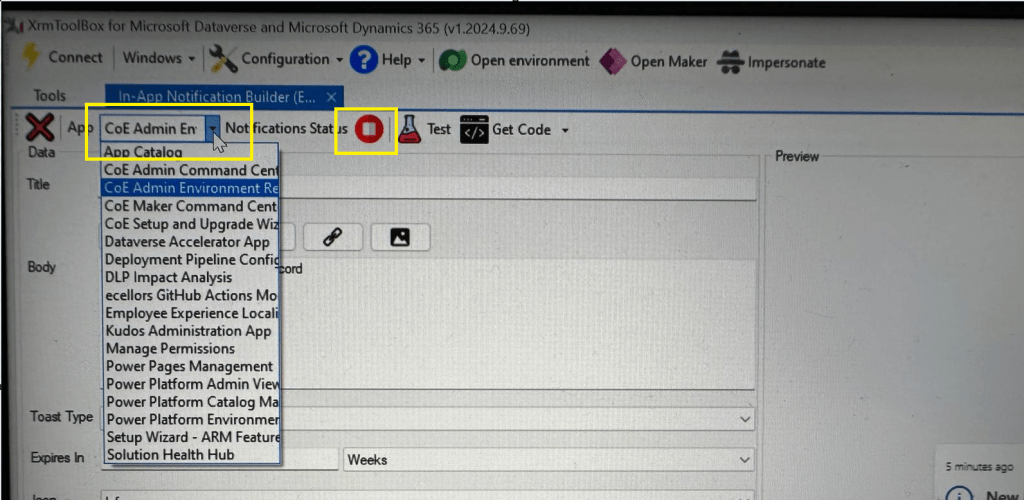
Step 3: In the above snapshot, we should be able to select the respective App for which we want to enable the In App Notification. Red bubble besides indicate that the In App notification is not enabled for this App.

So, we need to enable it by clicking on the red icon itself, you should then be able to get this prompt as below.

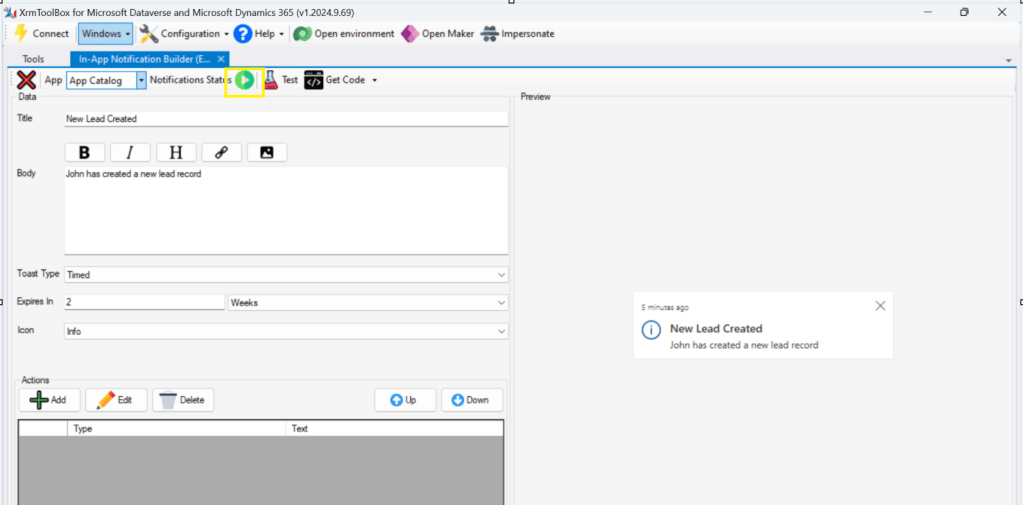
Step 5: Upon confirming the confirmation dialog box, the In App notification will be enabled for that App and you the red button turns to green as below saying that In App Notification is enabled.

Now that the In App notification is enabled in the App, we will proceed with the remaining setup.

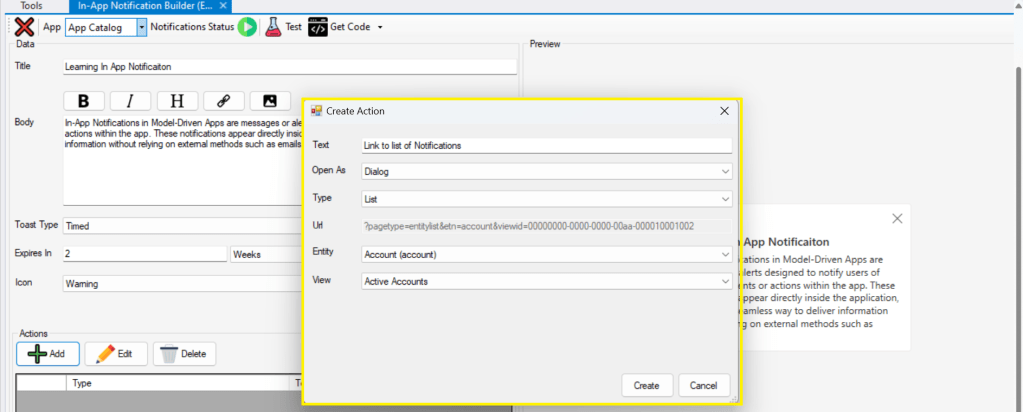
Step 6: You can proceed to give a meaningful title, body for you In App Notification. Also mention the required toast type and specify the expiry duration, Icon. Also Click on Add icon and choose the action required to be performed when In App notification is clicked.

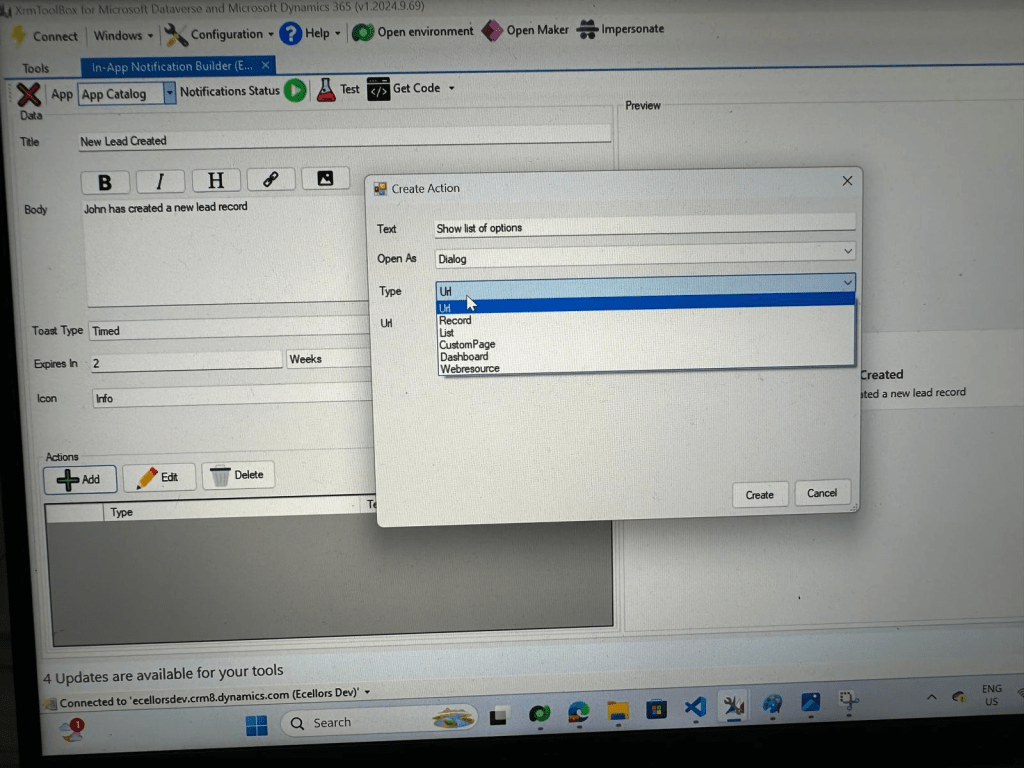
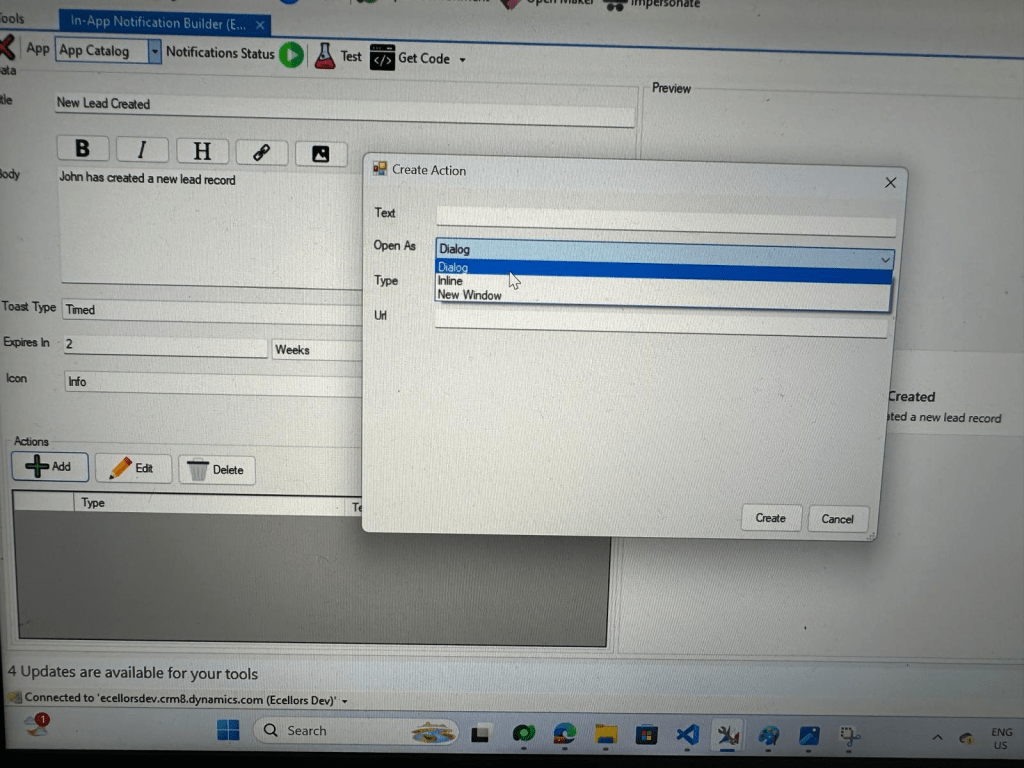
Step 9: You can even choose the type of action to be performed…

For example, let’s use to open as dialog and show list view

Your screen should look something like below

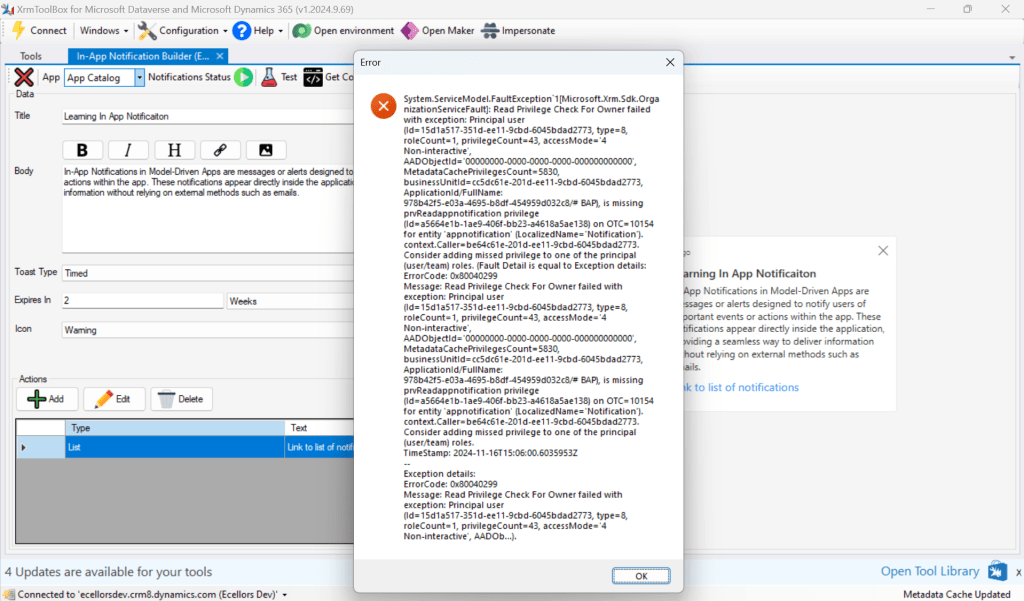
Step 10: Once done, you can click on create and that’s it you have now created In App Notification. Now let’s test this for the user who have priveleges to access this App.

If not, you will face this error..

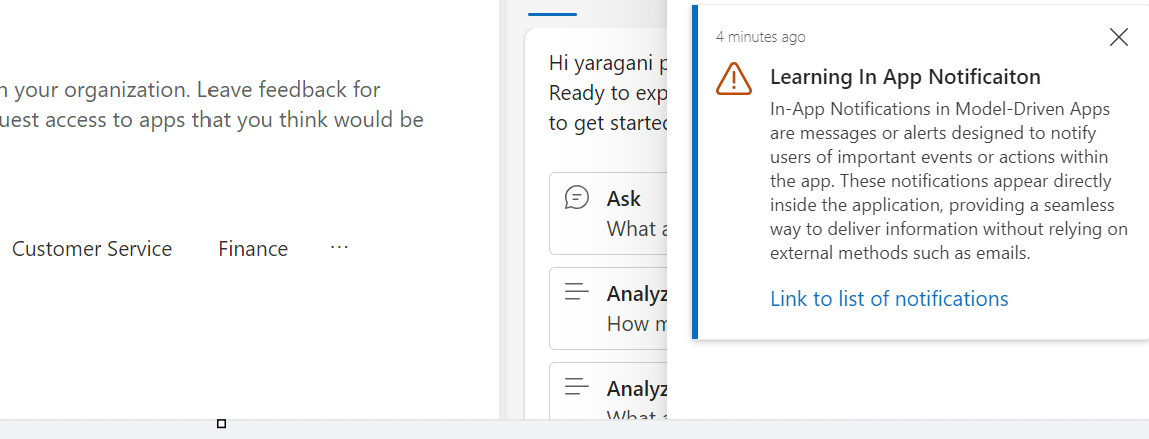
Log in with user account for which the In App Notification is triggered.

Hurray!!!! That’s it, how easy it was to create In App Notification in Low Code manner.

You can even get the code behind this as well…

However, there were other ways to trigger the In App Notification from a Pro Code angle, let’s discuss those as well.

In this case you need to manually turn the In App Notification feature on by going to settings for the Model Driven App as below first.

Notifications can be sent using the SendAppNotification message using SDK.

You can either trigger from and can choose based on your convenience to trigger a similar notification.

Client Scripting

var systemuserid = '<user-guid>';
var data = {
"actions": [
{
"data": {
"url": "?pagetype=entitylist&etn=account&viewid=00000000-0000-0000-00aa-000010001002",
"navigationTarget": "dialog"
},
"title": "Link to list of notifications"
}
]
};
var notificationRecord =
{
'title': 'Learning In App Notificaiton',
'body': `In-App Notifications in Model-Driven Apps are messages or alerts designed to notify users of important events or actions within the app. These notifications appear directly inside the application, providing a seamless way to deliver information without relying on external methods such as emails.`,
'ownerid@odata.bind': '/systemusers(' + systemuserid + ')',
'icontype': 100000003, // Warning
'toasttype': 200000000, // Timed
'ttlinseconds': 1209600,
'data': JSON.stringify(data)
}
Xrm.WebApi.createRecord('appnotification', notificationRecord).
then(
function success(result) {
console.log('notification created with single action: ' + result.id);
},
function (error) {
console.log(error.message);
// handle error conditions
}
);
view raw JS hosted with ❤ by GitHub

Plugin/SDK

var notification = new Entity("appnotification")
{
["title"] = @"Learning In App Notificaiton",
["body"] = @"In-App Notifications in Model-Driven Apps are messages or alerts designed to notify users of important events or actions within the app. These notifications appear directly inside the application, providing a seamless way to deliver information without relying on external methods such as emails.",
["ownerid"] = new EntityReference("systemuser", new Guid("00000000-0000-0000-0000-000000000000")),
["icontype"] = new OptionSetValue(100000003), // Warning
["toasttype"] = new OptionSetValue(200000000), // Timed
["ttlinseconds"] = 1209600,
["data"] = @"{
""actions"": [
{
""data"": {
""url"": ""?pagetype=entitylist&etn=account&viewid=00000000-0000-0000-00aa-000010001002"",
""navigationTarget"": ""dialog""
},
""title"": ""Link to list of notifications""
}
]
}"
};
service.Create(notification);
view raw gistfile1.txt hosted with ❤ by GitHub

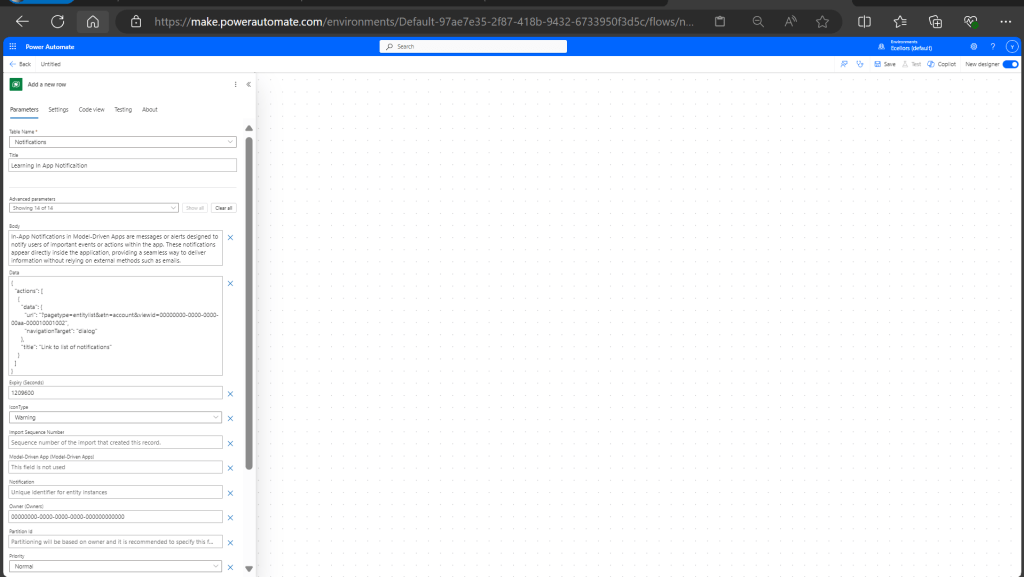
Power Automate:

You should design your Power Automate something like below to trigger a similar notification.

Note: Currently In App Notification will be triggered for only Model Driven Apps.

Reference:

In App Notification Documentation

Hope this saves some of your time…

Cheers,

PMDY

Global AI Bootcamp 2025 – Singapore

🚀 You’re Invited to the Global AI Bootcamp 2025 – Singapore Edition!

Are you passionate about AI, Power Platform, and Microsoft technologies? Want to learn how AI is transforming businesses and industries? Then this event is for you!

🎯 What to Expect?
✅ Expert-led sessions on AI, Copilot, Power Platform, and more
✅ Hands-on workshops to apply AI in real-world scenarios
✅ Networking opportunities with industry leaders and AI enthusiasts
✅ Absolutely FREE to attend!


Event Date: Saturday, 8 March 2025

10:00 am – 4:00 pm (GMT+8)

Meeting Link

This is your chance to upgrade your AI skills, connect with like-minded professionals, and explore the latest AI innovations.

#GlobalAIBootcamp #AI #MicrosoftAI #PowerPlatform #SingaporeTech #FreeEvent

Call Custom Actions in Dataverse using Web API – Quick Recap

Hi Folks,

Here is how you can quickly call action using Web API, with this method you can execute a single action, function, or CRUD operation. In the below example, let’s see how you can call an action. Here is function…to achieve this..

var formContext = executionContext.getFormContext();
var message = "Please enter a valid NRIC Number";
var uniqueId = "nric_valid";
var NRIC = formContext.getAttribute("new_nric").getValue();
if(NRIC !== null)
{
var execute_ValidateNRIC = {
NRIC: NRIC, // Call this function only when NRIC value which is non-null
getMetadata: function () {
return {
boundParameter: null,
parameterTypes: {
NRIC: { typeName: "Edm.String", structuralProperty: 1 }
},
operationType: 0,
operationName: "new_ValidateNRIC",
outputParameterTypes: {
IsValid: { typeName: "Edm.Boolean" }
}
};
}
};
Xrm.WebApi.execute(execute_new_ValidateNRIC).then(
function success(response) {
if (response.ok) {
response.json().then(function (data) {
if (!data.IsValid) {
formContext.getControl("new_nric").setNotification(message, uniqueId);
} else {
formContext.getControl("new_nric").clearNotification(uniqueId);
}
}).catch(function (error) {
Xrm.Navigation.openAlertDialog("Error occured from Validate NRIC "+error);
});
}
}
).catch(function (error) {
Xrm.Navigation.openAlertDialog(error.message);
}).catch(function (error) {
Xrm.Navigation.openAlertDialog(error.message);
});
}
}

This example details with Unbound action, which is not tagged to any entity, however if in case on Bound action, you will specify the entity name for bound parameter instead of null. You need to specify the Metadata accordingly for your Action. Let’s understand it’s syntax first…

Xrm.WebApi.online.execute(request).then(successCallback, errorCallback);

Parameters

Dataverse – Git Integration – Preview – Quick Review

Hi Folks,

This post is about Dataverse and Git Integration which is the most sought after feature in the todays automation Era. This is a preview feature, you would need to create a new environment with Early Access enabled to test this feature or you can use an existing US Preview environment for testing this out.

While every MDA(Model Driven Application) and it’s components can be safely and moved across the environments using Solutions with the help of Azure DevOps Pipelines. However when coming to integrating Power Platform Solutions to Azure DevOps, we had to manually export the solution and download them each and every time when we would like to commit the Solution Artifacts to Azure DevOps Repo.

With this new Preview feature we can directly integrate the Power Platform Solutions to Azure DevOps.

Let’s see this action…wait a moment, there were some prerequisites to be considered…

  1. Environment should be a Managed Environment to start using this and you need to be an Admin for the environment
  2. Azure DevOps subscription and license should be available to set this up, also permission to read source files and commits(should be a member of contributor group in Azure DevOps) from a Repo
  3. Your email address used for Azure DevOps and Power Platform Solutions should be the same

Setup:

Connecting Dataverse with Azure DevOps is easy but requires a bit of understanding of the Binding options available.

Well, there were two types of Binding options

  1. Environment Binding – Single root folder binds to all the unmanaged solutions in the environment
  2. Solution Binding – Different solutions uses a different root folder in Azure DevOps for binding

Note: Once the binding is setup, there isn’t away to change, so set this up carefully, else you may need to delete the folder and create a new one in Azure DevOps.

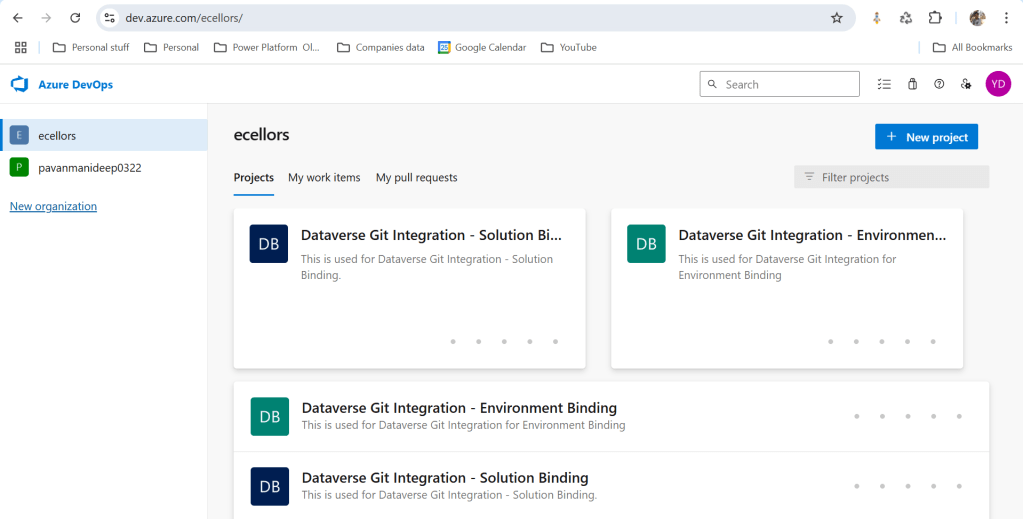
Let’s see one by one…for demoing purpose, I have created two projects in Azure DevOps Instance

  1. Solution Binding: When we use this, all the components will be available as pending changes
  2. Environment Binding: When we use this, all the unmanaged solution components will be mapped to one Azure DevOps root folder. Let’s set this up.

We are currently able to use only Solution binding, as Environment Binding doesn’t show up any changes to be committed, but there is a catch here.

We can set up for Environment binding and verify if the Solution components are getting marked as pending changes or not. Do note that Setting up the Binding is a one time activity for environment, once setup, it can’t be changed from one type to another.

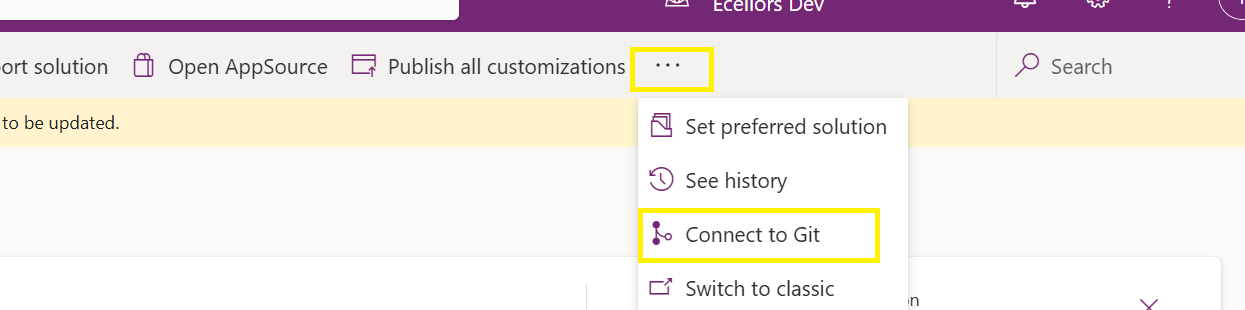
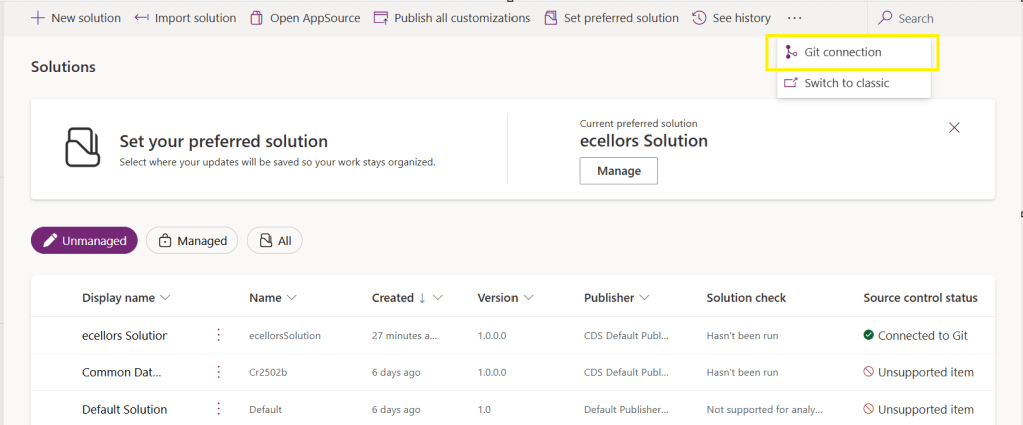
Open https://make.powerapps.com and navigate to solutions and click on ellipses as below

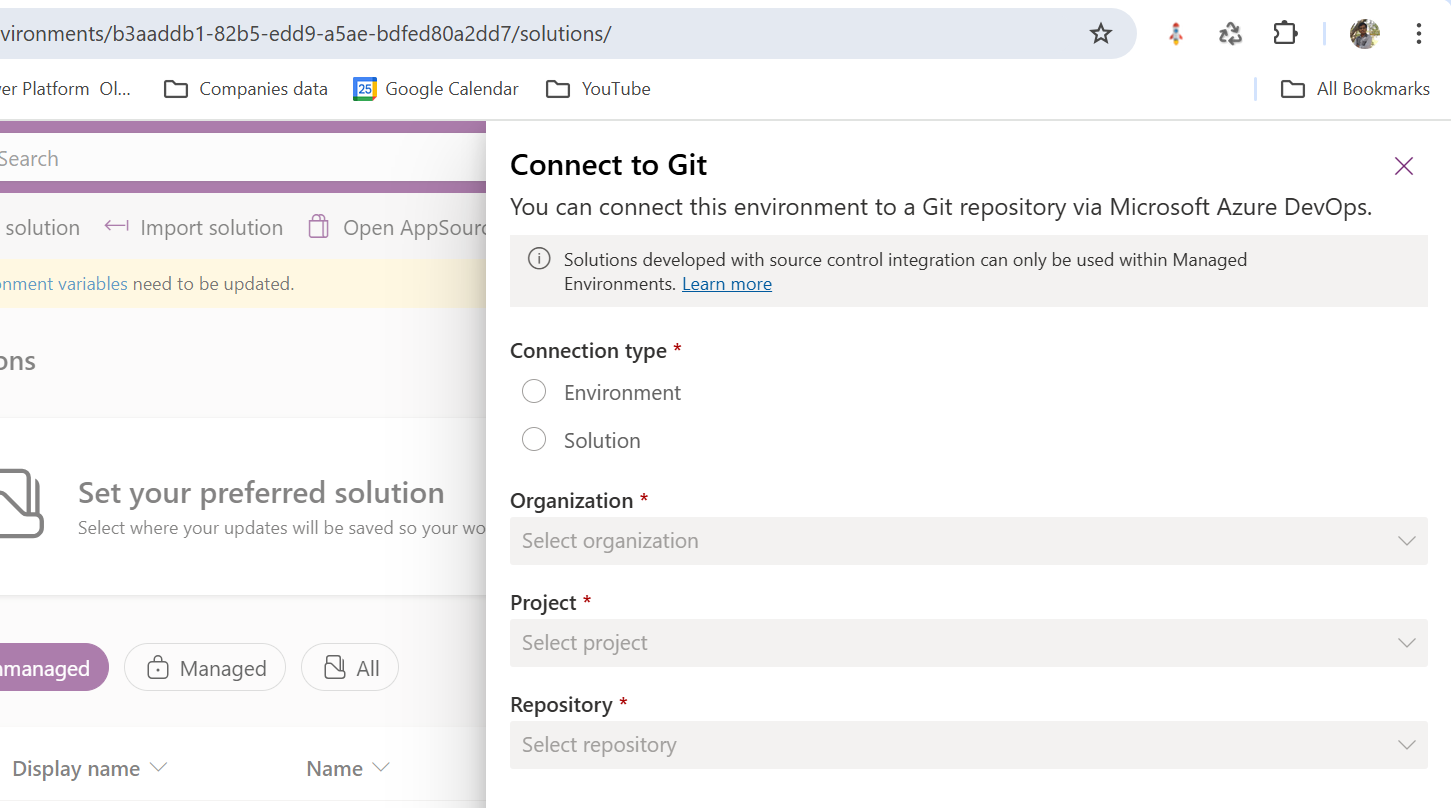
Once clicked on Connect to Git

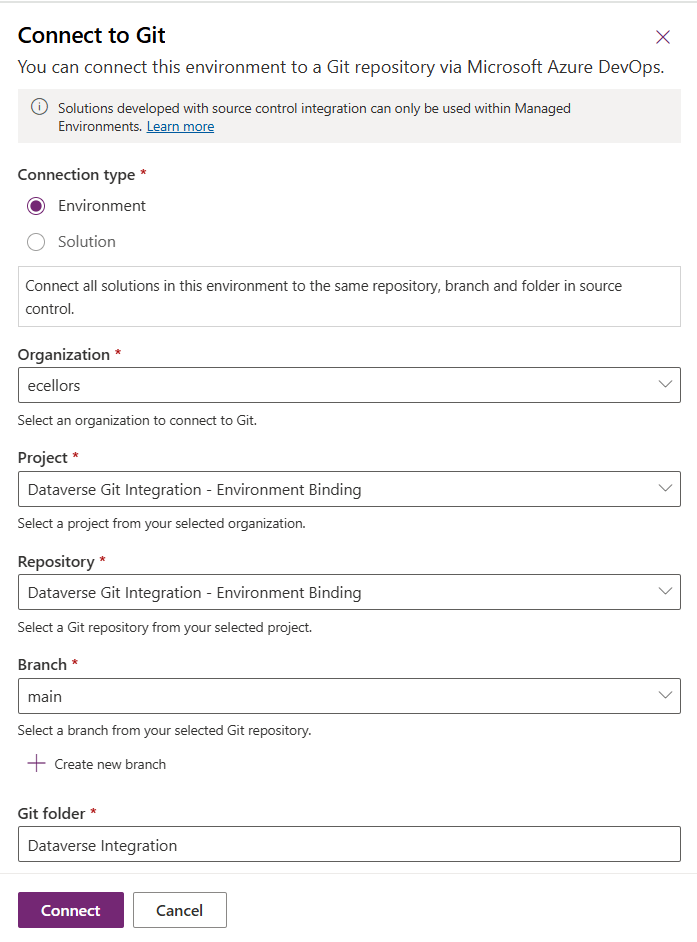
Since we were currently using Environment binding, let’s select the Connection Type as Environment

Then click on Connect, once connected, you should a alert message in power apps maker portal at the top.

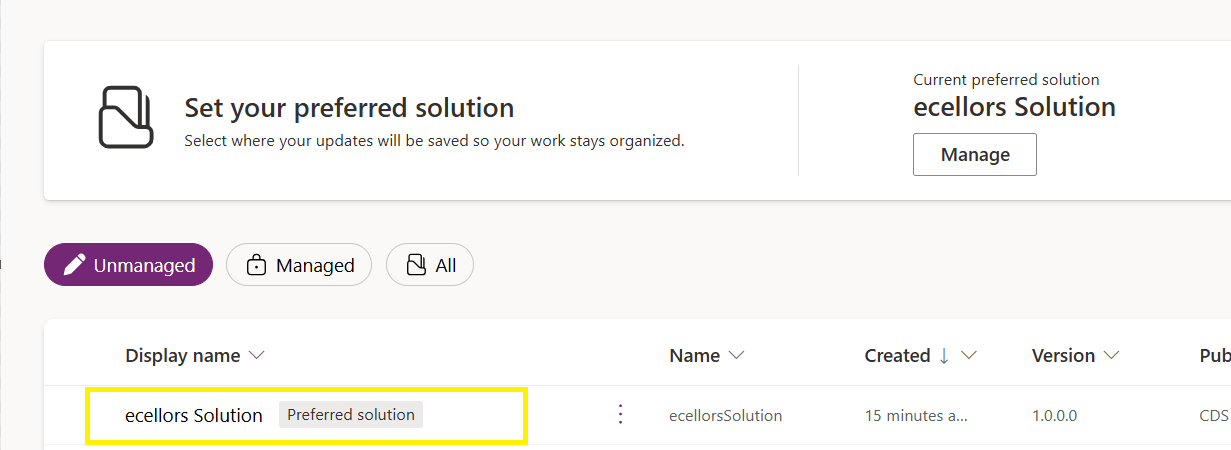
Now create a new solution as below named ecellors Solution

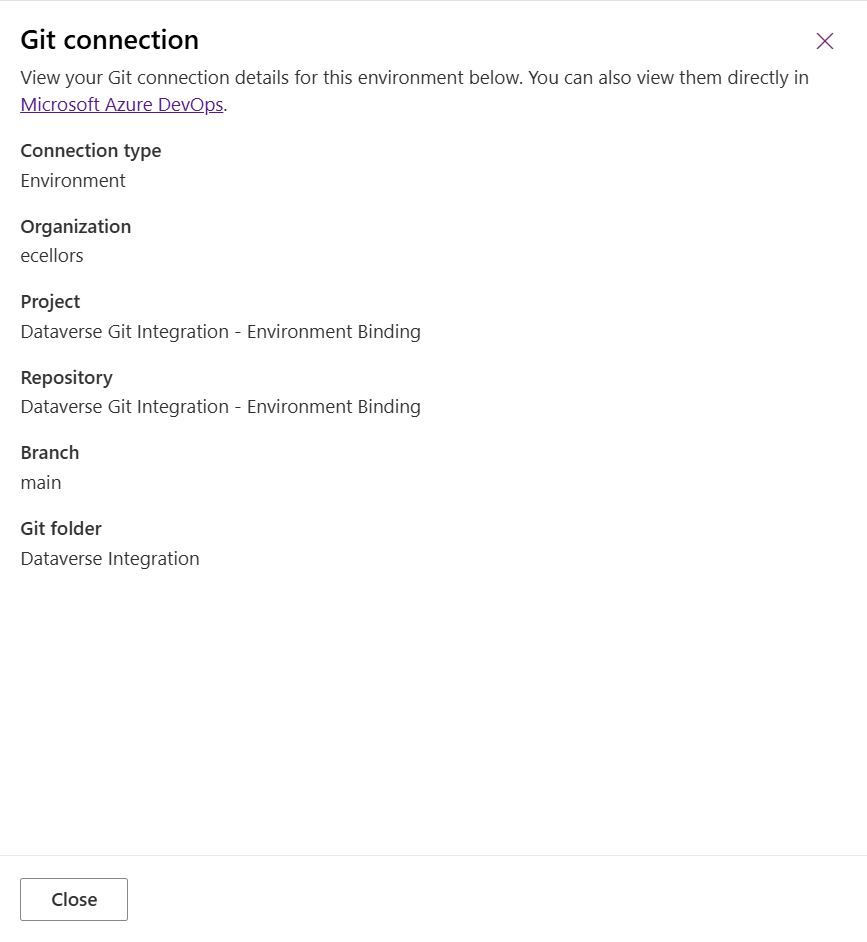
Verify the integration by clicking on Git Integration as below

It should show as below

Now let’s add few components to the solution we created

Once added, let’s publish the unmanaged solution and verify it..

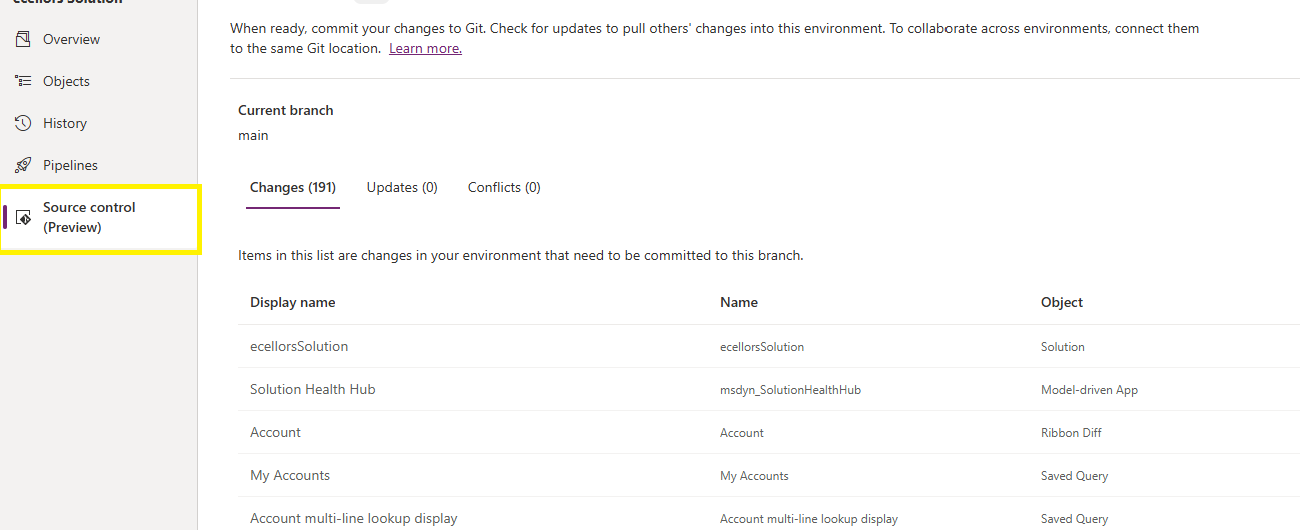
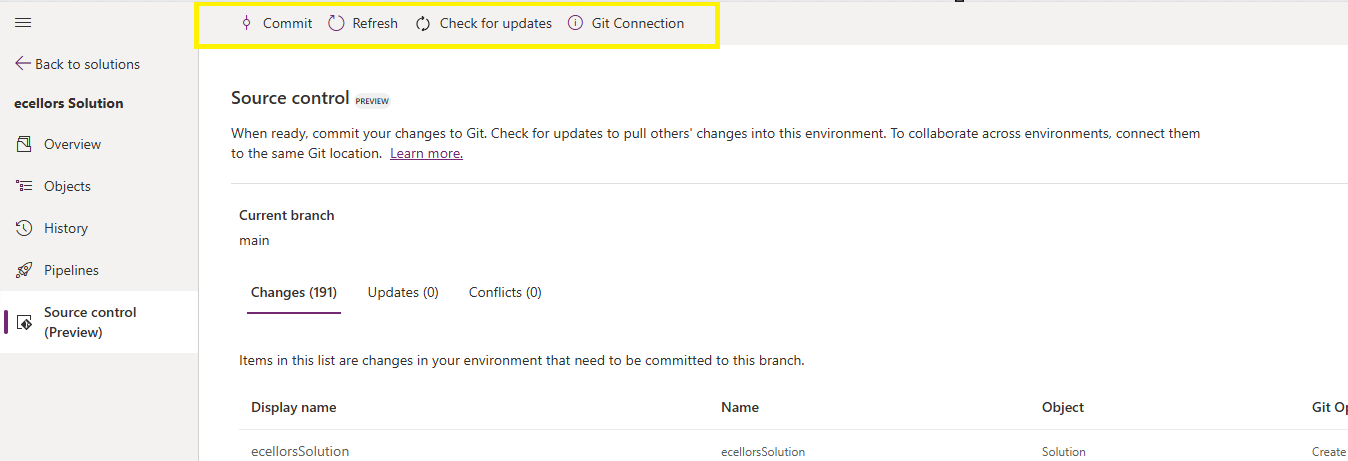
Do look closely, you should see a Source Control icon highlighted in yellow color for illustration.

Also, you should see a commit option available at the top

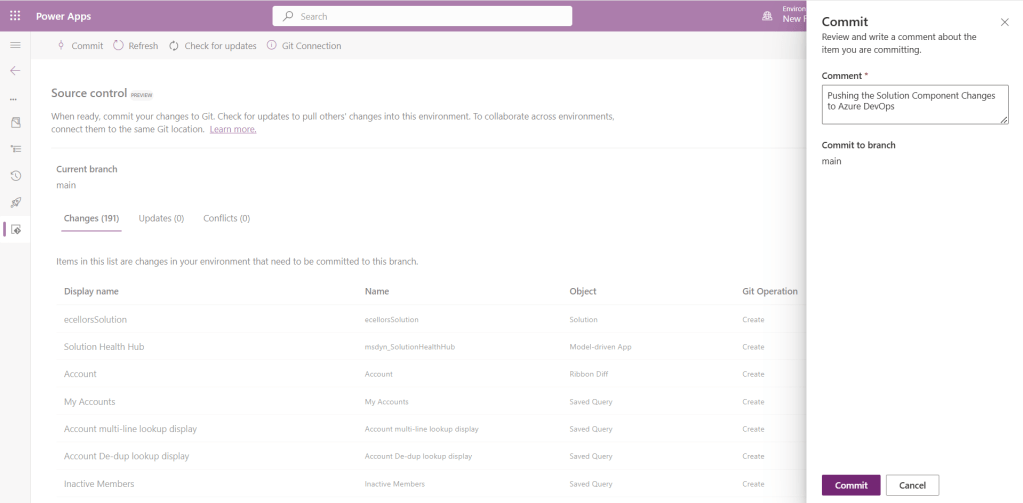
You should now be able to commit the solution components as if you are committing the code changes.

It also specifies the branch to which we were commiting…

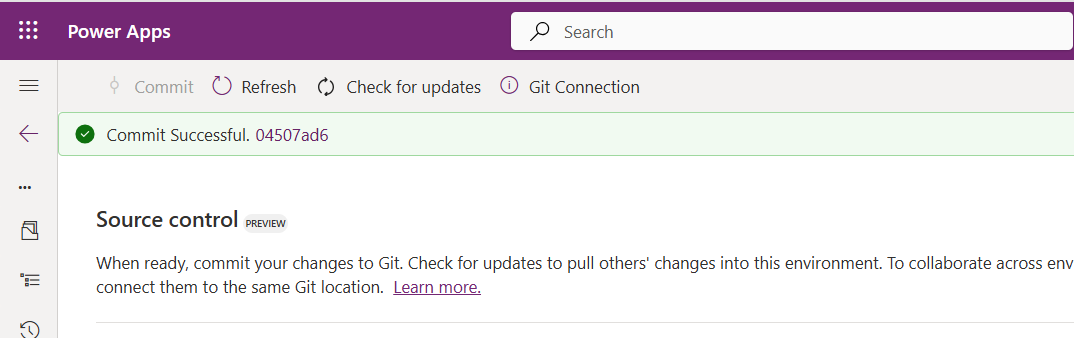
While it takes few minutes unlike pushing the code to Azure DevOps to push the changes, however this would depend based on the number of solution components you were pushing..once it is done, it will show a commit message like below…

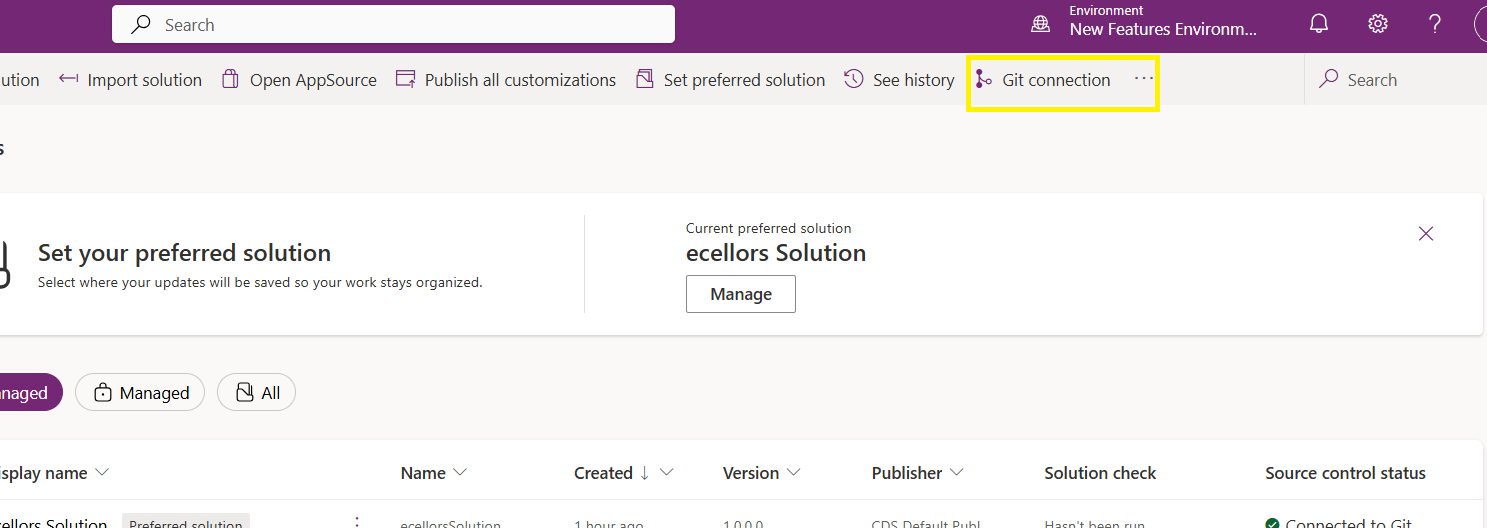
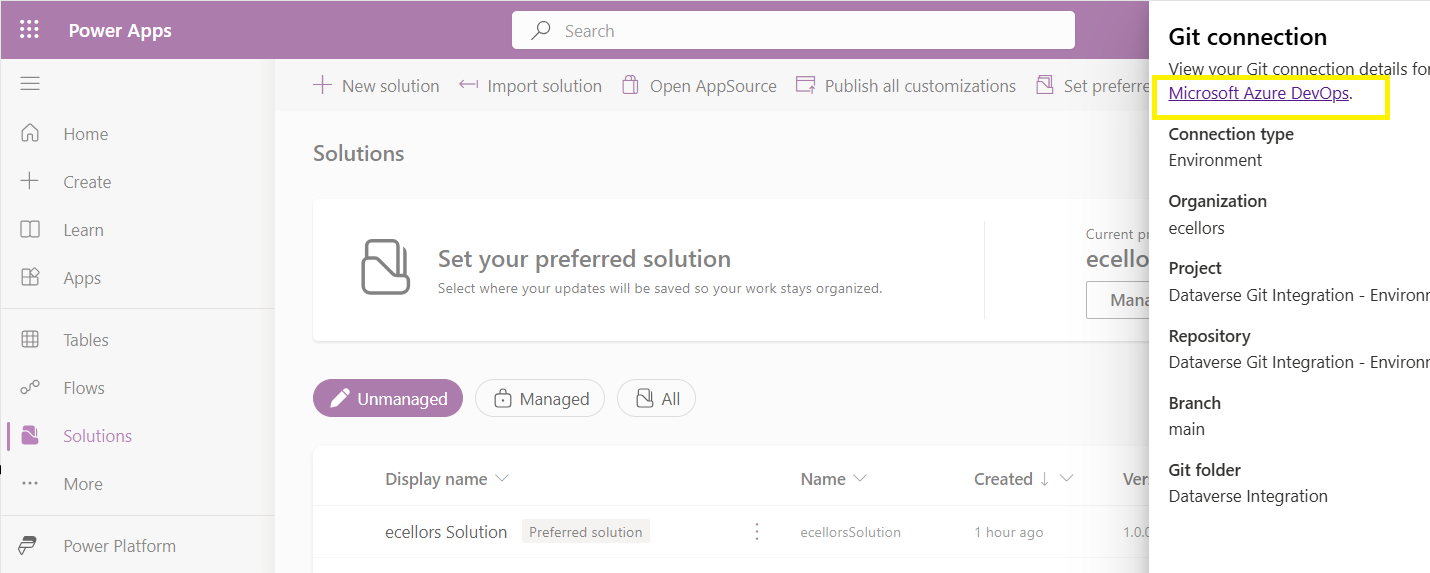
Now let’s verify our Azure DevOps Repo..for this you can go back to the main solutions page, click on Git Connection at the top..

After clicking on Git Connection, click on the link to Microsoft Azure DevOps as below

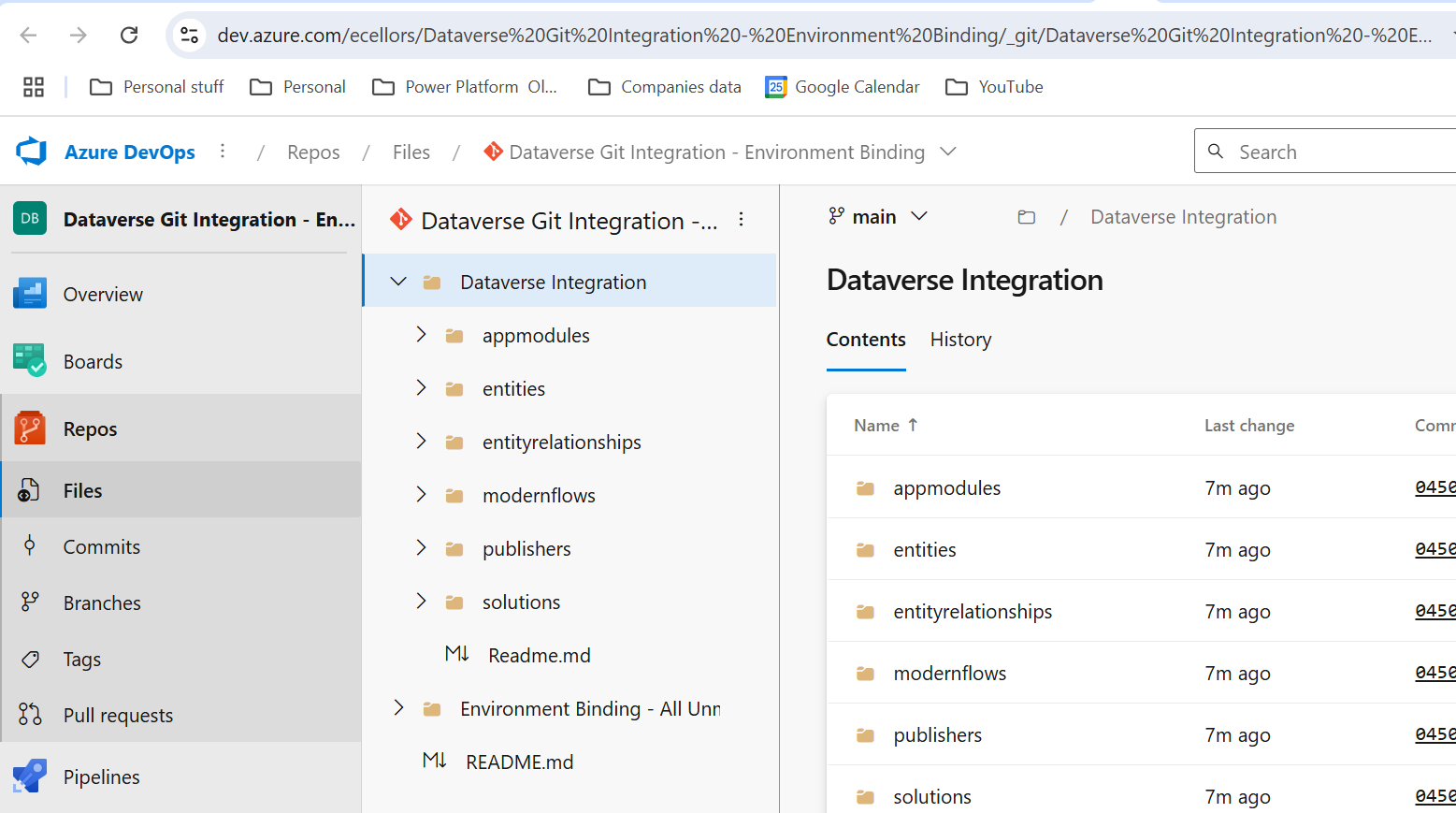
Then you should be navigated to Azure DevOps folder as below where all the solution files will be tracked component wise.

Now we will move back to Power Apps maker portal and make some changes to any of the components inside the solution…

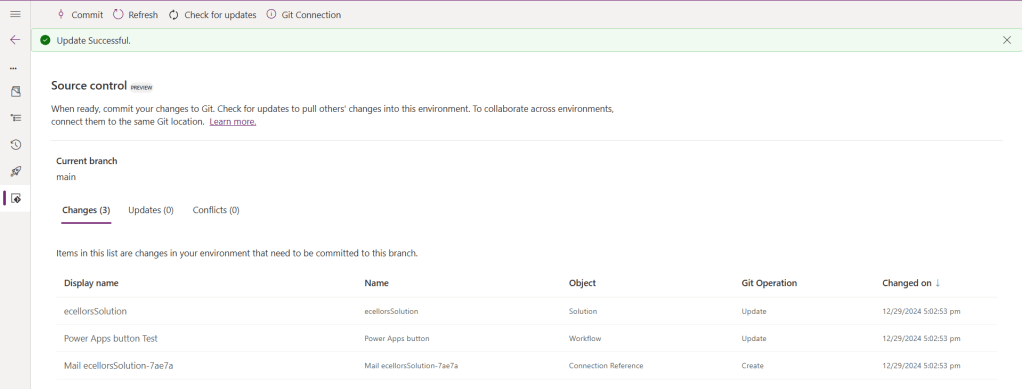
Let’s say, I just edited the flow name and created a new connection reference, saved and published the customizations.

If you did some changes at the Azure DevOps repo level, you can come back and click on Check for updates, if there were any conflicts between changes done in Azure DevOps and component in solution, it will be shown as conflict.

We now have 3 component changes and all were listed here…you can click on Commit.

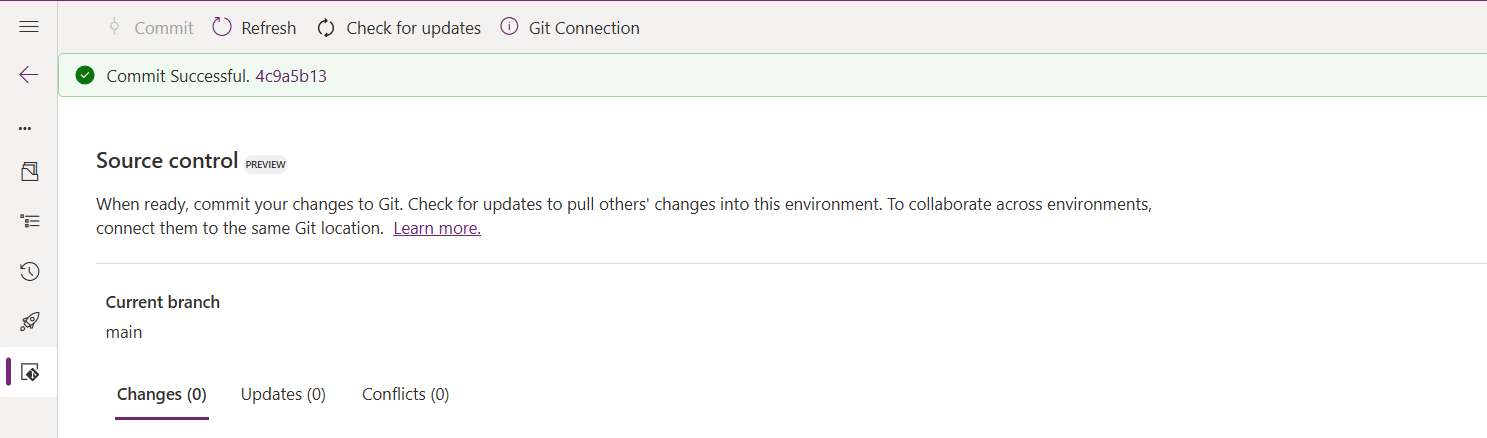
As soon as the changes are committed, you should see a message saying Commit Successful and 0 Changes, 0 Updates, 0 Conflicts.

Now you successfully integrated Dataverse Solution components with Azure DevOps without any manual intervention required while deploying solutions using Azure DevOps Pipelines.

Hope you learned something new today…while feature is still in Preview and only available for early release, while couple of issues still need to fixed by Microsoft.

I have tested this feature by creating an environment in US Preview region and this feature will be a good value to projects using Automation and this solution repository can be further deployed to other environments using Azure DevOps Pipelines.

This will be rolled out soon next year, hope you learned something new today…

Cheers,

PMDY

Microsoft Power Platform Center of Excellence (CoE) Starter Kit – Basics – Learn COE #01

Hi Folks,

This is an introductory post, but it’s worth going through where I will be sharing basics about using Centre of Excellence(COE) in Power Platform. Let’s get started.

So, what’s Center of Excellence? COE plays a key role in deriving strategy and move forward in this fast-paced world to keep up with the innovation. Firstly, we may need to ask ourselves few questions…Do your organization have lot of flows, apps and copilots aka power virtual agents? Do you want to effective manage them? Then how you want to move forward…using COE Starter kit is a great choice. It is absolutely free to download, the starter kit is a collection of components and tools which will help to oversee and adopt Power Platform Solutions. The assets part of the CoE Starter Kit should be seen as a template from which you inherit your individual solution or can serve as inspiration for implementing your own apps and flows.

There were some prerequisites before you can install your COE Starter Kit. Many of the medium to large scale enterprise Power Platform implementations should be possessing in their tenant.

  1. Microsoft Power Platform Service Admin, global tenant admin, or Dynamics 365 service admin role.
  2. Dataverse is the foundation for the kit.
  3. Power Apps Per User license (non-trial) and Microsoft 365 license.
  4. Power Automate Per User license, or Per Flow licenses (non-trial).
  5. The identity must have access to an Office 365 mailbox that has the REST API enabled meeting the requirements of Outlook connector.
  6. Make sure you enable the Power Apps Code Components in Power Platform Admin Center
  7. If you want to track unique users and app launches, you need to have Azure App Registration having access to Microsoft 365 audit log.
  8. If you would like to share the reports in Power BI, minimally you require a Power BI pro license.
  9. Setting up communication groups to talk between Admins, Makers and Users.
  10. Create 2 environments, 1 for test and 1 for production use of Starter Kit
  11. Install Creator Kit in your environment by downloading the components from here

The following connectors should be allowed to effectively use data loss prevention policies(DLP)

Once you were done checking the requirements, you can download from the starter kit here.

You can optionally install from App Source here or using Power Platform CLI here.

The kit provides some automation and tooling to help teams build monitoring and automation necessary to support a CoE.

While we saw what advantages are of having COE in your organization and other prerequisites. In the upcoming blog post, we will see how you can install COE starter kit in your Power Platform tenant and set it up to effectively plan your organization resources for highest advantage.

Cheers,

PMDY

Using Preferred Solution in Power Apps saves you time..Quick Review

Hi Folks,

Today, I will be pointing out the advantages of using Preferred Solution and it’s consequences of using or removing it…while the feature is out there from quite few months, yet many of the Power Platform Projects are not utilizing this feature, it can reduce your hassles when many people are working together in a team and you can make sure everyone’s changes go to this solution.

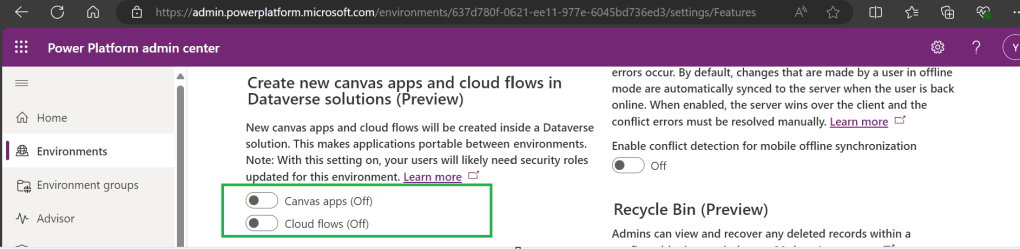
Here we understand what Preferred Solution means to the makers, firstly in order to use this affectively, let’s turn the feature to create Canvas Apps & Cloud Flows in Solutions by enabling this preview feature as suggested below from https://admin.powerplatform.com, this is not mandatory step but would be better as you can add Power Automate flows and Canvas Apps in the Solution and click Save.

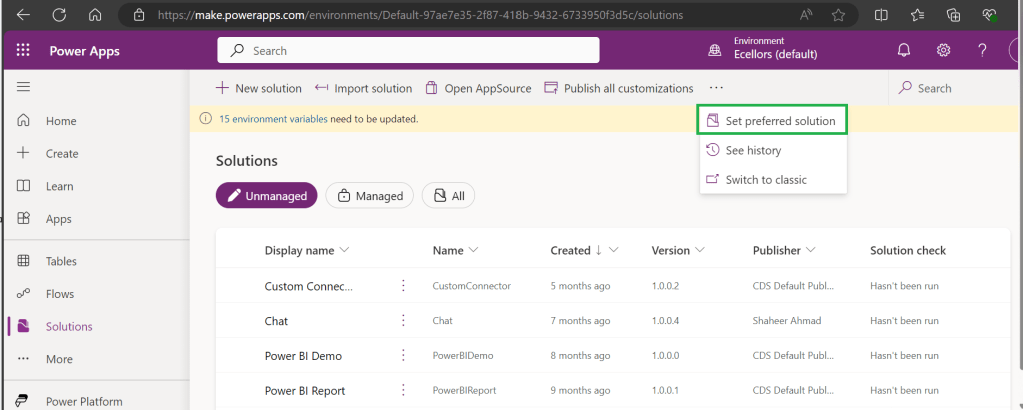
Next navigate to https://make.powerapps.com –> Solutions –> Set preferred solution

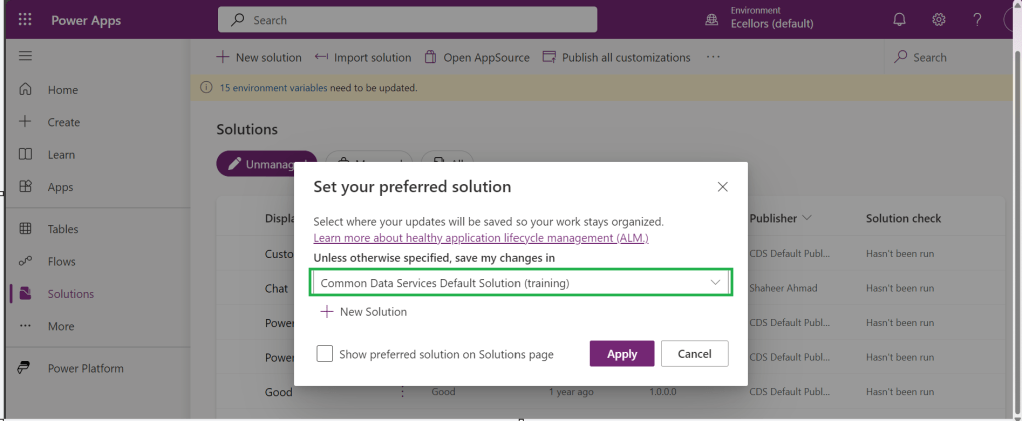
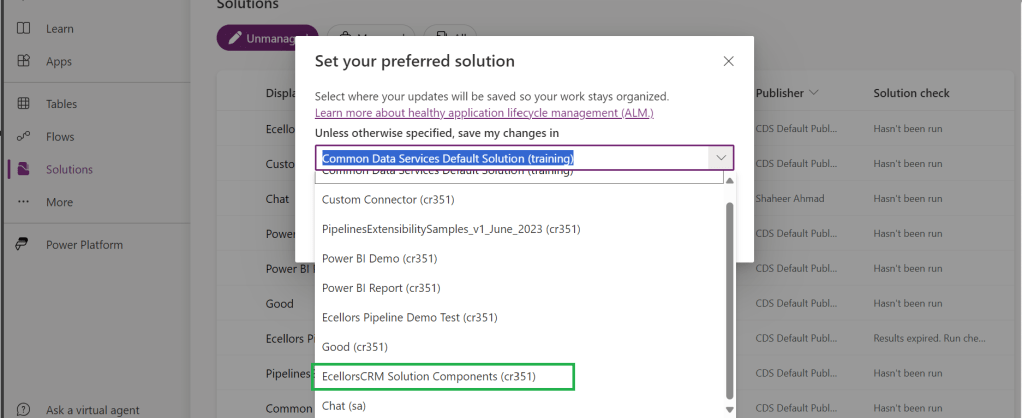
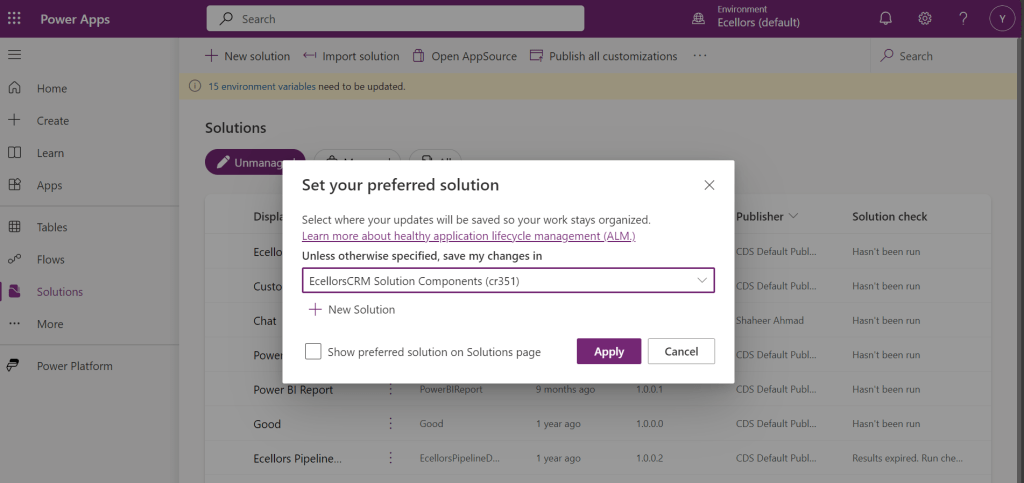
If no preferred solution is set, by default, it will show the Common Data Service Default Solution to set as Default Solution, if you wish to set another Solution, you can select the respective Solution from the drop down.

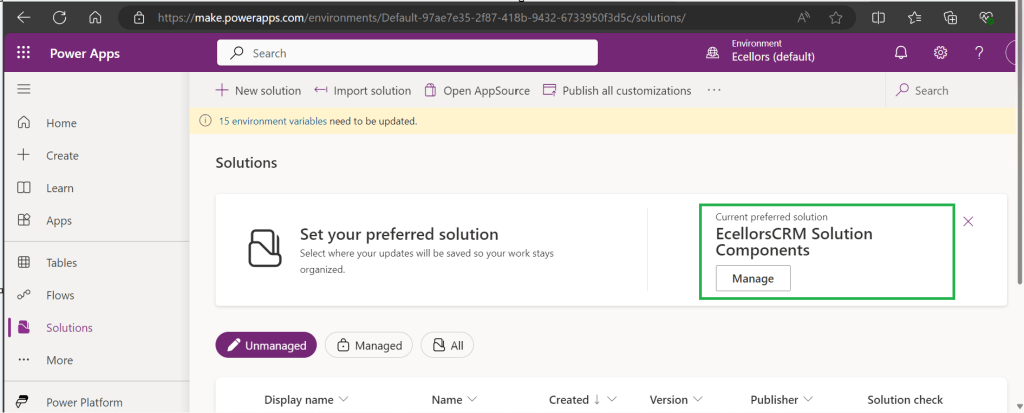
Enable/Disable the toggle to show Preferred Solution option in the Solutions Page.

Just click on Apply.

Advantages:

  1. Once preferred Solution is set, any components added by the makers would by default go the Preferred Solution, so makers need not worry about choosing right Solution while creating Power Platform Components.
  2. No need to worry if the solution components will be added in the default solution as the new components will be added to the preferred solution automatically.

Limitations:

  1. Preferred Solutions can be only set in Modern Designer
  2. Components created in Classic Designer won’t go to Preferred Solutions
  3. Custom Connector, Connections, DataFlows, Canvas Apps created from Image or Figma Design, Copilots/Agents, Gateways

You can always delete your preferred solution so that other makers can set their preferred solution, but do this with caution so that none of your team members or your works gets impacted.

Hope this saves few seconds of your valuable time…

Cheers,

PMDY

When to use NO-LOCK in SQL – Quick Review

Hi Folks,

Well this post is not related to Power Platform, but I want to bring it on here to specify the significance of using NOLOCK in Power Platform Implementations using SQL Server.

Recently during our Deployment activity, we had a SSIS job which is writing a lot of data into SQL Server, at the same time, we were trying to read the data from the same table. I received never ending Executing query … message. It is when I had arguments on this, hence I would like to share the significance of NOLOCK.

The default behaviour in SQL Server is for every query to acquire its own shared lock prior to reading data from a given table. This behaviour ensures that you are only reading committed data. However, the NOLOCK table hint allows you to instruct the query optimizer to read a given table without obtaining an exclusive or shared lock. The benefits of querying data using the NOLOCK table hint is that it requires less memory and prevents deadlocks from occurring with any other queries that may be reading similar data. 

In SQL Server, the NOLOCK hint, also known as the READUNCOMMITTED isolation level, allows a SELECT statement to read data from a table without acquiring shared locks on the data. This means it can potentially read uncommitted changes made by other transactions, which can lead to what’s called dirty reads.

Here’s an example:

Let’s say you have a table named Employee with columns EmployeeID and EmployeeName.

CREATE TABLE Employee (
    EmployeeID INT,
    EmployeeName VARCHAR(100)
);

INSERT INTO Employee (EmployeeID, EmployeeName)
VALUES (1, 'Alice'), (2, 'Bob'), (3, 'Charlie');

Now, if two transactions are happening concurrently:

Transaction 1:

BEGIN TRANSACTION
UPDATE Employee
SET EmployeeName = 'David'
WHERE EmployeeID = 1;

Transaction 2:

SELECT EmployeeName
FROM Employee WITH (NOLOCK)
WHERE EmployeeID = 1;

If Transaction 2 uses WITH (NOLOCK) when reading the Employee table, it might read the uncommitted change made by Transaction 1 and retrieve 'David' as the EmployeeName for EmployeeID 1. However, if Transaction 1 rolled back the update, Transaction 2 would have obtained inaccurate or non-existent data, resulting in a dirty read.

Key takeaways about NOLOCK:

  • Pros: Reduces memory use, avoids blocking, speeds up reads.
  • Cons: May read uncommitted or inconsistent data.

Using NOLOCK can be helpful in scenarios where you prioritize reading data speed over strict consistency. So, in my case as I want to just view the data, using NOLOCK is good without locking the query. However, it’s essential to be cautious since it can lead to inconsistent or inaccurate results, especially in critical transactional systems.

Other considerations like potential data inconsistencies, increased chance of reading uncommitted data, and potential performance implications should be weighed before using NOLOCK.

Conclusion:

There are benefits and drawbacks to specifying NOLOCK table hint as a result they should not just be included in every T-SQL script without a clear understanding of what they do. Nevertheless, should a decision be made to use NOLOCK table hint, it is recommended that you include the WITH keyword. Using NOLOCK without WITH Statement is deprecated. Always use a COMMIT keyword at the end of the transaction.

Hope this helps…

Cheers,

PMDY