
Microsoft Power Fx is an open-source programming language that hopes to make coding as straightforward as building a spreadsheet. Wondered why Microsoft is bringing this excel backbone language to Power Platform range of Products & Services.
It is planned to expand Power Fx throughout the Power Platform over the next two years, including model-driven Power Apps, Microsoft Dataverse and Power Virtual Agents, Microsoft’s low-code chatbot platform. Developers will also be able to use it to directly edit apps in text editors like Visual Studio Code.
So Power Fx is the new name for the formula language for canvas apps. It’s a general-purpose, strong-typed, declarative, and functional programming language. Power Fx will be made available as open-source software. And source code can be found at this link..
When a formula is modified or a value is entered, the worksheet is immediately recalculated to reflect the changes.
Let’s look more in-depth at all the things that Power Fx is doing for us and the freedom it has to optimize because the formula was declarative:
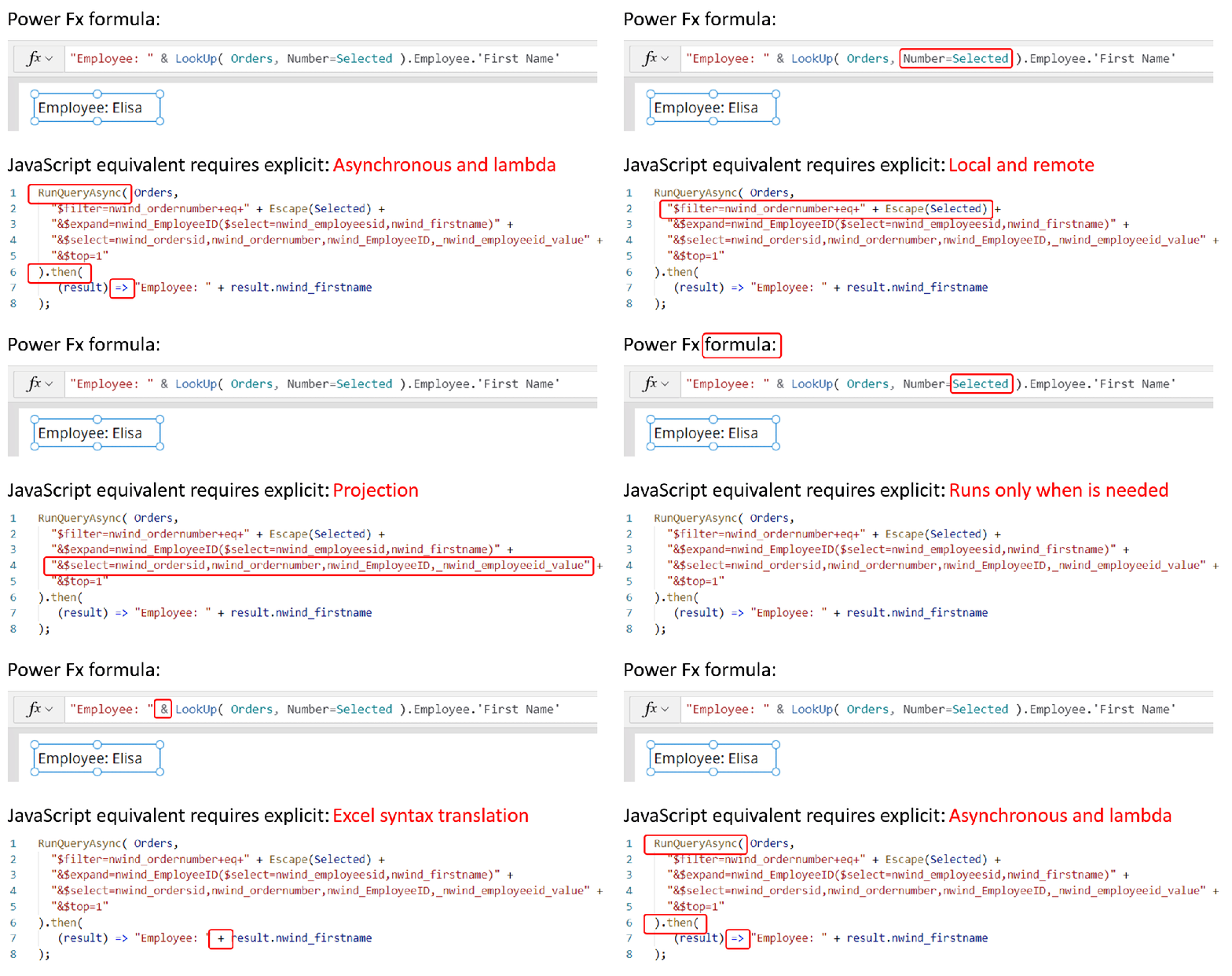
- Asynchronous: All data operations in Power Fx are asynchronous. The maker doesn’t need to specify this, nor does the maker need to synchronize operations after the call is over. The maker doesn’t need to be aware of this concept at all, they don’t need to know what a promise or lambda function is.
- Local and remote: Power Fx uses the same syntax and functions for data that’s local in-memory and remote in a database or service. The user need not think about this distinction. Power Fx automatically delegates what it can to the server, to process filters and sorts there more efficiently.
- Relational data: Orders and Customers are two different tables, with a many-to-one relationship. The OData query requires an “$expand” with knowledge of the foreign key, similar to a Join in SQL. The formula has none of this; in fact, database keys are another concept the maker doesn’t need to know about. The maker can use simple dot notation to access the entire graph of relationships from a record.
- Projection: When writing a query, many developers write
select * from table, which brings back all the columns of data. Power Fx analyzes all the columns that are used through the entire app, even across formula dependencies. Projection is automatically optimized and, again, a maker doesn’t need to know what “projection” means. - Retrieve only what is needed: In this example, the
LookUpfunction implies that only one record should be retrieved and that’s all that’s returned. If more records are requested by using theFilterfunction—for which thousands of records might qualify—only a single page of data is returned at a time, on the order of 100 records per page. The user must gesture through a gallery or data table to see more data, and it will automatically be brought in for them. The maker can reason about large sets of data without needing to think about limiting data requests to manageable chunks. - Runs only when needed: We defined a formula for the
Textproperty of the label control. As the variable selected changes, theLookUpis automatically recalculated and the label is updated. The maker didn’t need to write an OnChange handler for Selection, and didn’t need to remember that this label is dependent upon it. This is declarative programming, as discussed earlier: the maker specified what they wanted to have in the label, not how or when it should be fetched. If this label isn’t visible because it’s on a screen that isn’t visible, or itsVisibleproperty is false, we can defer this calculation until the label is visible and effectively eliminate it if that rarely happens. - Excel syntax translation: Excel is used by many users, most of whom know that the ampersand (&) is used for string concatenation. JavaScript uses a plus sign (+), and other languages use a dot (.).
- Display names and localization:
First Nameis used in the Power Fx formula whilenwind_firstnameis used in the JavaScript equivalent. In Microsoft Dataverse and SharePoint, there’s a display name for columns and tables in addition to a unique logical name. The display names are often much more user-friendly, as in this case, but they have another important quality in that they can be localized. If you have a multilingual team, each team member can see table and field names in their own language. In all use cases, Power Fx makes sure that the correct logical name is sent to the database automatically.
These no-code tools have been built to read and write Power Fx to ensure that there’s plenty of headroom for someone to take it further.
Now lets see what’s in there for developers here…
Professionals want to use professional tools to be most productive. Power Fx formulas can be stored in YAML source files, which are easy to edit with Visual Studio Code, Visual Studio, or any other text editor and enable Power Fx to be put under source control with GitHub, Azure DevOps, or any other source code control system. Take a look at below…
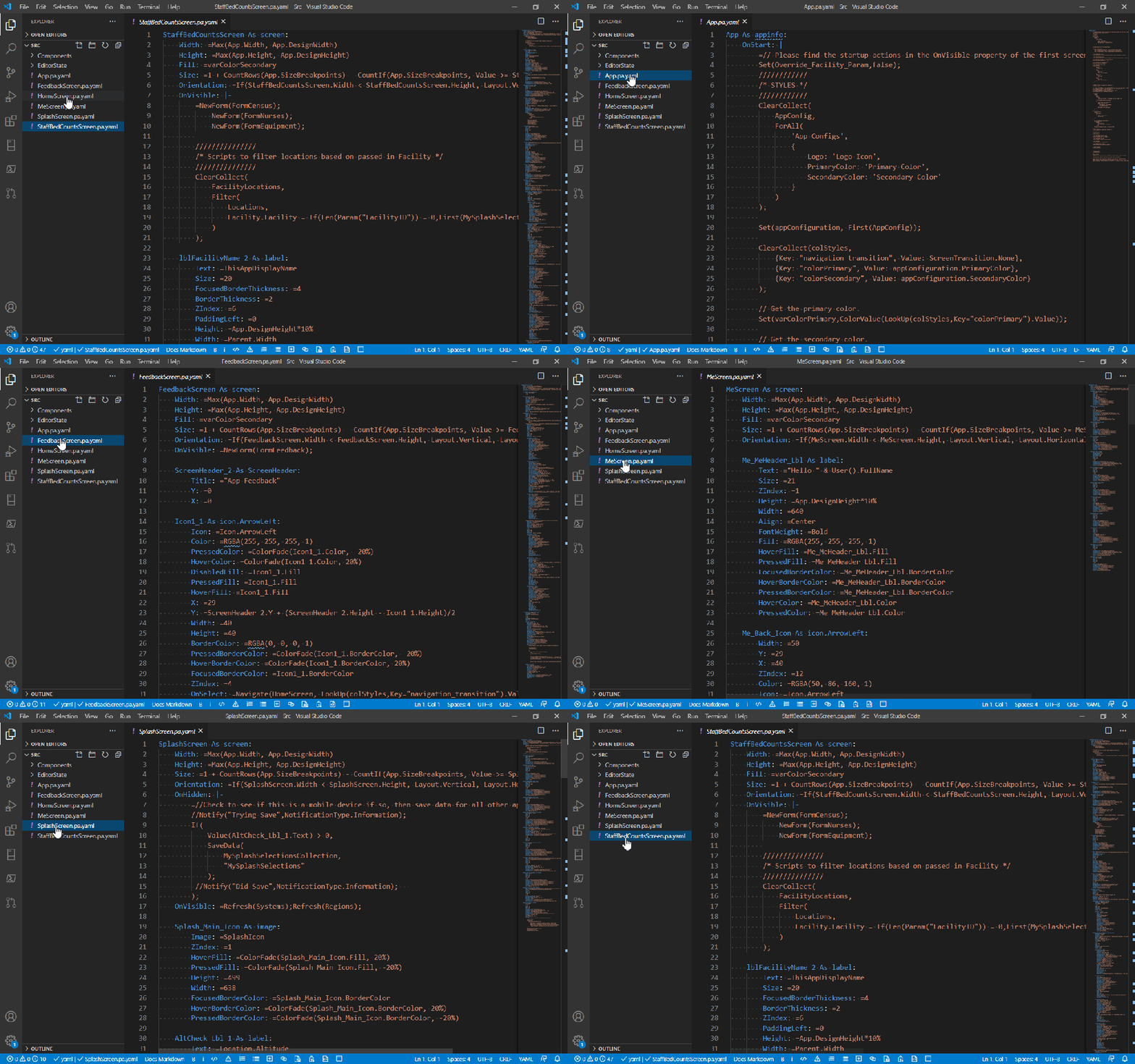
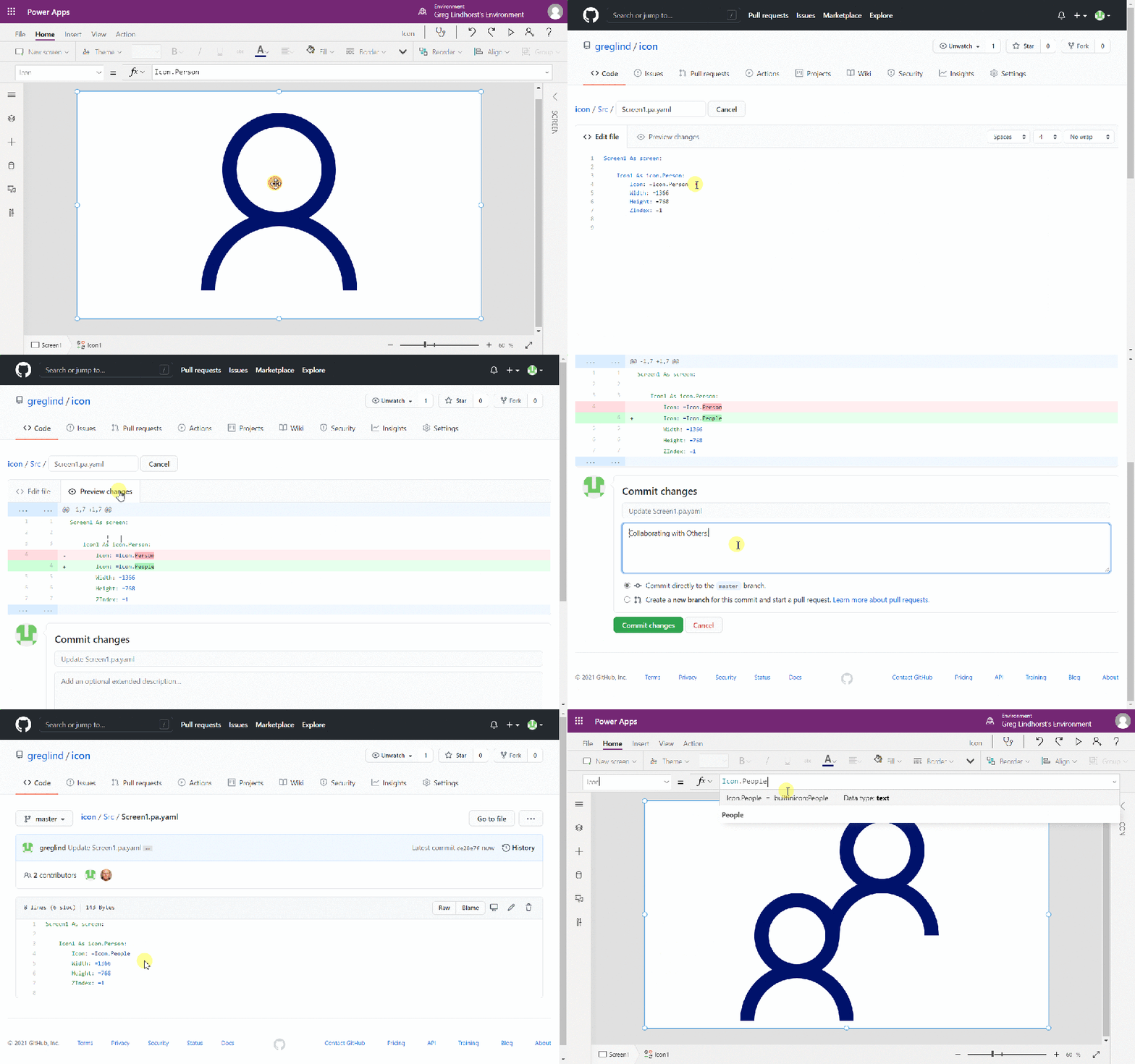
What a cool feature that Microsoft introduced all the excel functions and formulas to make low code apps. much easier ..if you want to further read regarding this…Microsoft Learn is the right place…this link can take you there…
Edit: 20/02/2022
Checkout the below image to see how power fx# reduces the length of code, a developer need to write…
That’s it for today…
Cheers,
PMDY

 ECELLORS CRM Blog