
Hi Folks,
Here is the use case, I was actually pulling data from Model Driven App. As I was testing my report and cross validating the counts with that of CRM, so, it is when I noted that the count of records getting mismatched exactly by the time zone difference and if you were any other time zone except UTC and using Date Diff functions, you may encounter this problem with Power BI which you should definitely handle.
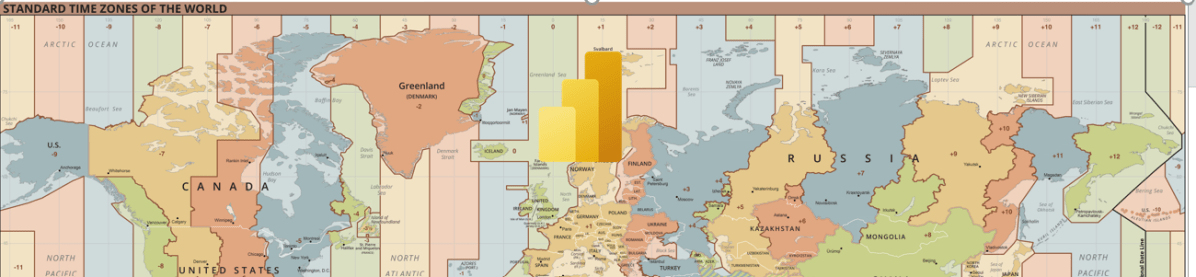
The Power BI Service will be in UTC time zone. Actually, we can’t set the time zone neither in Power BI Desktop nor Power BI Service, we have to amend the time difference, that’s it.
Consider you have a measure which calculates the date difference…consider adding the time zone difference to your DAX measures or using Power Query.
While here I am using the below DAX, I have adjusted here in DAX as below.
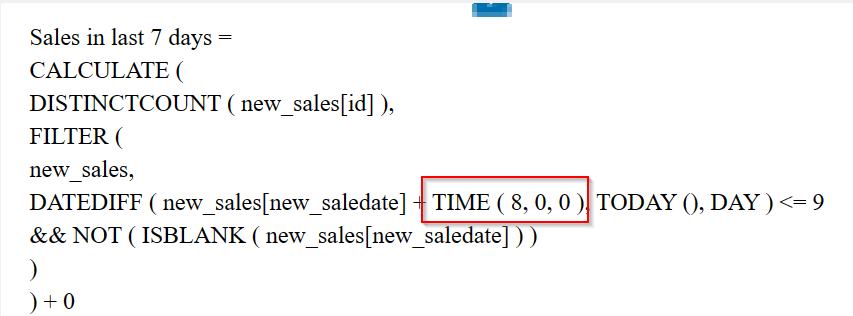
While I was in Singapore time zone (SGT), I have added UTC + 8 using the TIME Function available in Power BI and there you go…
Now the numbers should match exactly with that in your DataSource i.e. Power. Apps.
If you want to do this in Power Query based your scenario…you can follow the article in references.
Hope this helps someone…
References:
Cheers,
PMDY
 ECELLORS CRM Blog